


Windows 10 reached EOS (end of support) on October 14, 2025. If you are on Windows 10, see this article.

Поиск в поддержке

Избегайте мошенников, выдающих себя за службу поддержки. Мы никогда не попросим вас позвонить, отправить текстовое сообщение или поделиться личной информацией. Сообщайте о подозрительной активности, используя функцию «Пожаловаться».

Подробнее

No Login Pop-Up Window on Mobile Site

  • 2 ответа
  • 0 имеют эту проблему
  • 221 просмотр
  • Последний ответ от Liv M

I'm unsure if this is a Firefox Mobile issue (since the site's login pop-up works just fine on my laptop that I also use FF on), or an issue with the website itself, but I've already emailed the site about it and got no response yet. So, figured I'd try here. Also, I just tried re-enabling Chrome to truly see if this is browser or app related and sadly this works on Chrome's Mobile but not FF's.

On the mobile and desktop version of this site: thingstogetme.com

There's an option to login with Facebook or Apple ID. The Apple ID pop-up works fine, but the Facebook one does not. Again, this is only an issue on Mobile. The Facebook option will turn a darker blue once you tap on it, indicating it's been selected, but nothing will happen. If you tap the page, it'll go back to its regular, un-selected blue.

I've turned off uBlock Origin, switched between mobile and desktop pages, refreshed, nothing works for this problem. Thus this essentially soft-locks me out of this site unless I use my laptop.
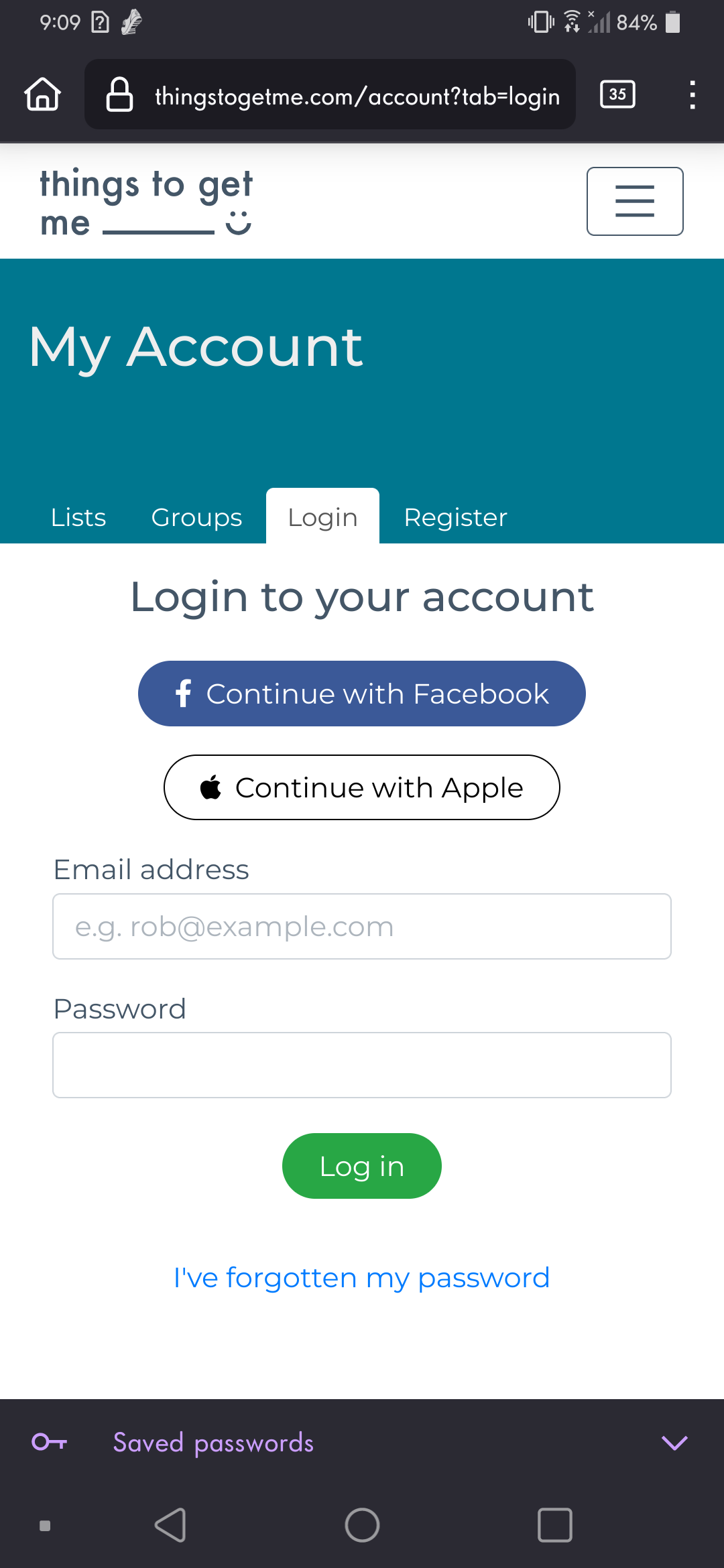
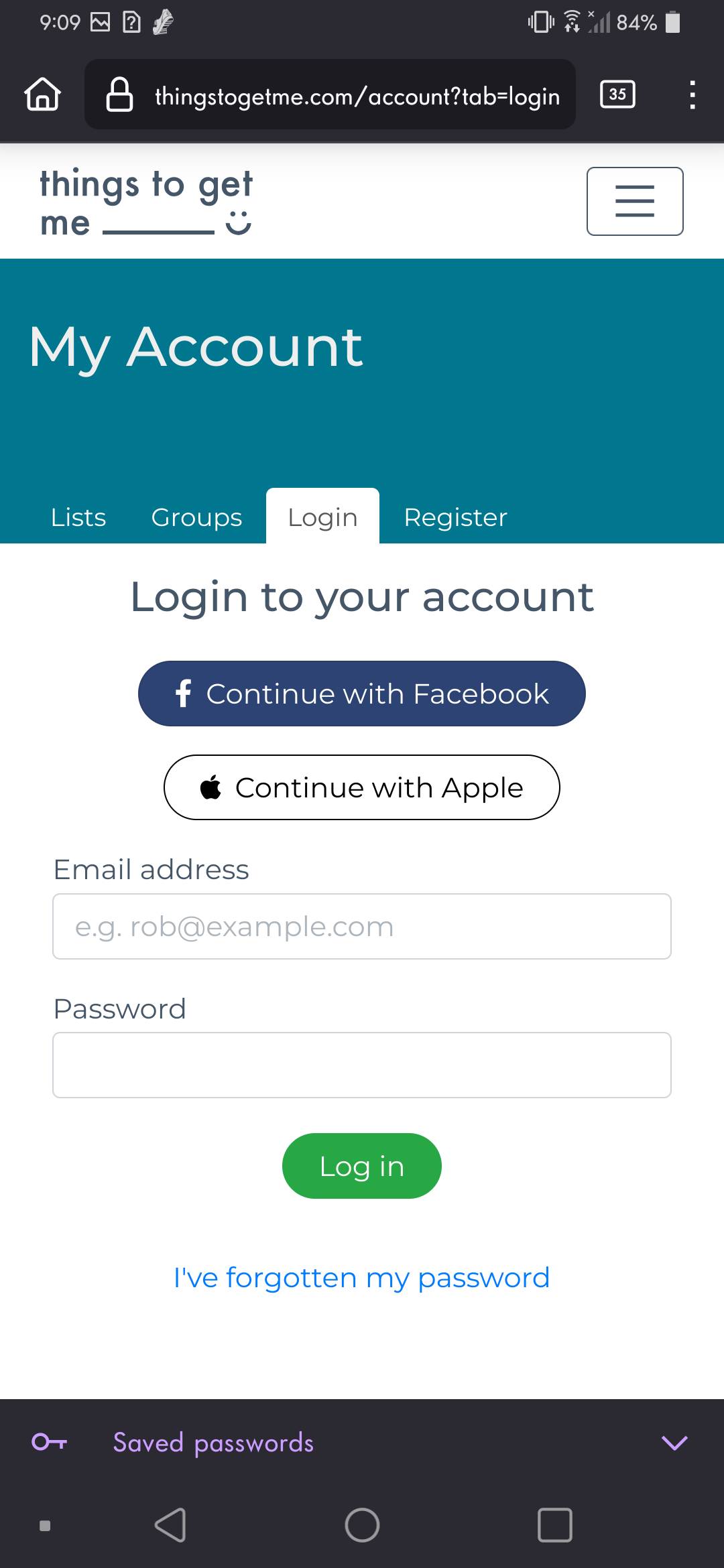
I'm unsure if this is a Firefox Mobile issue (since the site's login pop-up works just fine on my laptop that I also use FF on), or an issue with the website itself, but I've already emailed the site about it and got no response yet. So, figured I'd try here. Also, I just tried re-enabling Chrome to truly see if this is browser or app related and sadly this works on Chrome's Mobile but not FF's. On the mobile and desktop version of this site: thingstogetme.com There's an option to login with Facebook or Apple ID. The Apple ID pop-up works fine, but the Facebook one does not. Again, this is only an issue on Mobile. The Facebook option will turn a darker blue once you tap on it, indicating it's been selected, but nothing will happen. If you tap the page, it'll go back to its regular, un-selected blue. I've turned off uBlock Origin, switched between mobile and desktop pages, refreshed, nothing works for this problem. Thus this essentially soft-locks me out of this site unless I use my laptop.
Приложенные скриншоты

Выбранное решение

Turned off ETP and it works for me. see screenshots
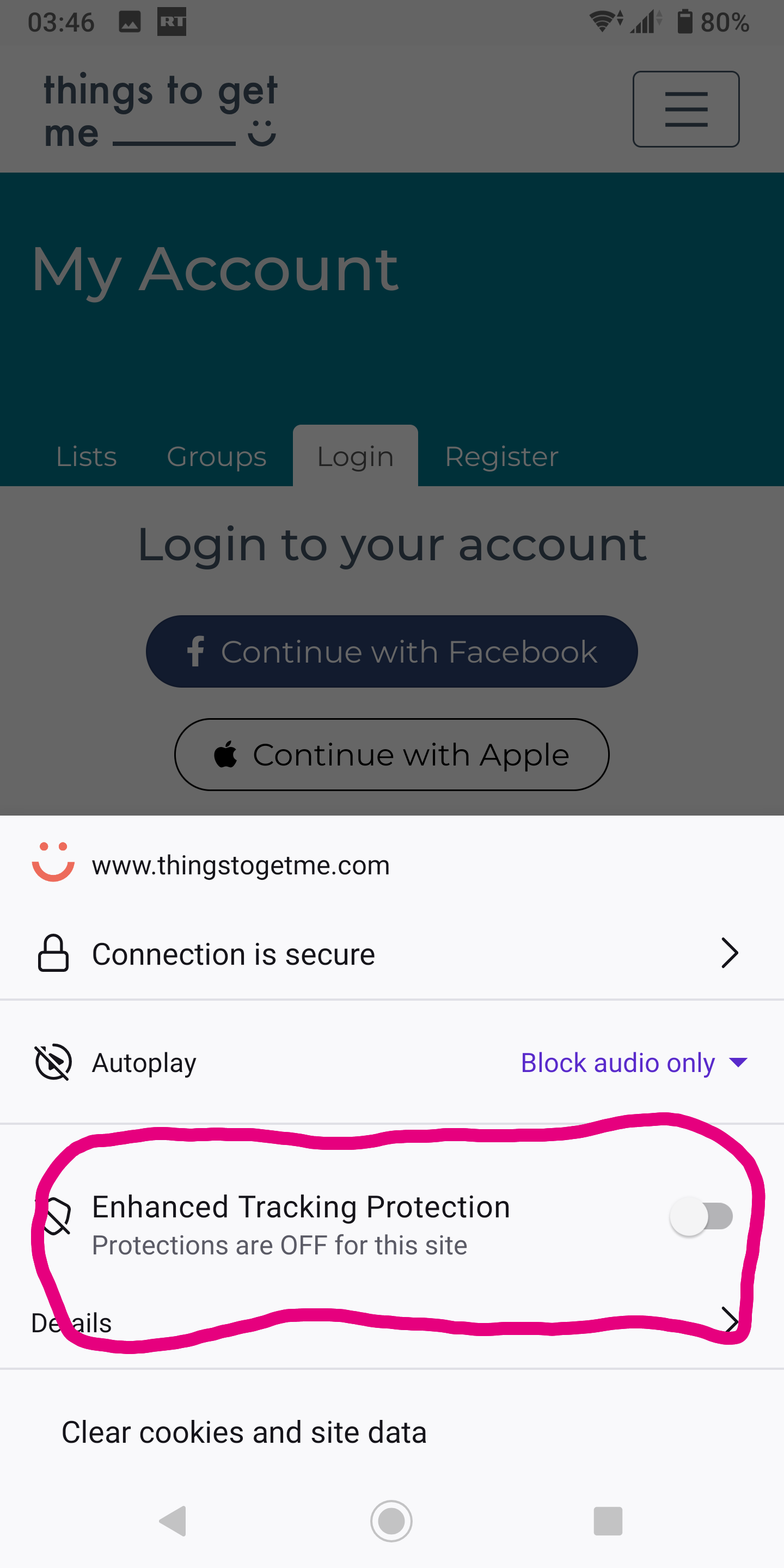
Прочитайте этот ответ в контексте 👍 1

Все ответы (2)

Выбранное решение

Turned off ETP and it works for me. see screenshots
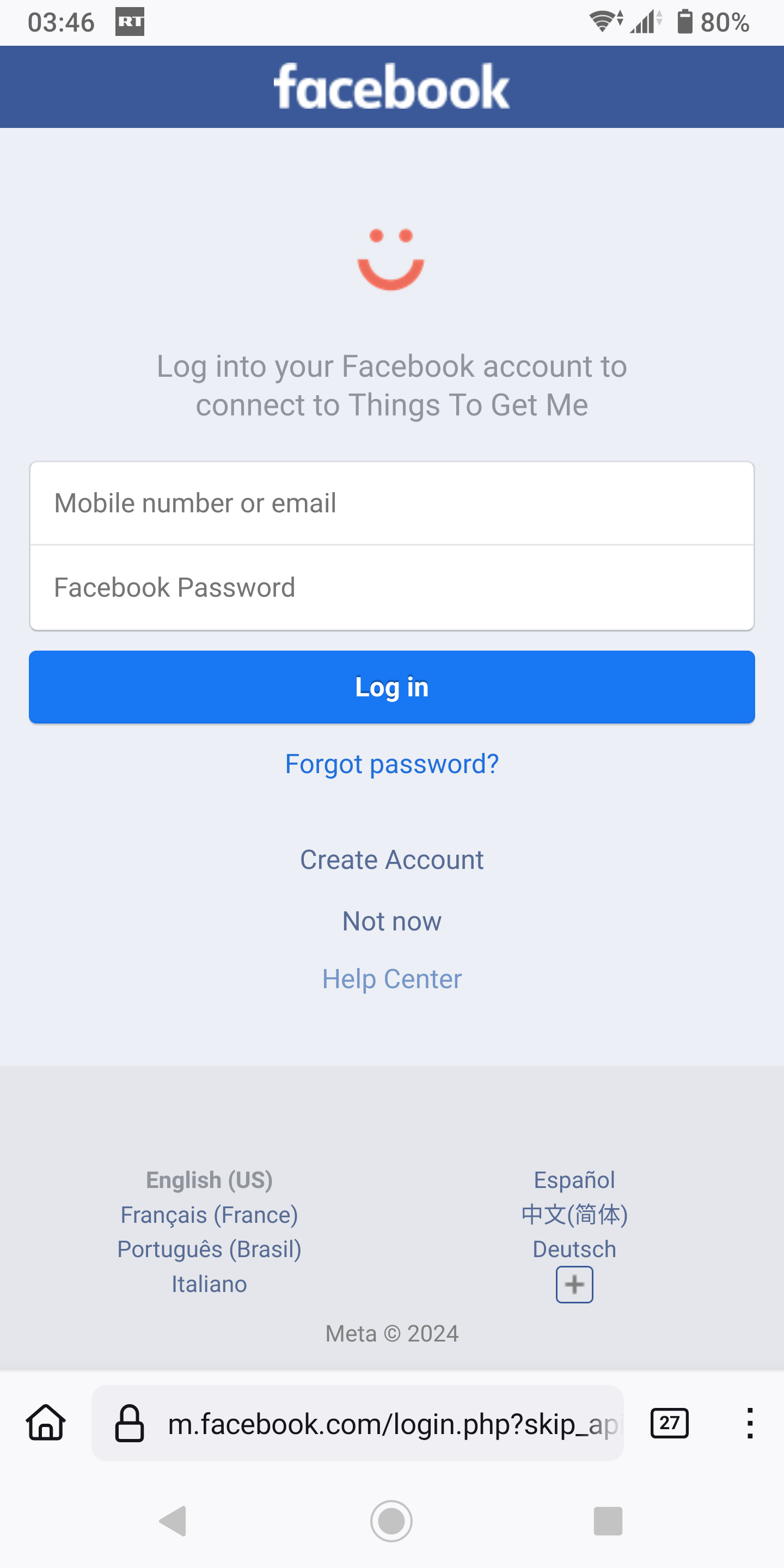
@jonzn4SUSE Ayy that does fix it, thank you. I can even turn it back on once I'm logged in.