


Cannot remove "Your browser is being managed by your organisation" in home settings

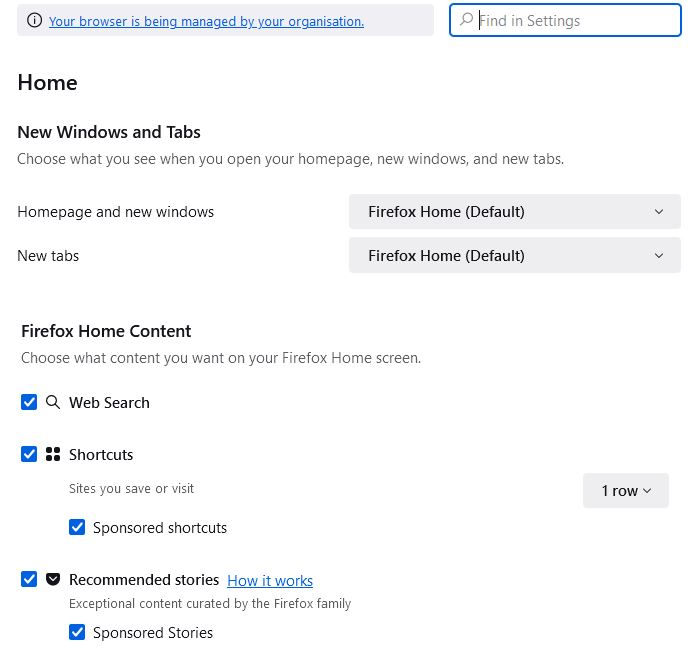
I cannot remove "Your browser is being managed by your organisation" and seems to be stopping the home settings saving. They simply revert back to the default (see image) when I restart Firefox. Not sure what is meant by "your organisation" as I am a personal user, not organisation. I'm the single user of the browser (e.g. just one user on my PC, which is me) and also Admisitrator. Can someone help me remove this. Thanks John
Выбранное решение
This is from your antivirus software and it has nothing to do with the home settings.
Прочитайте этот ответ в контексте 👍 1Все ответы (3)
Click the link "Your browser is being managed by your organisation" and check your active polices.
TyDraniu said
Click the link "Your browser is being managed by your organisation" and check your active polices.
Hi Thank you for the reply. That gives me Policy name "Certificates" and policy value "ImportEnterpriseRoots", but that's just an information line which I cannot change. Any further help would be great. John
Выбранное решение
This is from your antivirus software and it has nothing to do with the home settings.