


task bar icons disappear

(using 118.2.0) At times the navigation icons and the reload icon disappear from the task bar. When I go into Settings and then back to the browser page the icons are gone. They are still in the "3 dot" menu. The only way I have found to reappear them is to close the app (go into android task list and "swipe" it closed) and reopen it.
Any ideas/suggestions?
Все ответы (4)
Hi
Are you able to share a screenshot of when the icons have disappeared from the Firefox for Android menu?
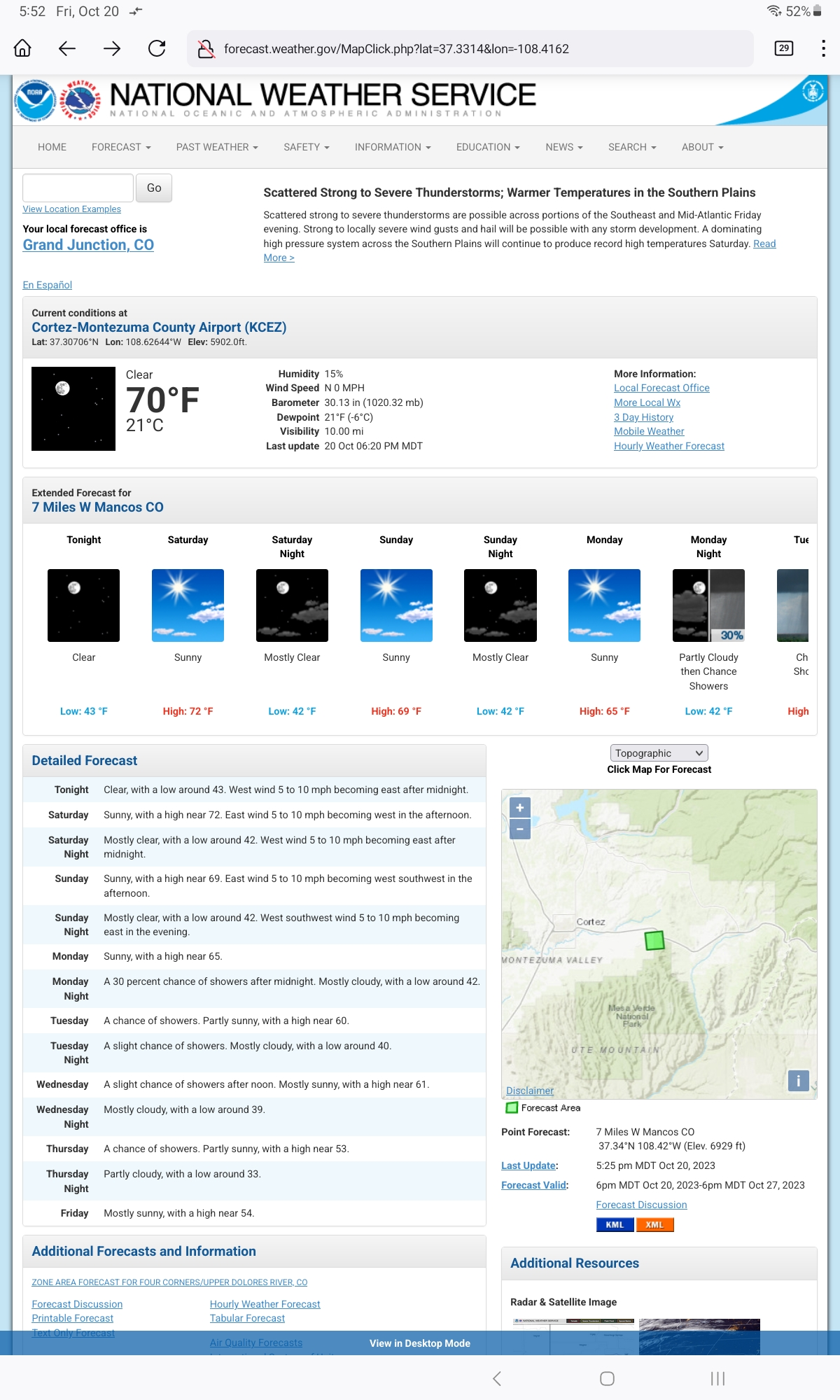
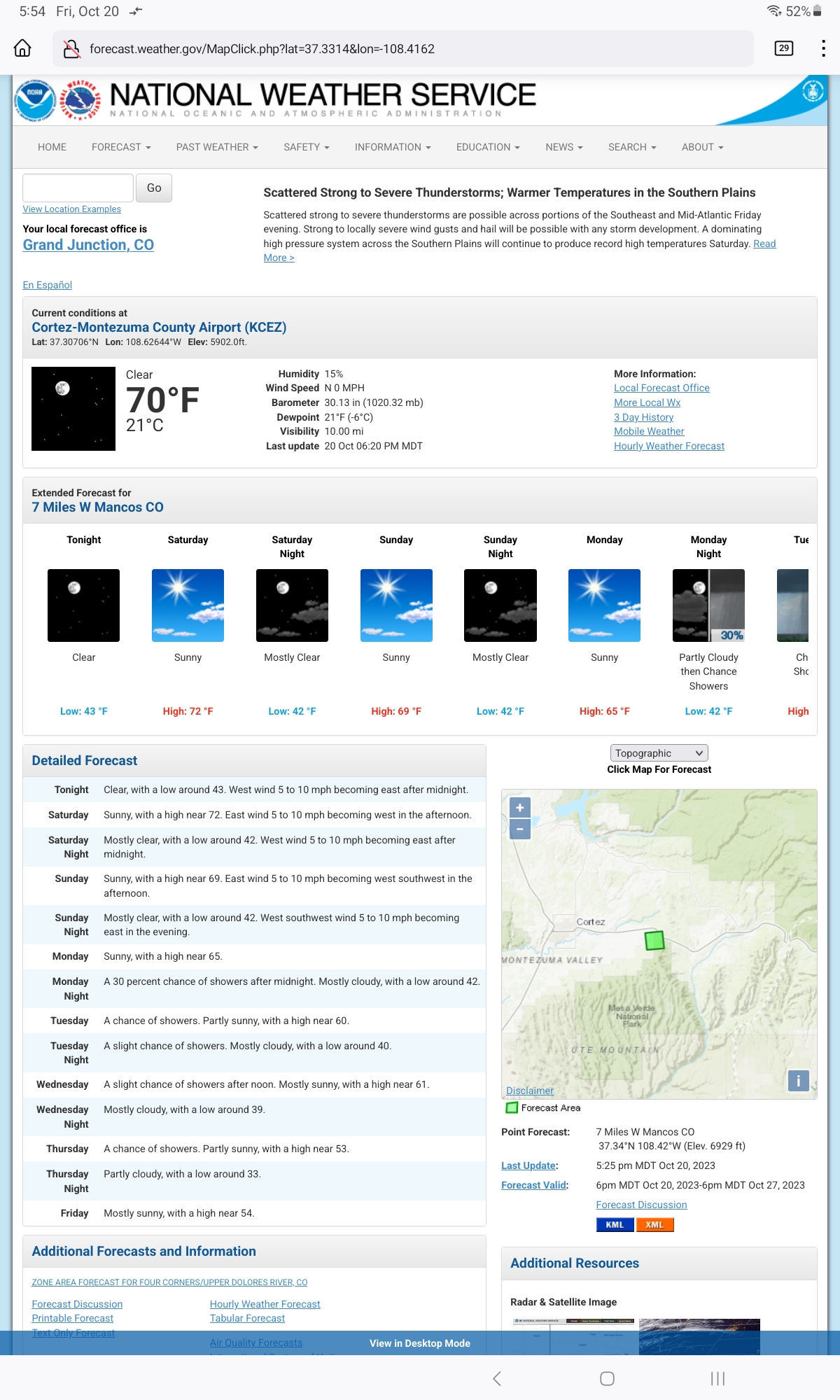
navigation buttons on first image. Simply went into settings, didn't actually do anything, and back to the page, now forward/back buttons are gone, and the reload button (forgot to mention that)
now on release 120.0.1 and somewhere along the way this problem went away
Thank you for letting us know (and apologies for not responding to your earlier update).