


Supernova spell checker

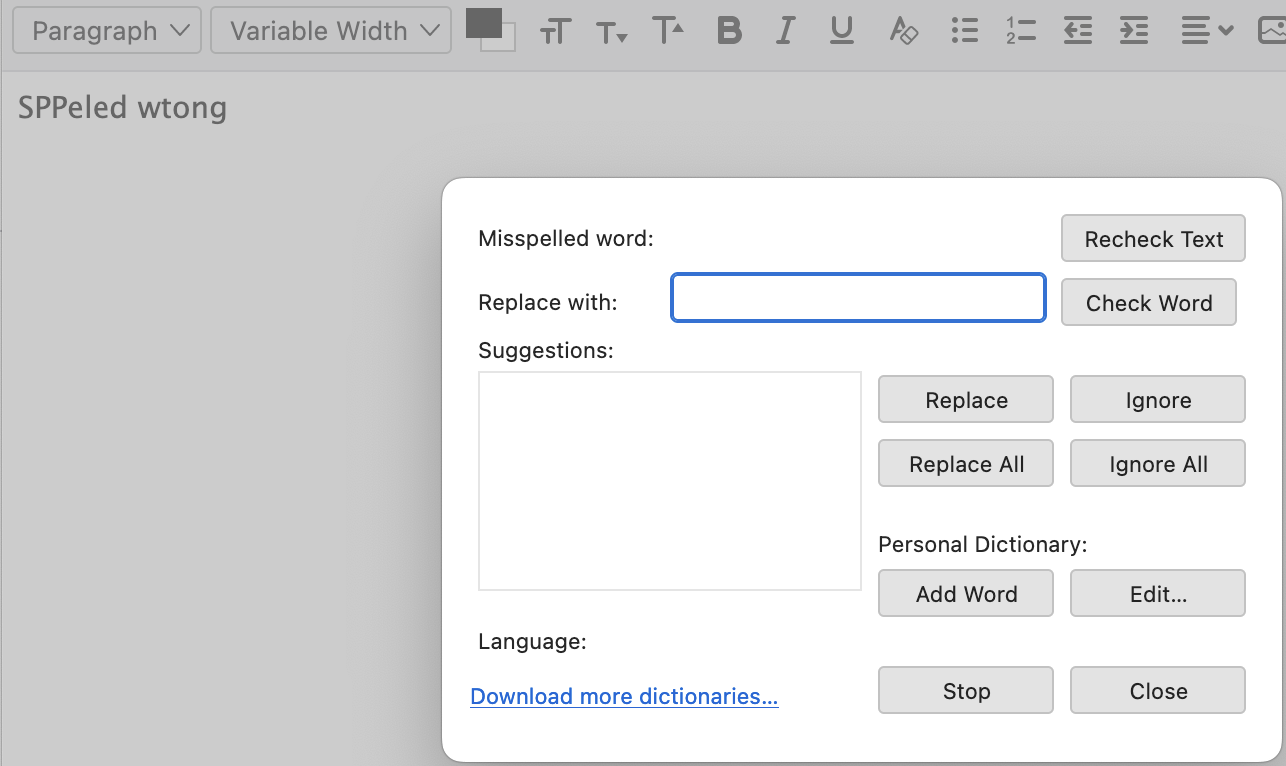
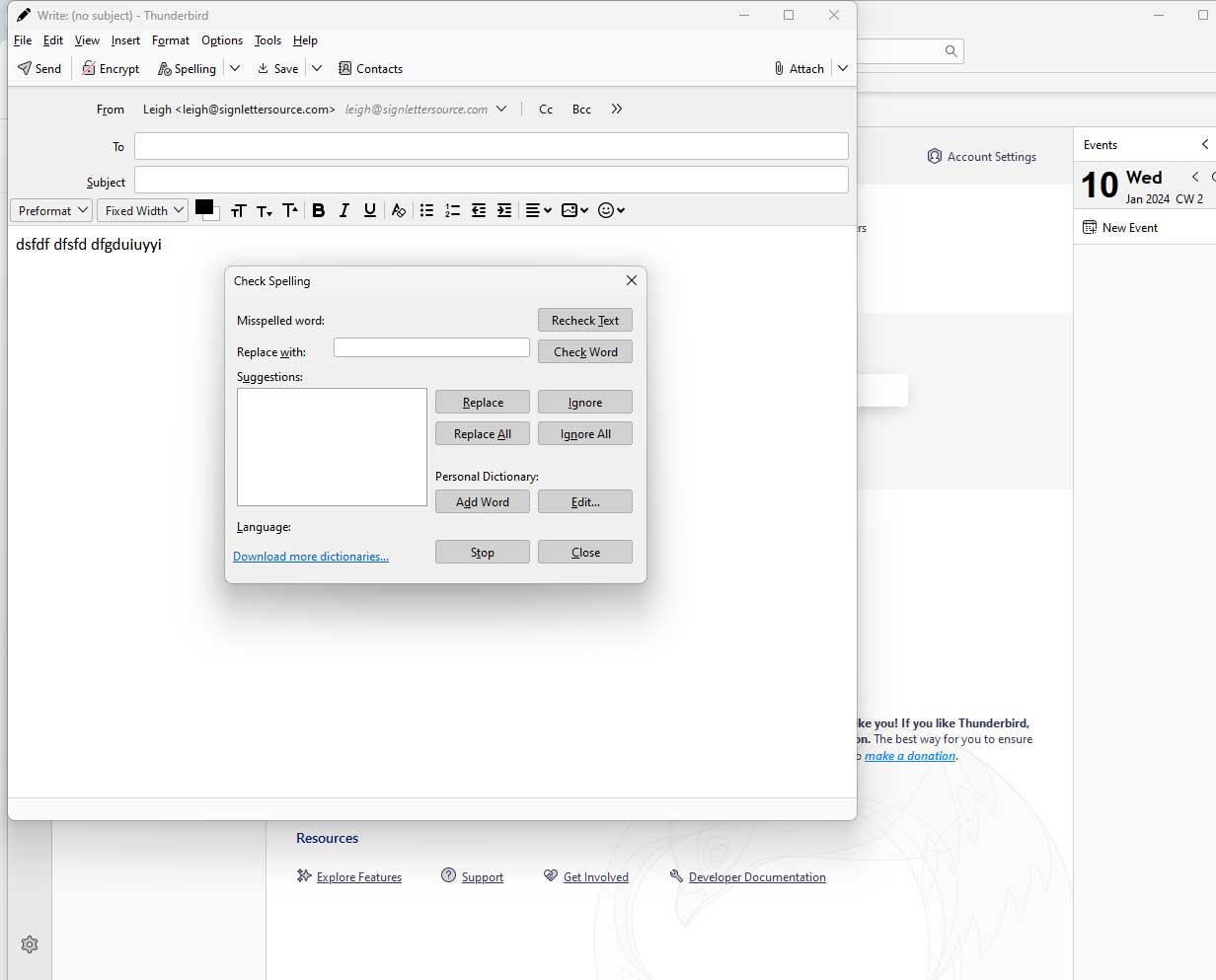
So, I upgraded to SuperNova and my spell checker no longer works. I removed and re-installed the dictionary extension, someplace I think it shows as installed and active. BUT it does not show my spelling mistakes as I compose an email, and when I go to send the spellchecker popup comes up with blanks. Any thoughts on what/how I can fix this. I "really" need a spellchecker.
Выбранное решение
Sorry, on a MacBook Air (M1) macOS Ventura, latest version.
Прочитайте этот ответ в контексте 👍 0Все ответы (17)

On Mac or on Windows?
Выбранное решение
Sorry, on a MacBook Air (M1) macOS Ventura, latest version.
Make sure spell check as you type made it into the update on your machine. What you describe is I think a default, so if you were asked to add your accounts again (quite common) many setting will have rest to default as it is not actually up upgrade but a new install
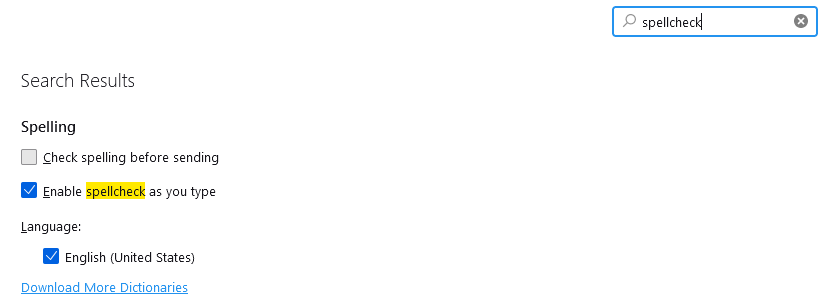
Sorry Matt I did have spelling checked. Removed language packs and re-installed. Started with check spellings un checked. shut down and restarted, checked spelling. All in vain. If, that was a screen shot showing your "checked", mine does not show that there is a dictionary installed, in spite of it showing as installed someplace else.

Hey Matt
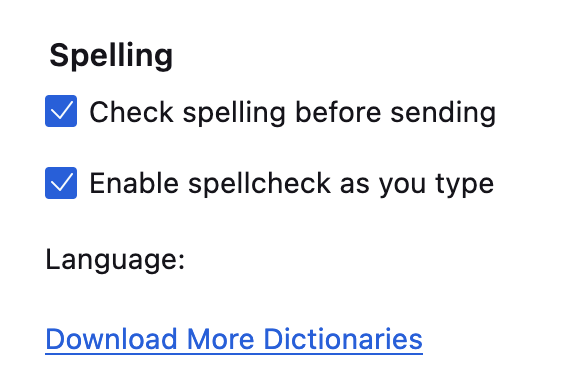
I am not able to get spell checker to work with thunderbird 115.3. I think it might be a windows 11 issue because it works just fine on my win 10 machine with all the same settings. I have the english(US) dictionary installed, check as you type is checked, addon is enabled, but no matter what I do it will not spellcheck either as I type or when using the tools spellcheck. It's driving me insane PLEASE Help
Leigh
add another dictionary and try restarting in Troubleshooting mode from the help menu. If you have a US dictionary installed and showing in the addon manger. Disable it. the EN-us builds do not show an addon for the dictionary, so you may well have an incompatible dictionary installed. .
Hi Matt
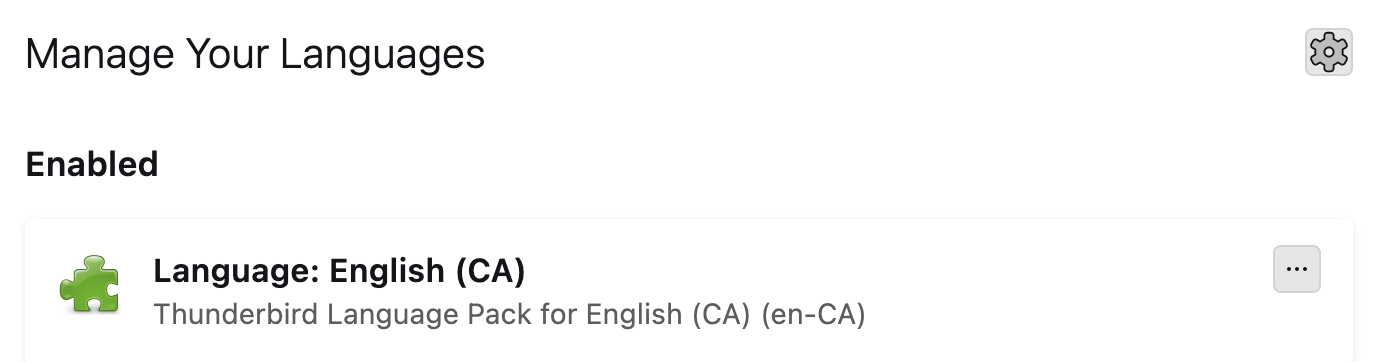
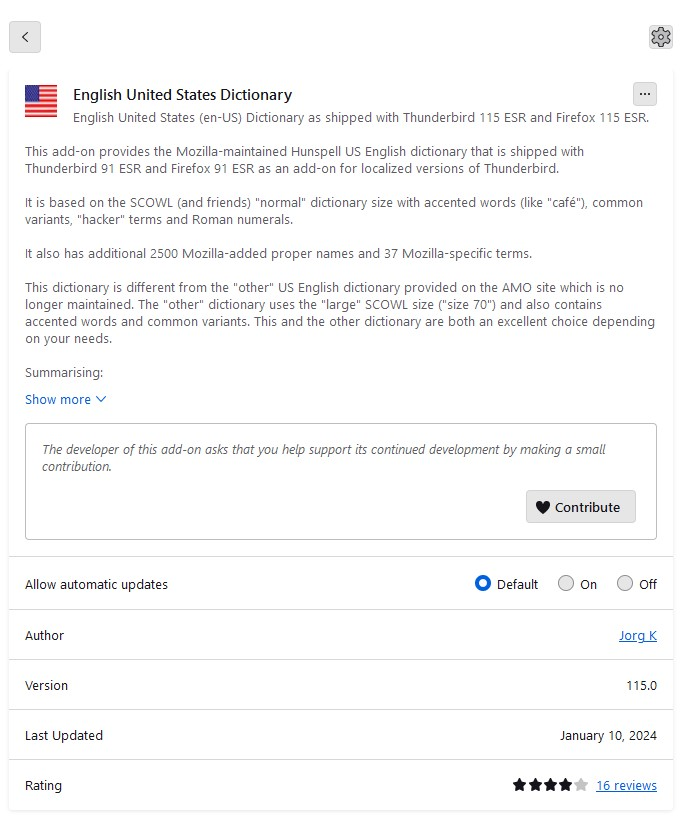
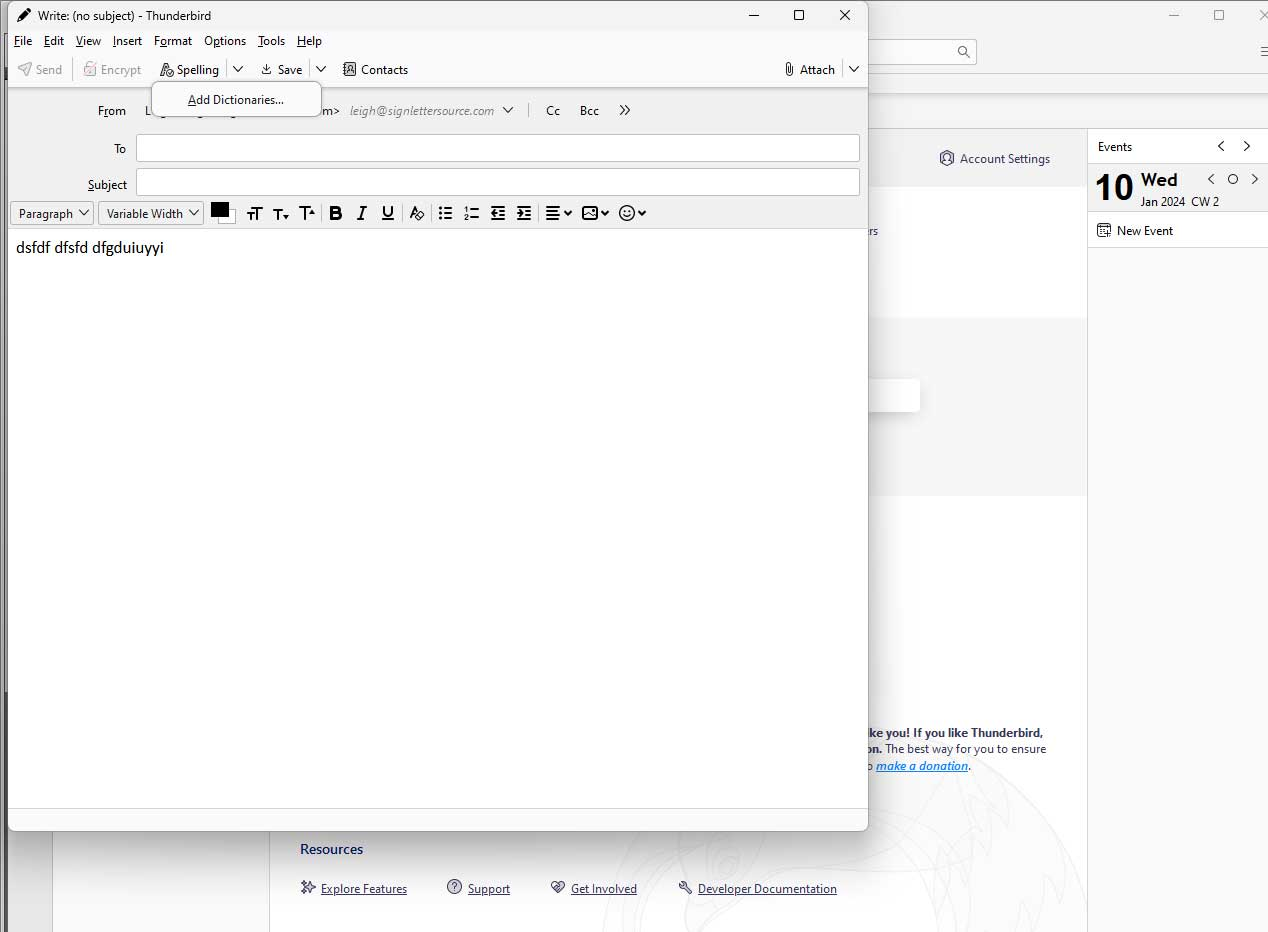
See attached images
Thanks for replying. I attached an image of the dictionary loaded. I removed it and the restarted in troubleshoot mode and still no spell check. Options menu will not enable spell check as you type mode and options check spelling does nothing either
Thanks
I have also tried downloading and reinstalling TB to no effect
Leigh G said
I have also tried downloading and reinstalling TB to no effect
In this case it should be a complete waste of time. Reinstalling has no impact on settings at all. Only system integration.
Ok you removed the addon, now add a dictionary using the various
"download more dictionaries" links.
If you come to a solution, please click the "Solves the problem" button. Thanks.
Ok, I exited troubleshoot mode, added the same dictionary as before and it still doesn't work. Actually I have done this many times in the past and I have also added and removed all the available dictionaries with the same result.
Any other ideas ?
TB version 115.6.1 windows 11 Pro version 23H2
Изменено Leigh G
ah .. well I guess I have been dismissed. Any other Guru Moderators care to help ? No spell check on my business email is just not going to work for me. Surely Mozilla can solve this ?
I did a test: Settings/Composition, Spelling, clicked the 'Download more dictionaries' link; in the opened tab, selected English (US), 'Download Dictionary', the 189.3 KB one, the same as in your picture. The dictionary was added to TB, and appeared under Spelling, Language, in Settings. Enabling (checking the box) for this dictionary made it appear in the Write window. TB 115.6.1/W11.
Make sure you have 'Enable spellcheck as you type' enabled in Settings.
Leigh G said
ah .. well I guess I have been dismissed. Any other Guru Moderators care to help ? No spell check on my business email is just not going to work for me. Surely Mozilla can solve this ?
Odd as it may appear to you, I have a life and am not just sitting around having an online chat in this forum. I actually mostly rely on emails to notify me of responses as I may come and go several times a day when I am not working, but when I am I have perhaps 1 minute a day for this forum. I certainly does not involve Mozilla, you are in a peer forum.
I am using spell check as you type in V115 on windows 11. I also tried in the daily build (bleeding edge) version 123. I can't reproduce the issue and can only try and think of things that might impact it.
Next I guess is we try and see if something appears in the error console that might provide a clue. Open the error console (ctrl+shift+J) Clear it using the trash icon. Open a write window, type some garbage that should be marked and check the error console What errors have popped up. (if you right click in the console there is an option to copy all message for pasting or to place them into a file. Because of the layout sharing logs is probably best done using Mozilla pastebin https://pastebin.mozilla.org/ I suggest you change the retention to 21 days and make sure to click the paste snippet button and copy the link to share here.)
Hello Matt
I apologize. I have been dealing with this issue for some time, left other messages on Mozilla which were either ignored or deleted. You are the first person to offer any help and since I didn't hear back from you I jumped to the conclusion that I had hit another dead end.
https://pastebin.mozilla.org/Nk11U3cA this was when I first opened the console
Below was the only messages in the error console after deleting the large content inside it when opening.
window.controllers/Controllers is deprecated. Do not use it for UA detection. blank
OperationError: Could not move temporary file(C:\Users\leigh\AppData\Roaming\Thunderbird\Profiles\k2y4elpu.default\xulstore.json.tmp) to destination(C:\Users\leigh\AppData\Roaming\Thunderbird\Profiles\k2y4elpu.default\xulstore.json)
Use of nsIFile in content process is deprecated. NetUtil.sys.mjs:249:8
Unknown descriptor 'font-named-instance' in @font-face rule. Skipped to next declaration. start-style.css:260:23
Unknown descriptor 'font-named-instance' in @font-face rule. Skipped to next declaration. start-style.css:268:23
Unknown property '-moz-border-radius'. Declaration dropped. codemirror.css:244:22