


Can't restore previous session

My laptop updated system just now without closing the browser. After restarting, there is no restore option for firefox. No recently closed taps and windows. But the history is correct stored. I had opened 3 windows with many tabs. I/m wondering if there is any method to restore the windows instead of click the history one by one. There are hundreds of tabs....
Все ответы (3)
Hi
Thank you for your question. This is something that we are currently looking into and hope to be able to respond to you soon with a more complete answer.
Are you using the startup setting to restore the previous session automatically or do you use "History -> Restore Previous Session" ? You may have to check "History -> Recently Closed Windows/Tabs". This might be best:
- Settings -> General -> Startup -> Open previous windows and tabs
Use one of these to close Firefox if you are currently doing that by clicking the close X on the Firefox Title bar, especially if you have multiple windows or Private Browsing windows open to prevent losing tabs in unnoticed windows.
- "3-bar" menu button -> Exit (Power button)
- Windows: File -> Exit
- Mac: Firefox -> Quit Firefox
- Linux: File -> Quit

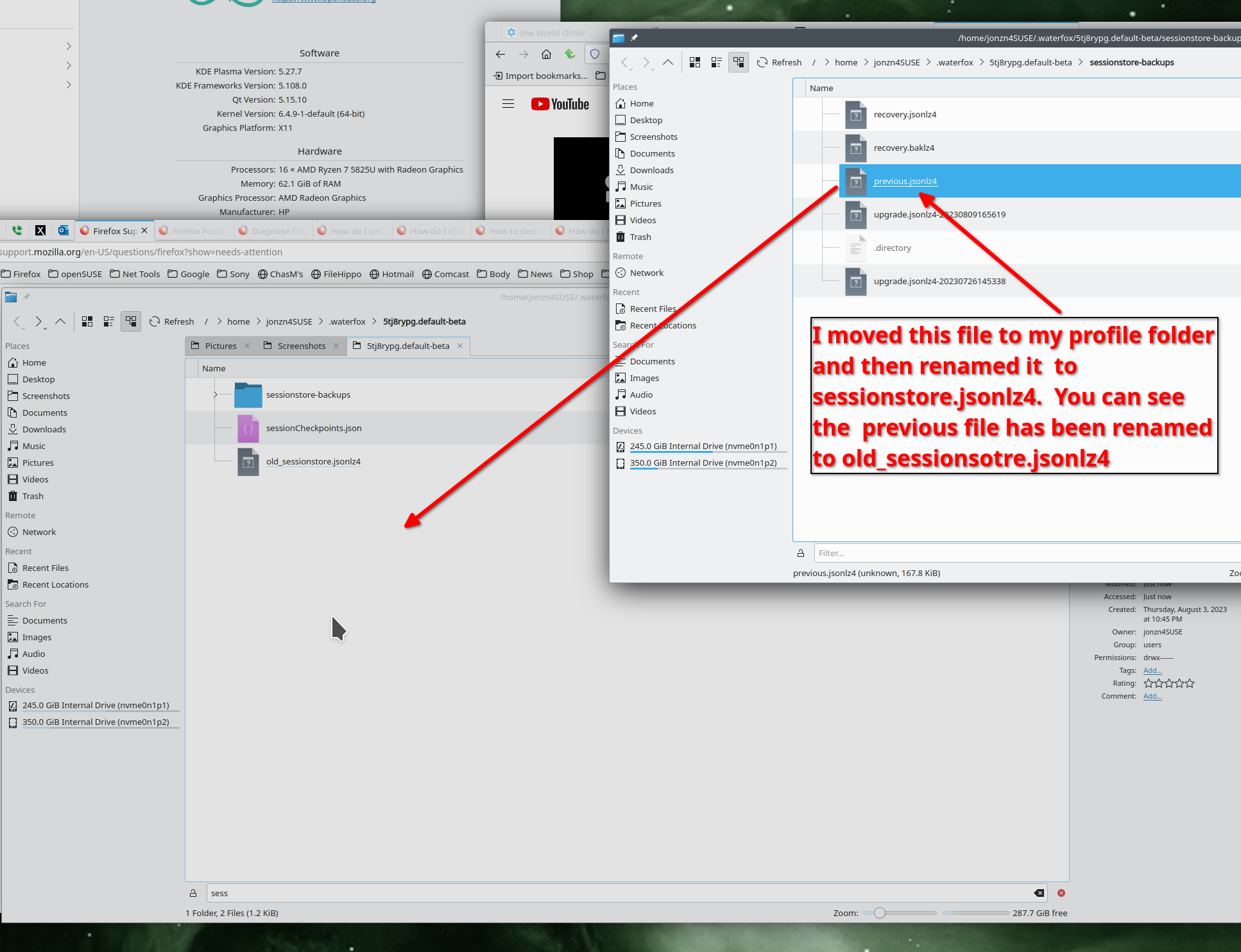
Try these steps to restore your session. see screenshot I assume you know how to find your profile folder.
Изменено jonzn4SUSE