


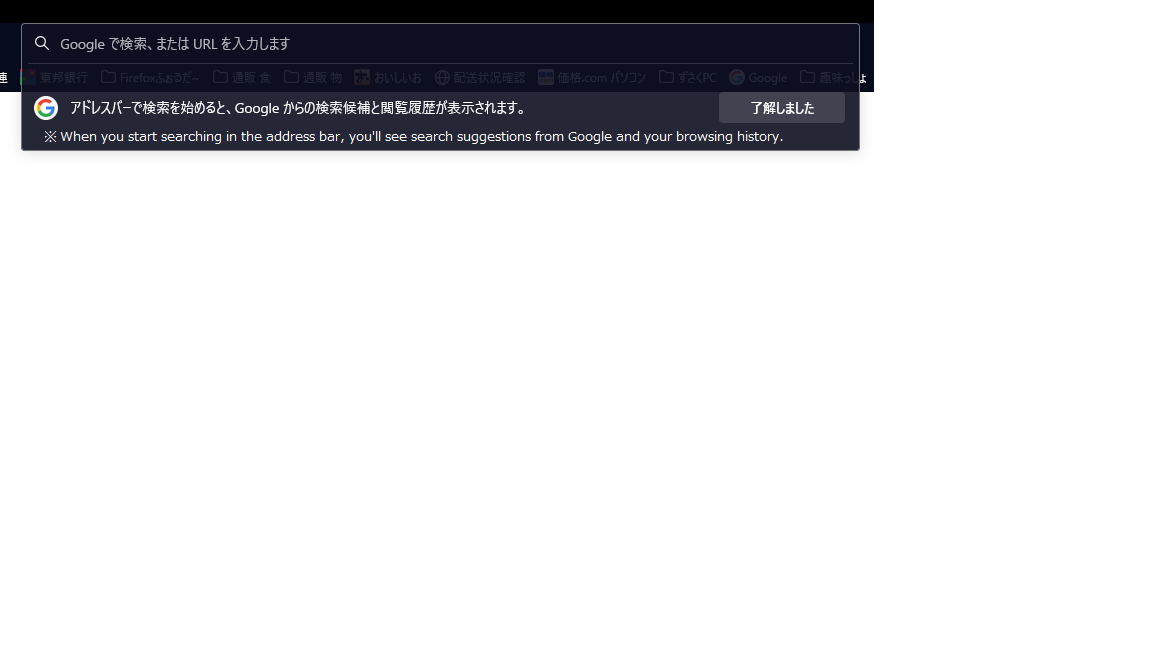
Here's what the address bar looks like:
When you start searching in the address bar, you'll see search suggestions from Google and your browsing history. I don't understand why it is displayed. When using firefox as the main and opening a new tab, this is displayed. The new tab is set to open Google. I've tried to find out the cause, but I can't pinpoint it. The settings are the same for other browsers (Microsoft Edge, Google Chrome), but only Firefox shows this display.
Все ответы (2)
Hi, could you take a look at the following article, there is a section about controlling which kinds of suggestions appear in the address bar drop-down:
Thank you for the information. I tried changing the Firefox settings according to the information you gave me, but as soon as I changed the settings, it disappeared. I unchecked "Use search suggestions" and unchecked "How to adjust search results in the address bar". Review your settings "Use search suggestions" "How to adjust the address bar search results" I just turned off both. There are currently no consultations available. I'll take a look and see if it's resolved.
- Currently not displayed.
Restarting Firefox and restarting the PC does not display anything.
Thank you for providing the information despite your busy schedule.