

Эта тема была архивирована.
Если вам нужна помощь, задайте новый вопрос.

Архивировано
Changing settings to permanantly see noisy tabs

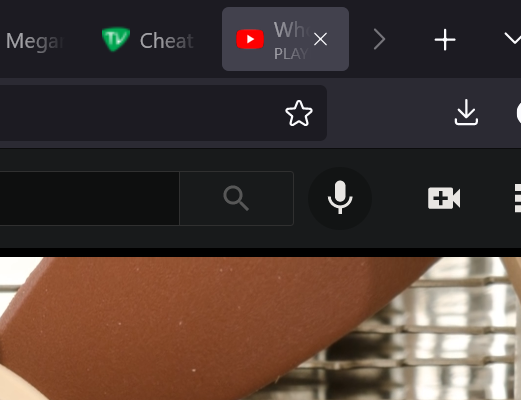
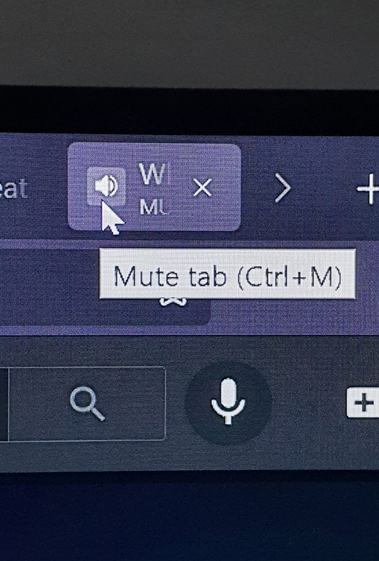
In older versions of fire fox i was able to identify noisy tabs by looking at the tabs and finding the one with a speaker icon in the tab. Now with the latest version of firefox the speaker tab only reveals itself when i hover the cursor over the tab. Making it hidden and very hard to find , having to put my mouse over the tab and scrolling through all of the tabs to find the hidden tab making the sound. is there any ways to change the settings to revert this annoying change to firefox?
In older versions of fire fox i was able to identify noisy tabs by looking at the tabs and finding the one with a speaker icon in the tab. Now with the latest version of firefox the speaker tab only reveals itself when i hover the cursor over the tab. Making it hidden and very hard to find , having to put my mouse over the tab and scrolling through all of the tabs to find the hidden tab making the sound. is there any ways to change the settings to revert this annoying change to firefox?
Все ответы (1)
This is affected by the Density settings as selected on the Customize page.
- in Compact mode you only see the sound playing icon and not the website favicon
- in Normal mode you see the favicon by default and the sound playing icon on hover
there is a secondary line that shows the 'playing' or 'muted' state since the icon is hidden by default
See also;
- /questions/1338919 No speaker icon after updating to 89.0 on Windows 10