


Windows 10 reached EOS (end of support) on October 14, 2025. If you are on Windows 10, see this article.

Avatar for Username

Поиск в поддержке

Избегайте мошенников, выдающих себя за службу поддержки. Мы никогда не попросим вас позвонить, отправить текстовое сообщение или поделиться личной информацией. Сообщайте о подозрительной активности, используя функцию «Пожаловаться».

Подробнее
Решён Архивировано

Do not use the Firefox address bar to search

KSMBond

Hello, I would like to use the search function in the tab again. How can I adjust this? At the moment it is so that when you enter it it appears right above in the link line (see picture). I would like it to be in the search below, directly in the tab. Before version 88 this was possible. Why was it removed?

hallo, ich möchte wieder im Tab die Suchfunktion nutzen. Wie kann ich dies einstellen? Zur Zeit ist es so, daß bei einer Eingabe es gleich oben in der Linkzeile erscheint (siehe Bild) Dabei möchte ich es unten in der Suche, direkt im Tab haben. Vor Version 88 war das möglich. Warum wurde es entfernt?
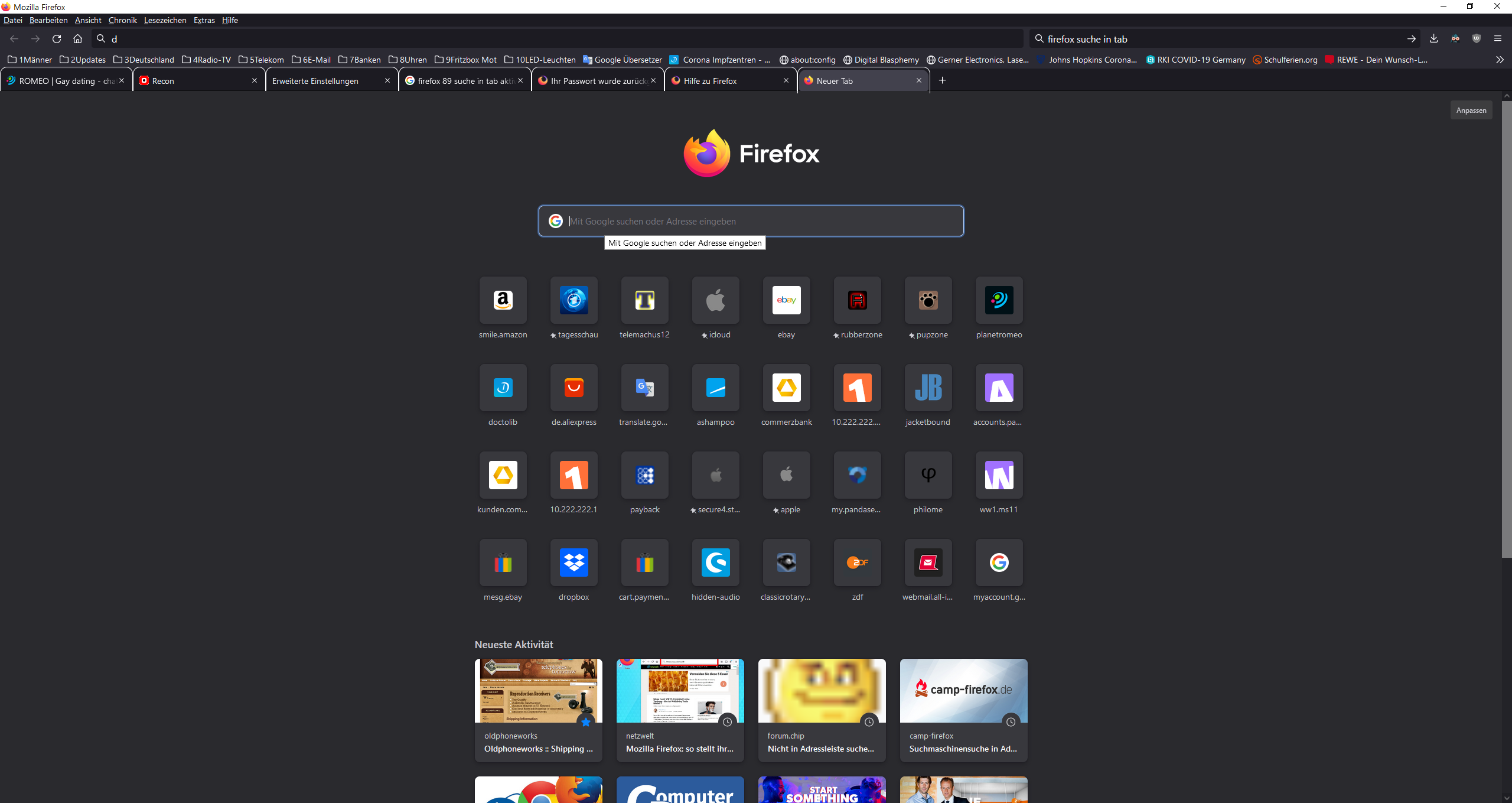
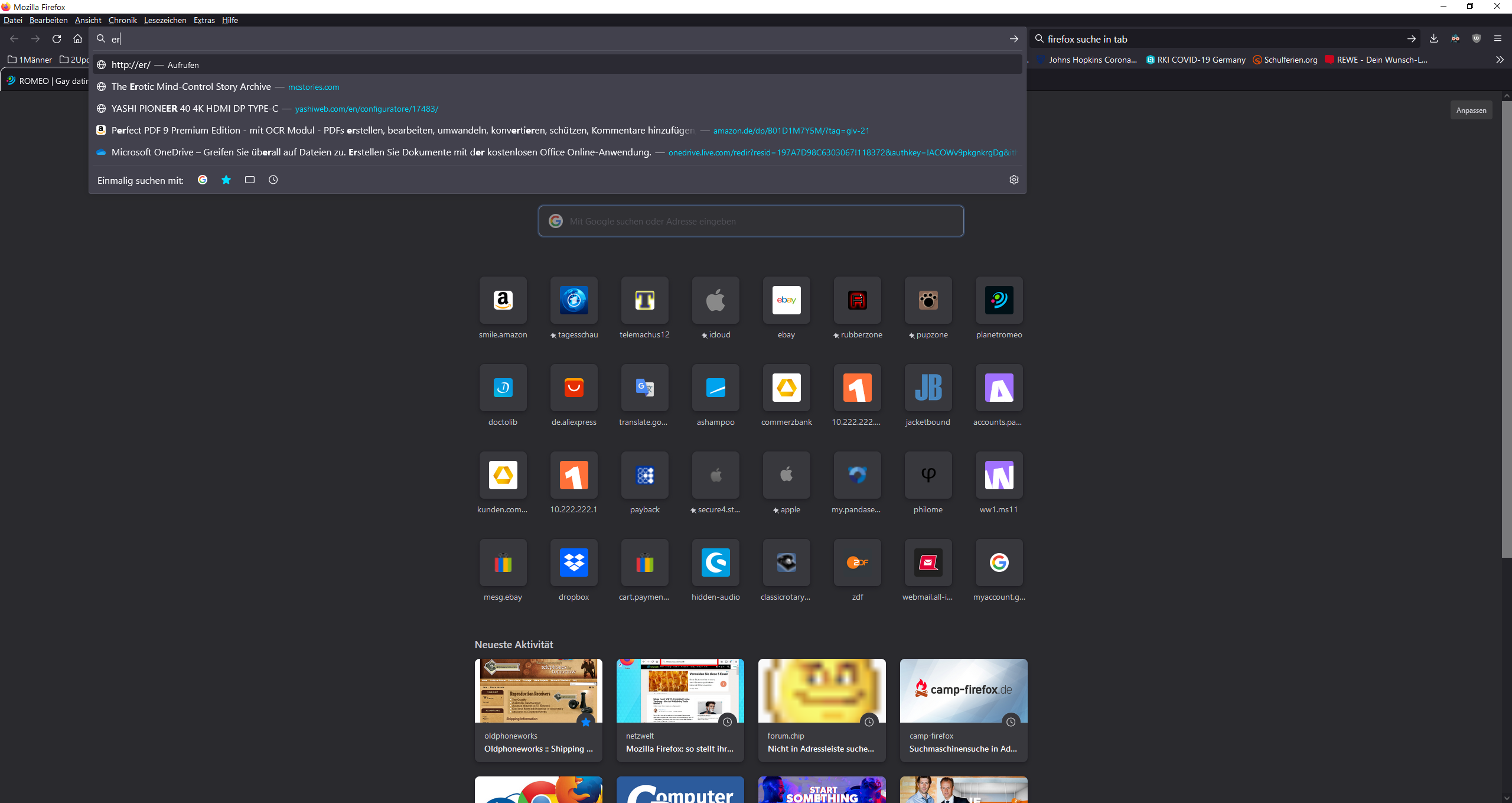
Hello, I would like to use the search function in the tab again. How can I adjust this? At the moment it is so that when you enter it it appears right above in the link line (see picture). I would like it to be in the search below, directly in the tab. Before version 88 this was possible. Why was it removed? hallo, ich möchte wieder im Tab die Suchfunktion nutzen. Wie kann ich dies einstellen? Zur Zeit ist es so, daß bei einer Eingabe es gleich oben in der Linkzeile erscheint (siehe Bild) Dabei möchte ich es unten in der Suche, direkt im Tab haben. Vor Version 88 war das möglich. Warum wurde es entfernt?
Приложенные скриншоты

Все ответы (1)

Выбранное решение

You can turn it off by going to about:config and switching browser.newtabpage.activity-stream.improvesearch.handoffToAwesomebar to false.