

Эта тема была архивирована.
Если вам нужна помощь, задайте новый вопрос.

Архивировано
Text is too small, page is too wide

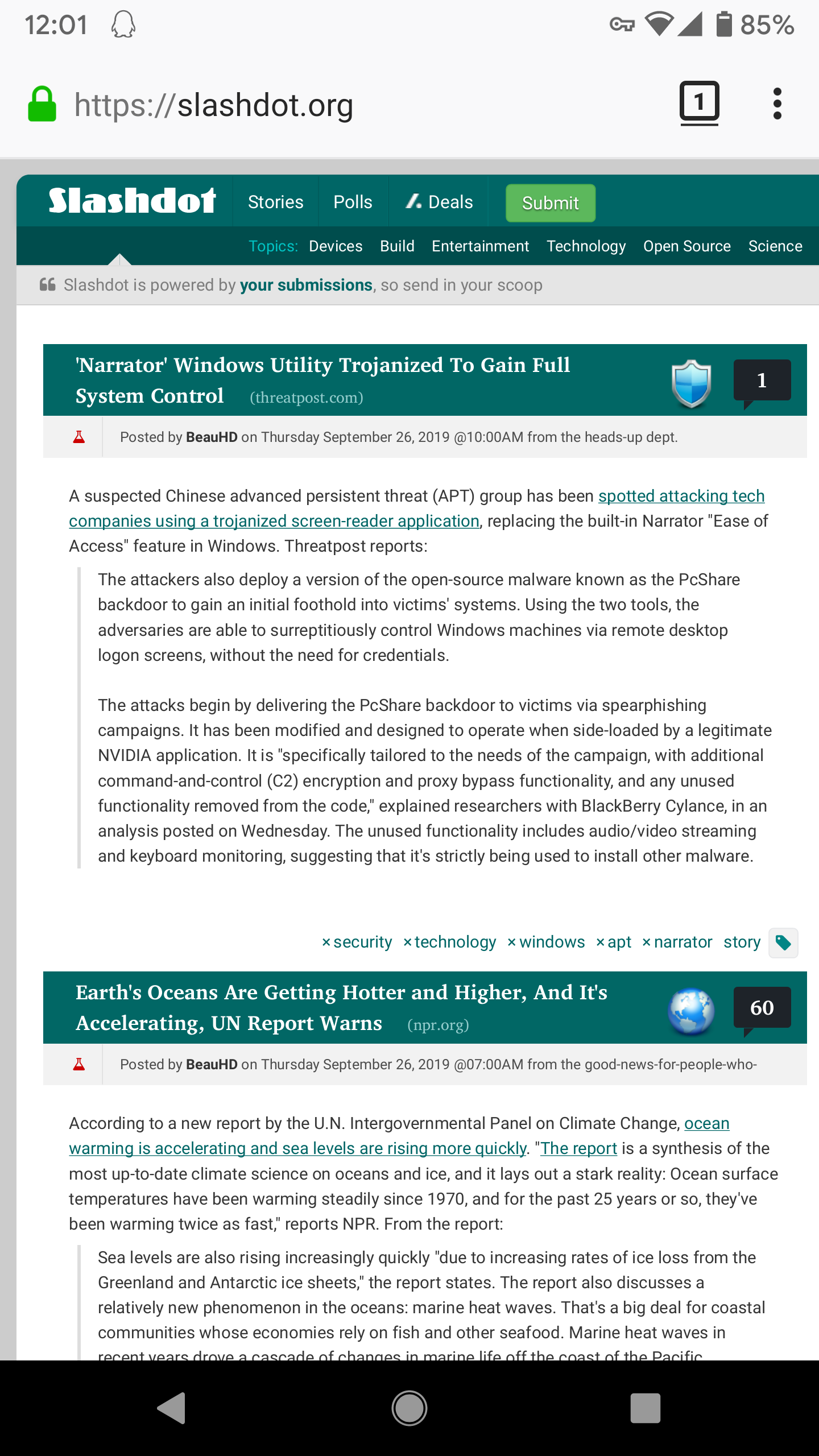
On many web sites text is too small to read. If I zoom in to read it then the page is too wide and I have to scroll constantly.
As an example try slashdot.org in desktop mode. The page looks fine in Chrome but the text is too small in Firefox.
I tried the "use system font size" setting, it made no visible difference.
How do I make the site readable in Firefox?

Все ответы (3)
Try out this extension: https://addons.mozilla.org/android/addon/fftextwrap/
Thanks, but it doesn't work. The text remains too wide and I have to scroll if it is zoomed to a usable size.
Hi
I would recomend not using desktop mode for those sites and let them display in mobile mode naturally. This should make the pages display better for you on your mobile device.