


able to find "Delay Auto Read" option in Thunderbird 52.8.0 running on Ubuntu 18.04

I would like the Auto Read option to be delayed even when using the reading pane. The forum talk about that option being available in thunderbird under Tools>options> Advanced. I have however looked at all option including Edit>Preferences & do not find such option in the version of software mentioned above. r
Все ответы (5)
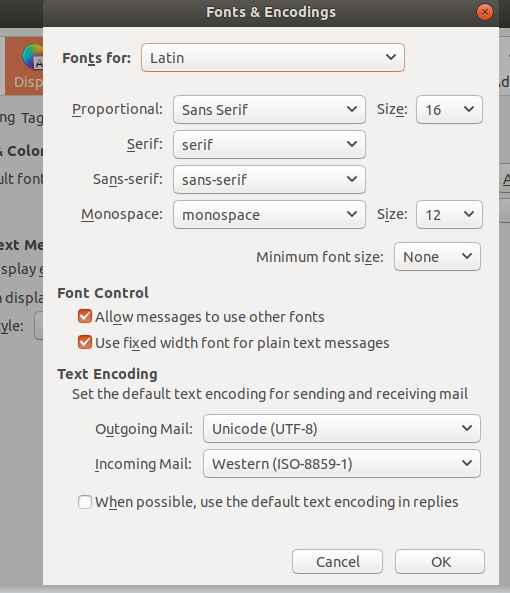
I dont see that option. Please find below what I find under Edit>Preferences>Display>Advanced.
I do not see that option. This is what I see under Edit>Preferences>Display. Are you using the same version of Thunderbird that I mentioned.
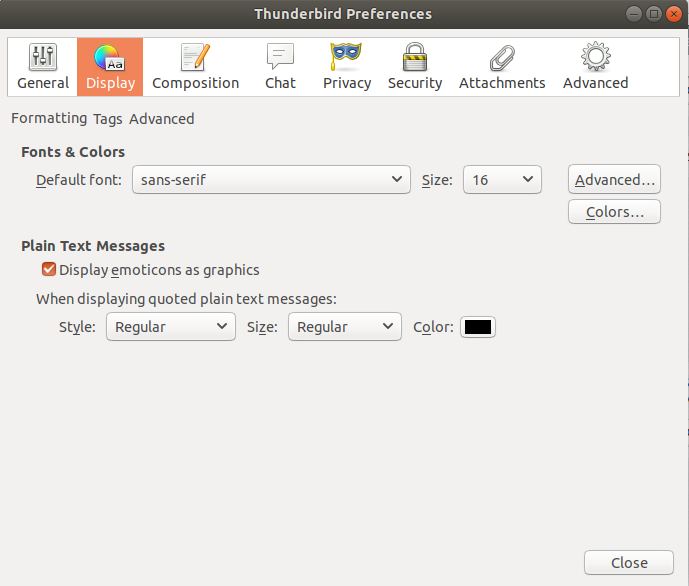
Your screenshot clearly shows the 3 buttons sfhowes is referring to. There is three words FORMATTING TAGS ADVANCED What happens when you click on the word ADVANCED?
That awful Ubuntu theme/styling has provoked this same difficulty many times.
Do you not have the option to choose another theme? I stopped using Ubuntu when Unity made it unusable.
Thank you sfhowes & airmail. I was not paying attention to those letter as tabs. Problem solved. A better UX to call out option & button is needed.