


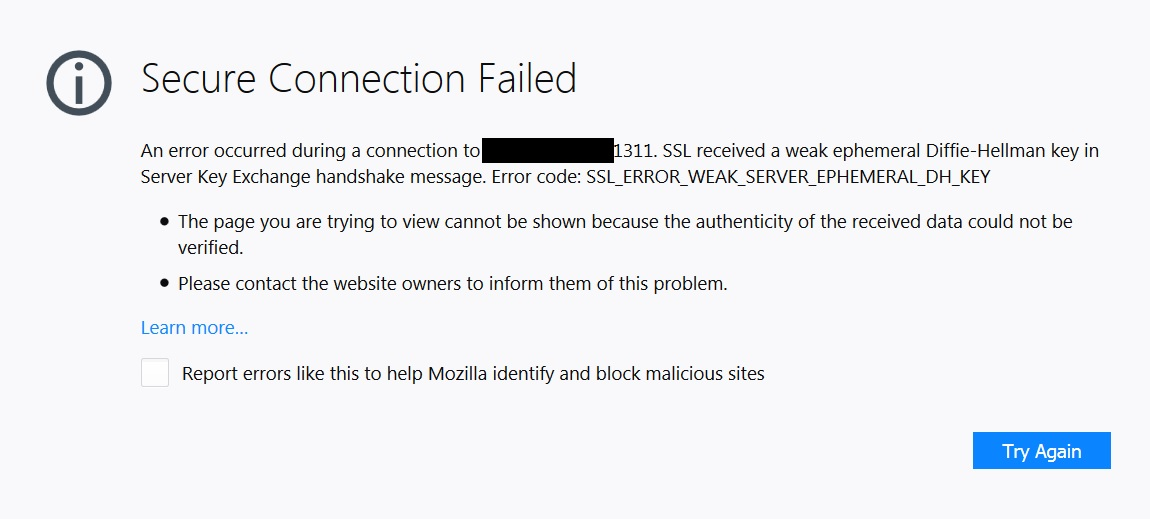
How do I bypass "Error code: SSL_ERROR_WEAK_SERVER_EPHEMERAL_DH_KEY" on trusted site?
I have a local Linux server in my office we use for our point of sale system. I almost never need to log in to it, as we have an outside support company that handles most of it. In this instance they want me to login and look at something, so they sent me an email telling me to login using a particular https internal address (https://192.168.1.1:1311 for example). I know nothing at all about Linux except how to spell it, so they have me use Dell Open Manage so it has a more "windows type" interface. However, I can't log in because of the security error I listed above. Screenshot attached. I cannot find a way to force FF to ignore it or bypass it or whatever. Any suggestions?
Выбранное решение
https://weakdh.org/ https://bugzilla.mozilla.org/show_bug.cgi?id=1138554 https://bugzilla.mozilla.org/show_bug.cgi?id=1180526
User could disable security.ssl3.dhe_rsa_aes_128_sha and security.ssl3.dhe_rsa_aes_256_sha in about:config to work around.
Прочитайте этот ответ в контексте 👍 2Все ответы (5)

Contact the site webmaster and ask them what is going on. If that continues then they have problems they need to fix and it isn't something FF can do about if they don't provide properly web functions to work. Otherwise also if they sent that link then you should contact them about the issue. FF can't bypass security nor are FF end user forum permitted to give such help bypassing security. You need to contact whom sent you it and find out what is going on.
There is no site webmaster. It's a box sitting in my office that is only on my internal network, not some website on the internet. 192.168 is not a public IP address. I sincerely thank you for helping, I'm just not sure that I'm able to explain my situation clearly enough or something. If I have done something that violates the support forum rules I apologize, that was certainly not my intent. I am not asking how to hack into something, I'm only asking how to force FF to let me go to the address I navigate and take the responsibility for the security on myself instead of being forced to only go to addresses that FF deems acceptable. If that is not possible I understand, it's not like it's the end of the world, I just thought there would be an easy solution so I am somewhat surprised. Thank you again for your help WestEnd
Выбранное решение
https://weakdh.org/ https://bugzilla.mozilla.org/show_bug.cgi?id=1138554 https://bugzilla.mozilla.org/show_bug.cgi?id=1180526
User could disable security.ssl3.dhe_rsa_aes_128_sha and security.ssl3.dhe_rsa_aes_256_sha in about:config to work around.

I called for more help for you. But I did find this; https://www.bing.com/search?q=SSL_ERROR_WEAK_SERVER_EPHEMERAL_DH_KEY&pc
You people are AWESOME! Thank you so much for your help. This solved my problem and got me up and running. Now I just have to figure out how to interpret the server info I'm seeing, but that's not a FF issue, that's just studying lol.