


Windows 10 reached EOS (end of support) on October 14, 2025. For more information, see this article.

Поиск в поддержке

Избегайте мошенников, выдающих себя за службу поддержки. Мы никогда не попросим вас позвонить, отправить текстовое сообщение или поделиться личной информацией. Сообщайте о подозрительной активности, используя функцию «Пожаловаться».

Подробнее

The default theme doesn't show up correctly

  • 3 ответа
  • 1 имеет эту проблему
  • 14 просмотров
  • Последний ответ от WestEnd

дополнительные действия

My Firefox is set on the Default theme as I much prefer it to Dark and Light or any other theme for that matter. It works on my other two computers, but on this particular one, it shows up with the text on the unactive tabs as well as the controls black on the black background. This doesn't really work, as I'm unable to see anything.

It should, of course, look like this: https://www.mozilla.org/media/img/firefox/products/developer/quantum/hero-screenshot.08ecc51c8cac.png

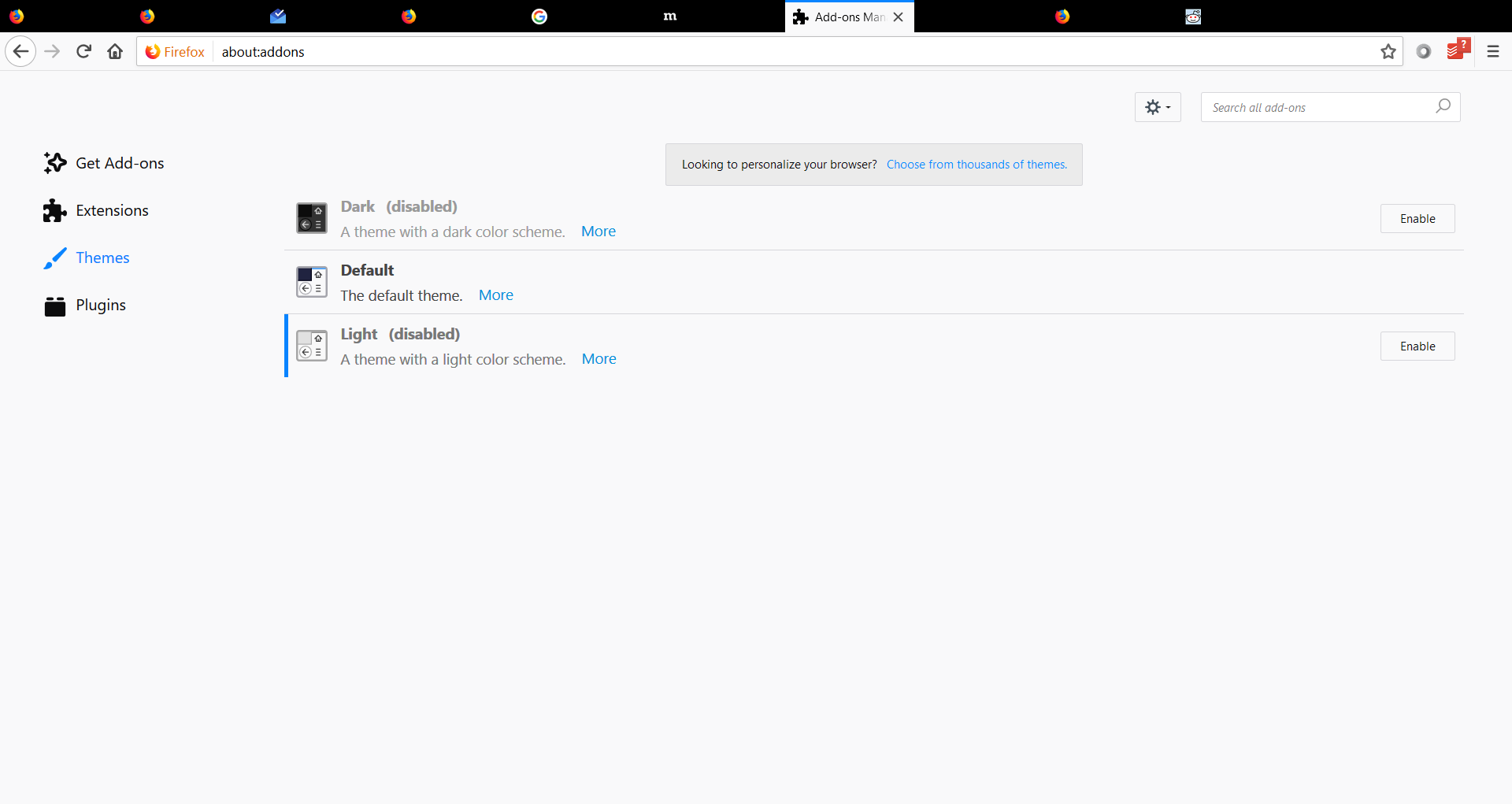
My Firefox is set on the Default theme as I much prefer it to Dark and Light or any other theme for that matter. It works on my other two computers, but on this particular one, it shows up with the text on the unactive tabs as well as the controls black on the black background. This doesn't really work, as I'm unable to see anything. It should, of course, look like this: https://www.mozilla.org/media/img/firefox/products/developer/quantum/hero-screenshot.08ecc51c8cac.png
Приложенные скриншоты

Изменено alexandernext

Все ответы (3)

дополнительные действия

This doesn't happen on any of my other computers, so I have no idea either.

Изменено alexandernext

дополнительные действия

Can anyone help?

дополнительные действия

Did you have any other FF install prior to this one? Did you uninstall all prior FF before reinstall this version?