


Import wizard does not show Chrome as an option

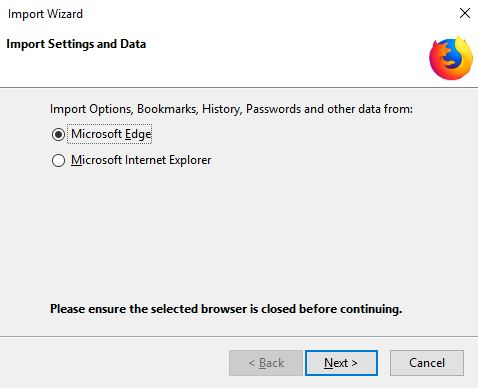
The Import wizard does not show Chrome as an option, only Edge and IE. I"ve made sure Chrome is closed before launching the wizard. I'm trying to switch to Firefox Quantum and would like it to import my bookmarks and saved website credentials from Chrome. I've attached an image here of the import wizard.
Все ответы (5)
Hello, try closing and re running the installer. If this solved your problem, please Mark as Solution.
Unfortunately, re-running the installer did nothing helpful.
I've found out why, it's because I'm running the Dev version of Chrome. Upon installing the standard version of Chrome the Import wizard shows Chrome as an option. However now I've got to figure out how to get all my password data into the standard Chrome from the Dev one as it did not automatically transfer across :(
I claim no expertise in this area but, if no successful replies come, you could try importing from Chrome to IE or Edge and then on to Firefox.
Andy84 I hadn't seen your last post above - ours crossed a minute apart. Ignore my suggestion. I didn't know about your Dev version.