Set Default T-Bird Language to Canadian English

How do I set T-bird to use the Canadian English dictionary by *default*? Currently, it's defaulting to US-English, and it's tedious to have to set each individual email language to Canadian.
I'm running T-Bird on Windows 10 (laptop) and Enterprise 7 (work/desktop). Both of those systems have Canadian English as the default. My area settings are for Canada.
FYI: Thunderbird does not have an official downloadable version of Canadian English language version here: https://www.mozilla.org/en-US/thunderbird/all/ BUT there is a Canadian English add-on here: https://addons.mozilla.org/en-US/thunderbird/language-tools/ I have the latter installed, and it works when I reset the email to Canadian English (see screenshot for the process).
Many thanks!
Все ответы (2)
Выбранное решение
Thanks for replying! I might have found the solution but to help any others in future, the version of Thunderbird I'm using is 45.8.0. {sorry, should have said this before}
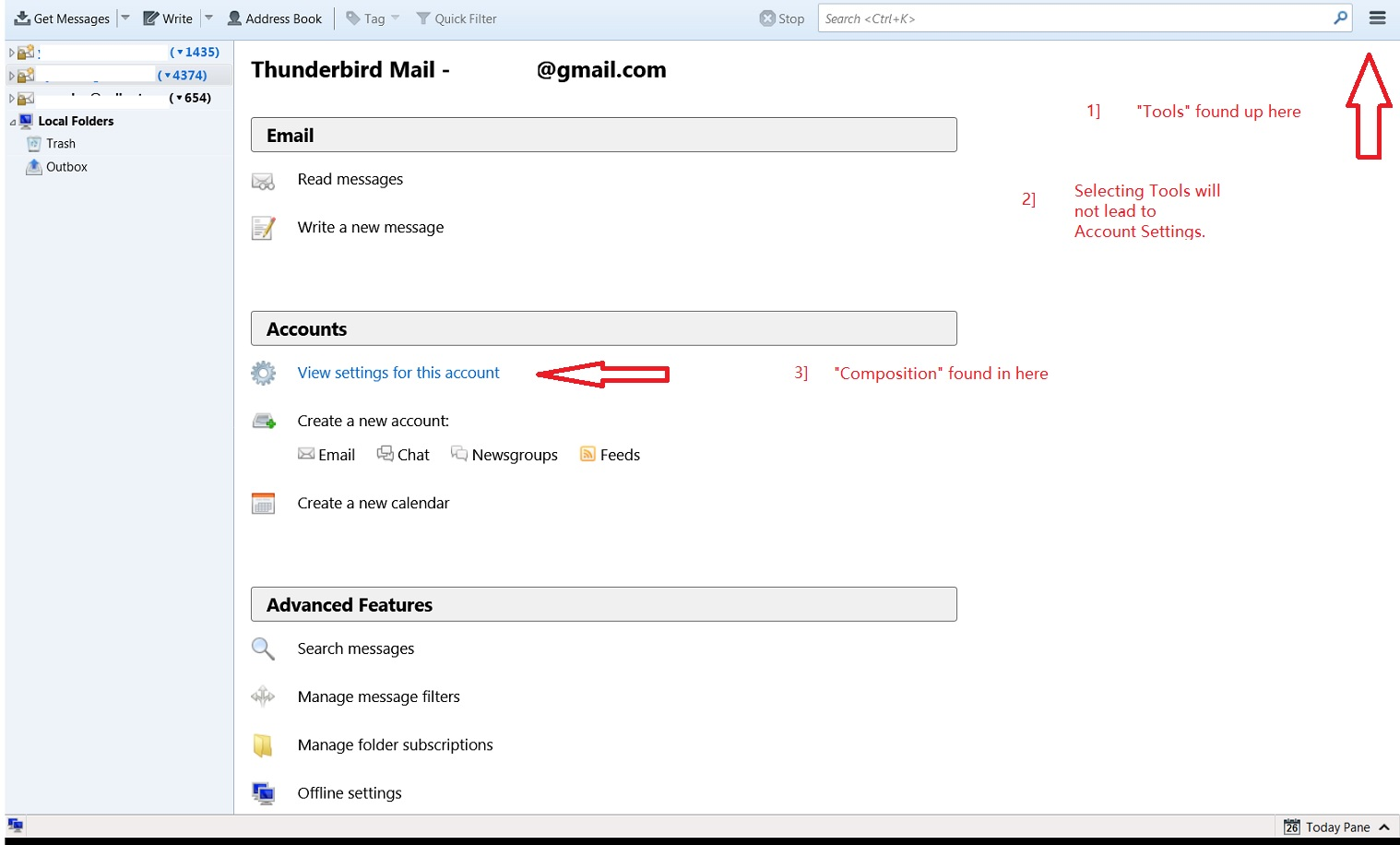
In this version, "Composition" is NOT found under Tools/Options/Composition.
It is under Account Settings/ Composition & Addressing/ Spelling/ Language
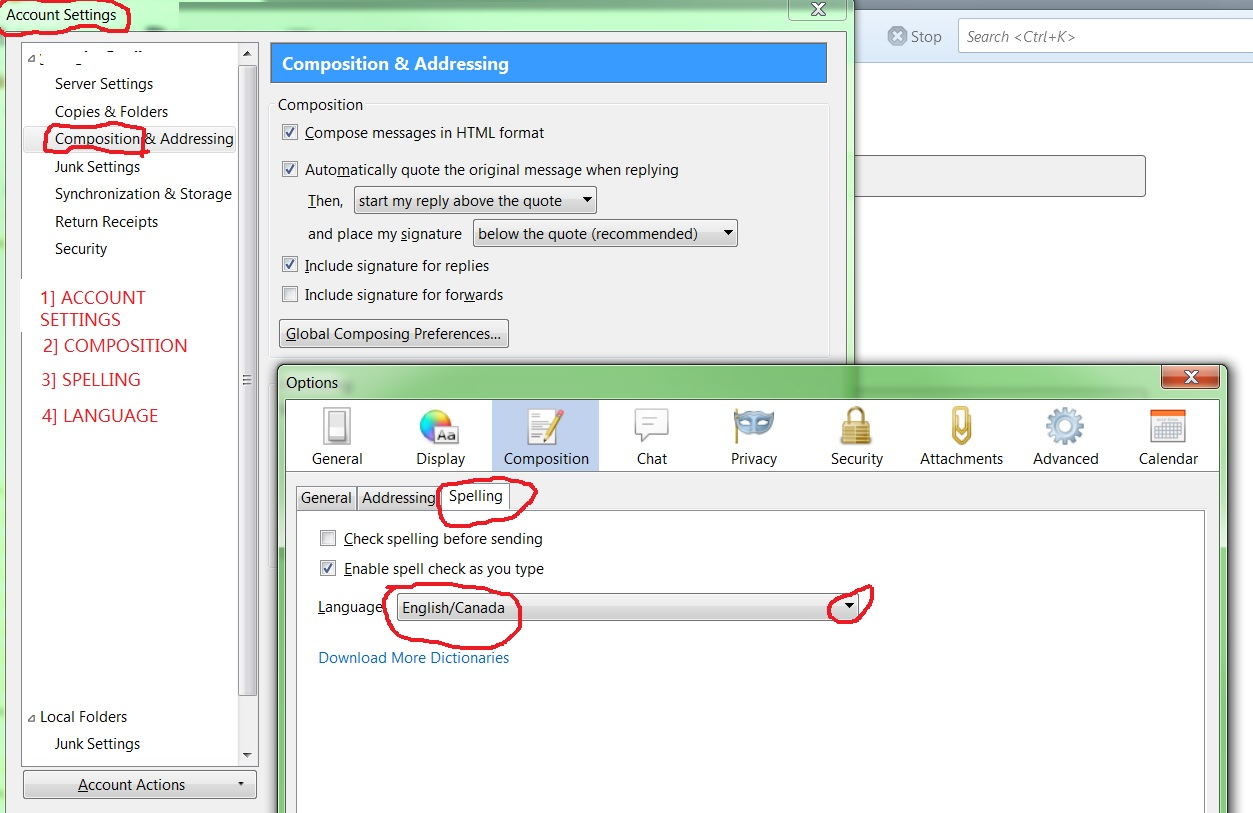
Not to belabour the point, but in the interests of helping future users:
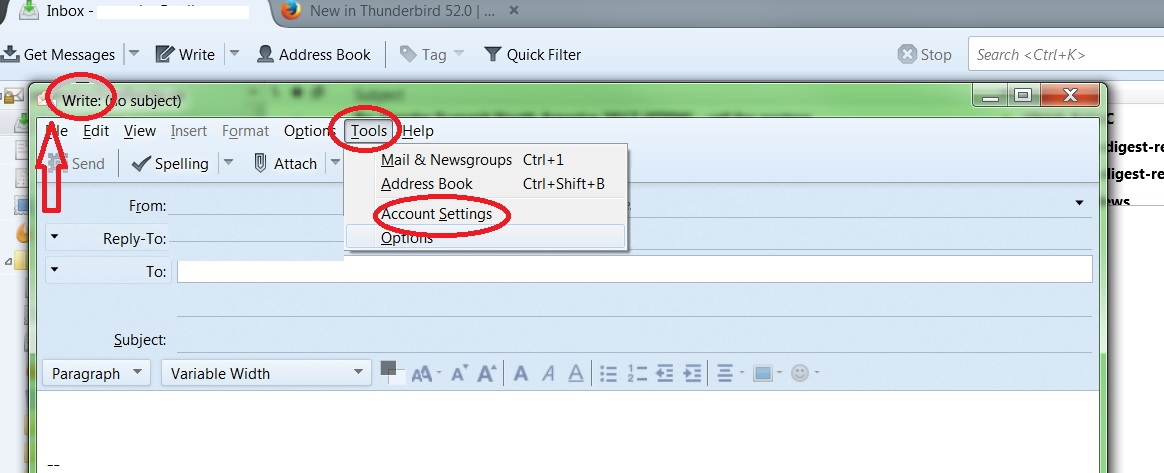
I had assumed you meant "Tools" in the Thunderbird Menu. Unfortunately, that "Tools" does not offer a subcategory called Account Settings (as the jpgs show).
The only "Tools" that leads to Account Settings is the one *within a Write pane* (ie, when writing an email), in which case "Tools" does lead to "Account Settings" (again, see jpgs).
In other words, unless you say to *start* in the Write pane, directing someone to select "Tools" does not necessarily lead to "Options or Account Settings/ Composition/ and ultimately Global Language setting.
[On reflection, it seems odd that there are two "Tools" options, with different contents, one in "Write" and the other in the "Thunderbird Menu". I'd not realized how contextual the 'Tools' menu was.]
Thanks again for helping me reset the global language. I restarted the system, and upgraded to version 52.0 and my global language is still Canadian English, for which I'm very grateful. Hooray!