


Not Responding
I installed Thunderbird a few days ago as a migration from Windows Live Mail 2012. I was able to set up email accounts in a jiffy and download mail from four accounts. I exported archives from WLM and imported them to TB. I moved a bunch of emails to local archives. All is well. I'm happy as a clam. The next day TB crashed with a Not Responding message. Since then that is all I get. I'm using Windows 10 and AVG Free. I disabled AVG's email protection. TB is still useless. Now I'm REALLY frustrated. I really want this to work for us. Please help with simple step by step instructions.
Выбранное решение
I wasn't aware Lightning was running. was it an automatic download? I removed it as you instructed and all seems to be well.
Thank you, Thank you, Thank you.
Все ответы (13)

Try to start Windows in safe mode with networking enabled. - Win10 http://windows.microsoft.com/en-us/windows-10/change-startup-settings-in-windows-10#v1h=tab01
Still in Windows safe mode, start Thunderbird in safe mode. - https://support.mozilla.org/en-US/kb/safe-mode
Does the problem go away?
No. There was no change.
Please confirm you did start Windows in safe mode.
Yes I did. Safe mode with network.
What is your account type - POP or IMAP?
What is the size of your mail files?
Please post your Troubleshooting Information.
At the top right of the Thunderbird window, click the menu button  , then select Help > Troubleshooting Information.
Press the Copy text to clipboard button and paste the information into your reply.
I set up four email accounts. I may be guessing here: Yahoo - POP, Hotmail - IMAP, Gmail - IMAP, Comcast - POP. I'm unable to get to my troubleshooting information. I get about two clicks before Thunderbird freezes up. I click the menu button, Help, Troubleshooting won't open because the program is "not responding".
The total size of the mail folder is 5.51GB.
I was able to get to the first screen of the trouble shooting window. It looks like all four accounts are set up as IMAP.
Here's a snip of the frozen troubleshooting page.
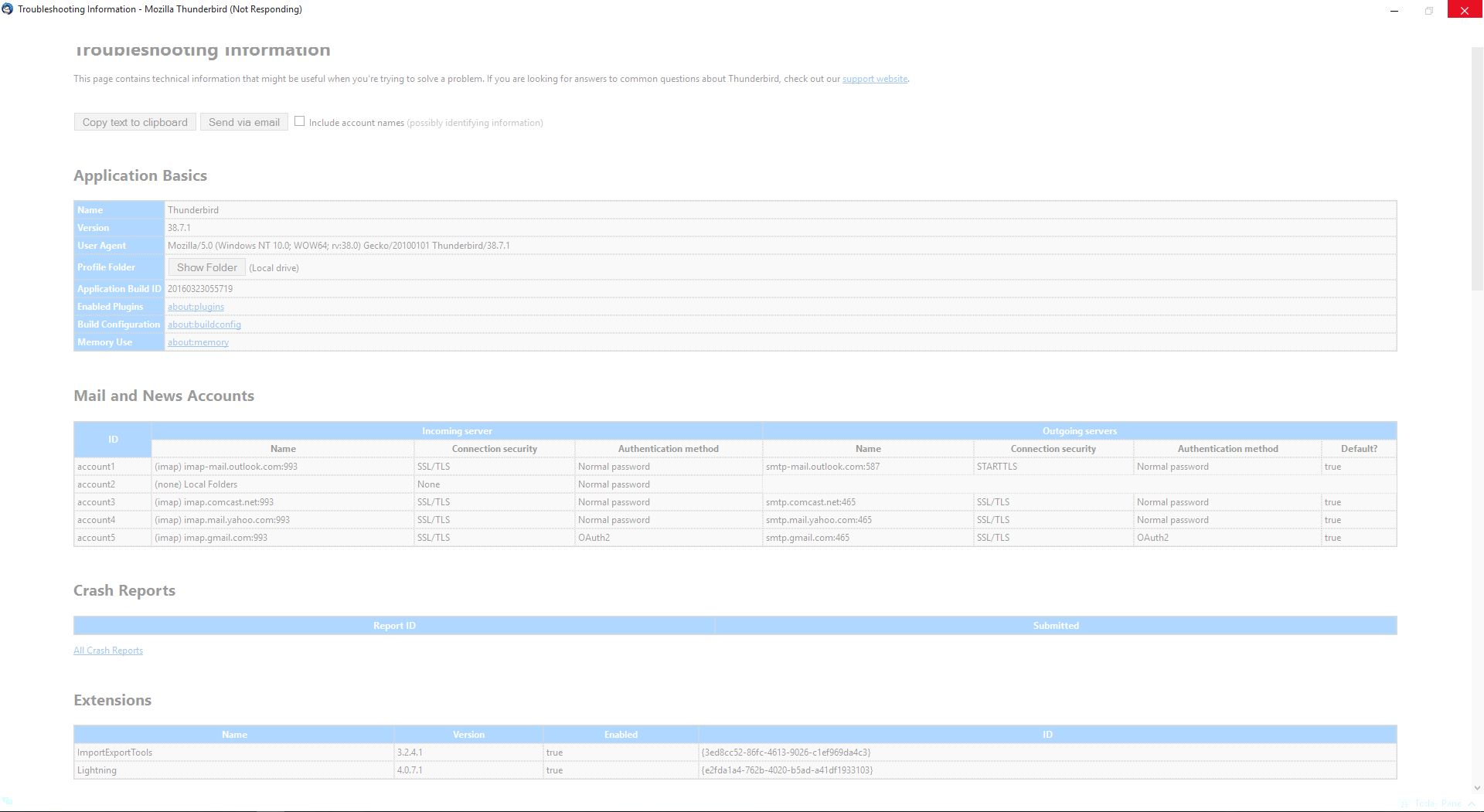
See if this helps. http://kb.mozillazine.org/Standard_diagnostic_-_Thunderbird
I started in Safe mode (I had to search your link to find that it was under help). It seems to run fine. Below is the requested troubleshooting information. Might I conclude that the Import add on was the problem?
Application Basics
   Name: Thunderbird
   Version: 38.7.1
   User Agent: Mozilla/5.0 (Windows NT 10.0; WOW64; rv:38.0) Gecko/20100101 Thunderbird/38.7.1
   Profile Folder: Show Folder
             (Local drive)
   Application Build ID: 20160323055719
   Enabled Plugins: about:plugins
   Build Configuration: about:buildconfig
   Memory Use: about:memory
 Mail and News Accounts
   account1:
     INCOMING: account1, , (imap) imap-mail.outlook.com:993, SSL, passwordCleartext
     OUTGOING: smtp-mail.outlook.com:587, alwaysSTARTTLS, passwordCleartext, true
   account2:
     INCOMING: account2, , (none) Local Folders, plain, passwordCleartext
   account3:
     INCOMING: account3, , (imap) imap.comcast.net:993, SSL, passwordCleartext
     OUTGOING: smtp.comcast.net:465, SSL, passwordCleartext, true
   account4:
     INCOMING: account4, , (imap) imap.mail.yahoo.com:993, SSL, passwordCleartext
     OUTGOING: smtp.mail.yahoo.com:465, SSL, passwordCleartext, true
   account5:
     INCOMING: account5, , (imap) imap.gmail.com:993, SSL, OAuth2
     OUTGOING: smtp.gmail.com:465, SSL, OAuth2, true
Crash Reports
 Extensions
   ImportExportTools, 3.2.4.1, false, {3ed8cc52-86fc-4613-9026-c1ef969da4c3}
   Lightning, 4.0.7.1, false, {e2fda1a4-762b-4020-b5ad-a41df1933103}
Important Modified Preferences
Name: Value
     browser.cache.disk.capacity: 358400
     browser.cache.disk.smart_size_cached_value: 358400
     browser.cache.disk.smart_size.first_run: false
     browser.cache.disk.smart_size.use_old_max: false
     extensions.lastAppVersion: 38.7.1
     font.name.monospace.el: Consolas
     font.name.monospace.x-cyrillic: Consolas
     font.name.monospace.x-unicode: Consolas
     font.name.monospace.x-western: Consolas
     font.name.sans-serif.el: Calibri
     font.name.sans-serif.x-cyrillic: Calibri
     font.name.sans-serif.x-unicode: Calibri
     font.name.sans-serif.x-western: Calibri
     font.name.serif.el: Cambria
     font.name.serif.x-cyrillic: Cambria
     font.name.serif.x-unicode: Cambria
     font.name.serif.x-western: Cambria
     font.size.fixed.el: 14
     font.size.fixed.x-cyrillic: 14
     font.size.fixed.x-unicode: 14
     font.size.fixed.x-western: 14
     font.size.variable.el: 17
     font.size.variable.x-cyrillic: 17
     font.size.variable.x-unicode: 17
     font.size.variable.x-western: 17
     mail.openMessageBehavior.version: 1
     mail.winsearch.firstRunDone: true
     mailnews.database.global.datastore.id: ef2178e6-2127-4b22-9a8a-dcb541a53a1
     network.cookie.prefsMigrated: true
     network.predictor.cleaned-up: true
     places.database.lastMaintenance: 1458947900
     places.history.expiration.transient_current_max_pages: 104858
     plugin.importedState: true
Graphics
     Adapter Description: Intel(R) HD Graphics
     Vendor ID: 0x8086
     Device ID: 0x0102
     Adapter RAM: Unknown
     Adapter Drivers: igdumd64 igd10umd64 igd10umd64 igdumd32 igd10umd32 igd10umd32
     Driver Version: 9.17.10.4229
     Driver Date: 5-27-2015
     Direct2D Enabled: false
     DirectWrite Enabled: false (10.0.10240.16430)
     ClearType Parameters: ClearType parameters not found
     WebGL Renderer: false
     GPU Accelerated Windows: 0
     AzureCanvasBackend: skia
     AzureSkiaAccelerated: 0
     AzureFallbackCanvasBackend: cairo
     AzureContentBackend: cairo
JavaScript
Incremental GC: 1
Accessibility
   Activated: 0
   Prevent Accessibility: 0
Library Versions
     Expected minimum version
     Version in use
     NSPR
     4.10.10
     4.10.10
     NSS
     3.19.2.3 Basic ECC
     3.19.2.3 Basic ECC
     NSS Util
     3.19.2.3
     3.19.2.3
     NSS SSL
     3.19.2.3 Basic ECC
     3.19.2.3 Basic ECC
     NSS S/MIME
     3.19.2.3 Basic ECC
     3.19.2.3 Basic ECC
Lightning is more likely to be the culprit. While in safe mode, uninstall Lightning. Restart Thunderbird. If you need Lightning, install it again from AMO. https://addons.mozilla.org/en-US/thunderbird/addon/lightning/
Выбранное решение
I wasn't aware Lightning was running. was it an automatic download? I removed it as you instructed and all seems to be well.
Thank you, Thank you, Thank you.