


Не даёт загрузить приложение в вк

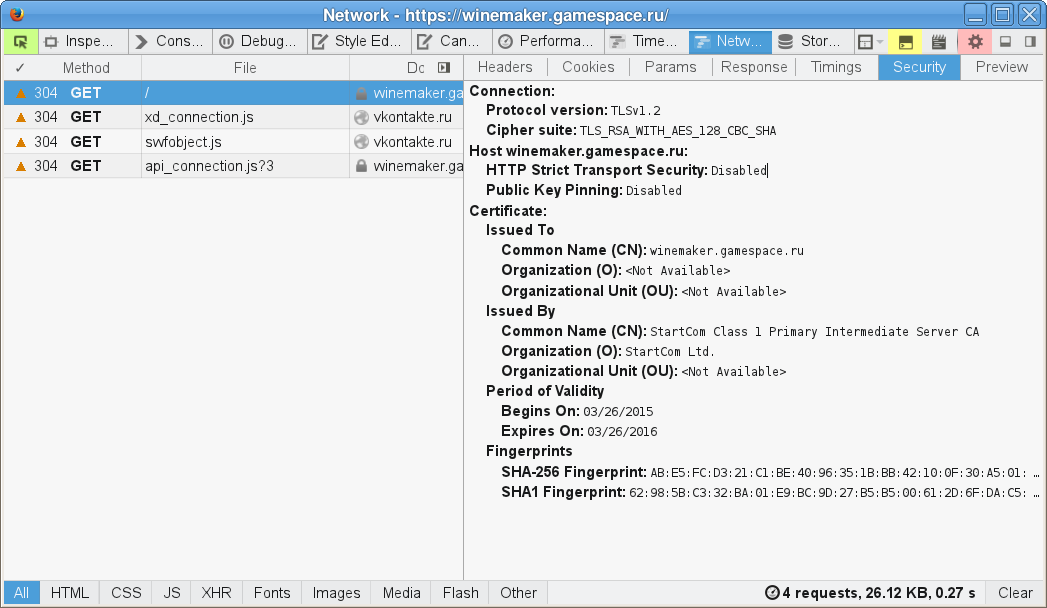
При запуске приложения через вк выскакивает такая вот ошибка, фото выкладываю, что делать в таком случае?
Выбранное решение
I'm not seeing a certificate error on winemaker.gamespace.ru, but I'm not getting any content either (empty page).
You can check the date and time and time zone in the clock on your computer: (double) click the clock icon on the Windows Taskbar.
You can retrieve the certificate and check details like who issued certificates and expiration dates of certificates.
- Click the link at the bottom of the error page: "I Understand the Risks"
- Let Firefox retrieve the certificate: "Add Exception" -> "Get Certificate"
- Click the "View" button and inspect the certificate and check who is the issuer.
You can see more details like the intermediate certificates that are used in the Details tab.
If you can't inspect the certificate via "I Understand the Risks" then try this:
Open this chrome URI by pasting or typing this URI in the location/address bar to open the "Add Security Exception" window and check the certificate:
- chrome://pippki/content/exceptionDialog.xul
In the location field type/paste the URL of the website
- retrieve the certificate via the "Get certificate" button
- click the "View..." button to inspect the certificate in the Certificate Viewer
Check who is the issuer of the certificate.
You can inspect more details like the certificate chain in Details tab of the Certificate Viewer.

Все ответы (4)

Please explain your problem in detail.
Пожалуйста, объясните вашу проблему в деталях.
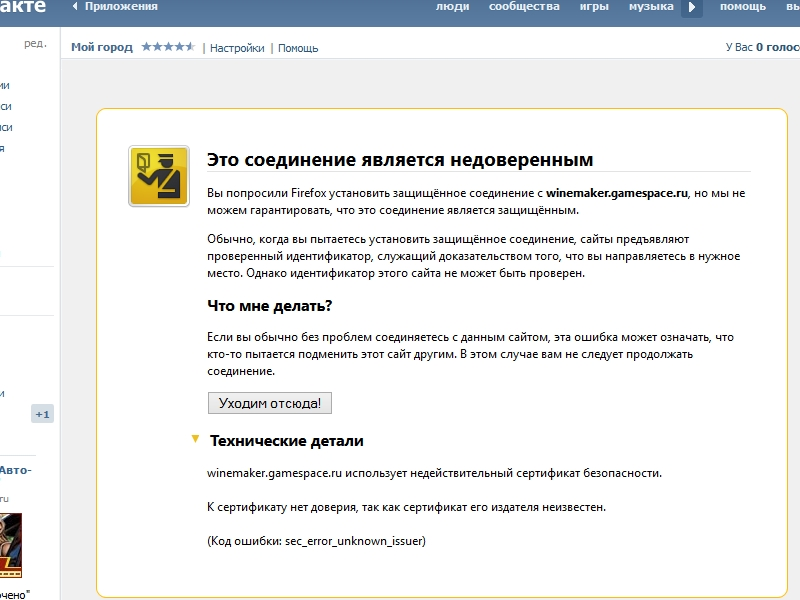
Тоесть когда запускаю приложение именно вк "Мой город" появляется ошибка что соединение является недоверенным. (Код ошибки: sec_error_unknown_issuer) Фото выложил
Выбранное решение
I'm not seeing a certificate error on winemaker.gamespace.ru, but I'm not getting any content either (empty page).
You can check the date and time and time zone in the clock on your computer: (double) click the clock icon on the Windows Taskbar.
You can retrieve the certificate and check details like who issued certificates and expiration dates of certificates.
- Click the link at the bottom of the error page: "I Understand the Risks"
- Let Firefox retrieve the certificate: "Add Exception" -> "Get Certificate"
- Click the "View" button and inspect the certificate and check who is the issuer.
You can see more details like the intermediate certificates that are used in the Details tab.
If you can't inspect the certificate via "I Understand the Risks" then try this:
Open this chrome URI by pasting or typing this URI in the location/address bar to open the "Add Security Exception" window and check the certificate:
- chrome://pippki/content/exceptionDialog.xul
In the location field type/paste the URL of the website
- retrieve the certificate via the "Get certificate" button
- click the "View..." button to inspect the certificate in the Certificate Viewer
Check who is the issuer of the certificate.
You can inspect more details like the certificate chain in Details tab of the Certificate Viewer.
Спасибо, помогли!