


Getting the "..your video player might be outdated" pop-up

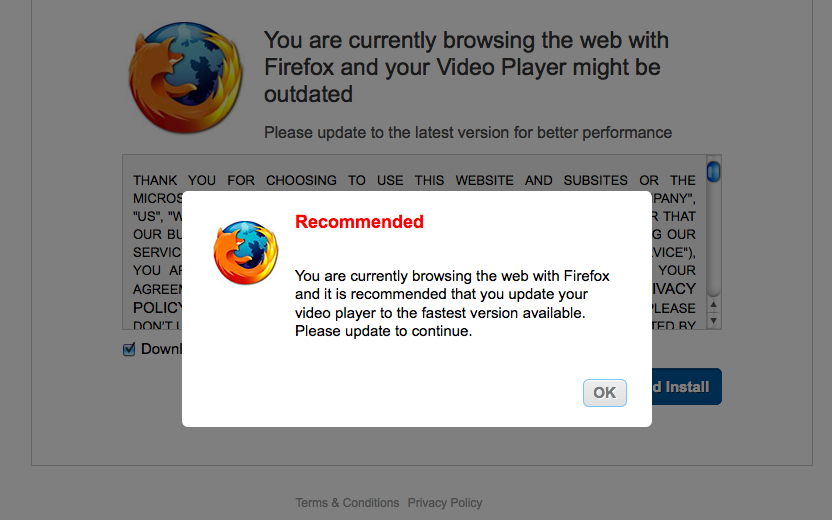
I know a bunch of people have asked this very question but I can't seem to resolve this issue. When trying to watch/stream videos on the internet, if the video is on pause and/or running for several minutes, something will pop up that says: "You are currently browsing the web with Firefox and your Video Player might be outdated" while trying to get me to install whatever it is they want you to install.
I've followed some of the advice given to others but I can't seem to avoid getting this pop-up when watching a video. I've tried running my antivirus, I went into plugins and updated Silverlight Plug In (which needed to be updated), and I even reset Firefox. But I keep getting the pop-up.
Any suggestions as to what I could do? Thank you!
Все ответы (4)
I'll add a screenshot.
I also downloaded Chrome to see if I would have the same issue and I did. So I guess it's not the browser but my computer?
It seems to be a pop-up virus try to use this article
Actually you can get this site redirect even on Mac OSX and Linux to show it is not necessarily due to a virus.
I think I fixed it! I installed Adblock Plus and that has prevented pop-ups. I tried pretty much everything people suggested and this is the only thing that has worked.
Thank you for your help.