Downloads doesn't show in Library when click "show all downloads"

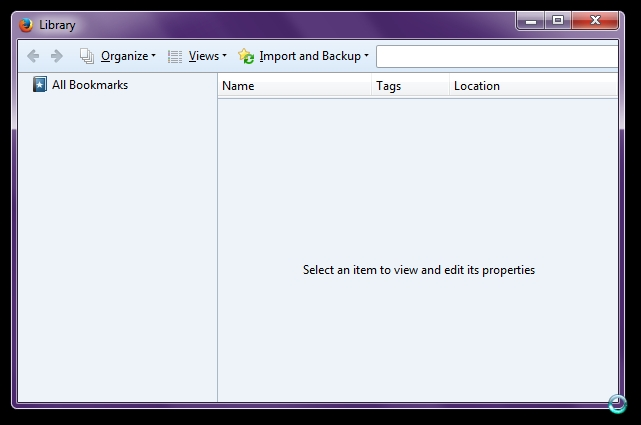
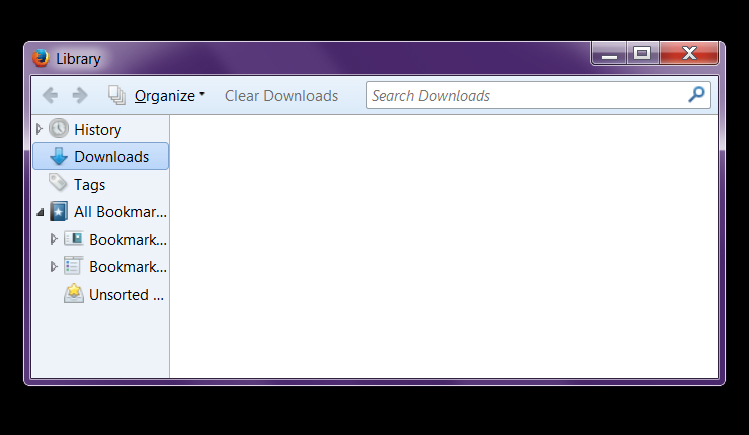
On this newly installed laptop when I clicked on "Show All Downloads", the library pops-up but then it only shows All Bookmarks and nothing else whilst on two other desktop computers it will show History, Downloads, Tags then only All Bookmarks. Not sure how to attached the screen captures but I've uninstalled and reinstalled FF 29.0.1 five time to no avail.
Thanks in advance
EQ
Все ответы (2)
You can't attach a screenshot to the first post that starts a thread, but you can do that in subsequent replies.
Make sure that you do not run Firefox in permanent Private Browsing mode (Never remember history).
- Tools > Options > Privacy > Firefox will: "Use custom settings for history"
- Deselect: [ ] "Always use private browsing mode"
Can you see any downloads on the about:downloads page?
Hi!
Thanks for your prompt reply.
I compared FF within all the 3 computers that I'm using and the settings are the same but only the laptop have this problem. I can see the downloads in about:downloads, just not in the library where the only thing that can be seen is "All Bookmarks". Please see the attached picture (1) about my "problem" on the laptop. Picture (2) is from the other computer that I'm accessing at the same time.
EQ