


firefox is already running but its not

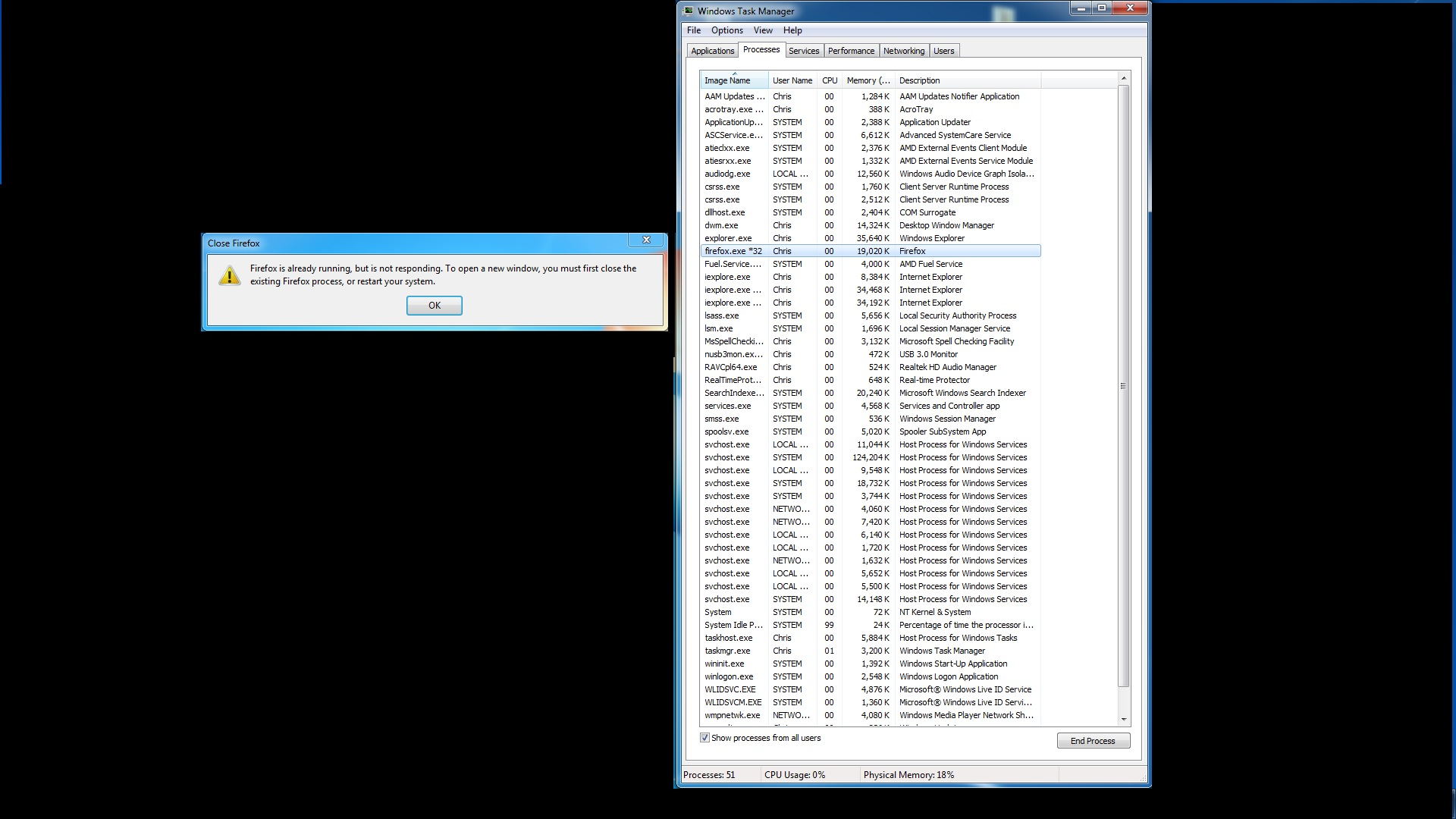
I booted my computer and tried to open firefox but a windows pops up and say Firefox is already running, but not responding. To open a new window you must close and existing windows and try again.
The problem is it isn't running. I open my task manager and there is no programs running, I check running processes and nothing to do with Mozilla firefox is in there. How can it already be running if it isn't open?
Soluție aleasă
I actually fixed it. I was looking in c:\users/myname/appdata/local/mozilla/firefox/profiles
I looked in c:\users/myname/appdata/roaming/mozilla/firefox/profiles and found the profile.locked file and deleted it. Works great again.
Citește răspunsul în context 👍 0Toate răspunsurile (4)

Did you check the whole list? Sometimes the list is not alphabetical. If you still have trouble, go to Mozilla.org for the full install.
Yes I checked the entire list. I even selected to show processes for all users and there is nothing in there about Mozilla. I uninstalled the program and selected to uninstall preferences and profiles too so there was no trace of Mozilla on my computer. I then reinstalled it and same issue. Not sure what you mean go to mozllia.org for the full install?
I included an image of the error and my open processes. You will see Mozilla firefox in the processes but as soon as I click OK on the error box and the process closes.
Mozilla.org is a link to where Firefox can be downloaded from.
Soluție aleasă
I actually fixed it. I was looking in c:\users/myname/appdata/local/mozilla/firefox/profiles
I looked in c:\users/myname/appdata/roaming/mozilla/firefox/profiles and found the profile.locked file and deleted it. Works great again.