Firefox consumes CPU when displaying static pages

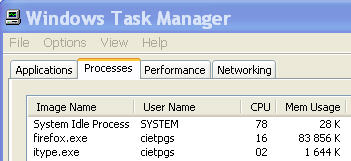
In the Windows Task manager I see that the Firefox.exe process consumes constantly 7 to 18 % of CPU even if I display a static page. E.g. Now when entering t6his message on the Firefox Help page, I have only 1 Firefox window and Tab open. The Firefox.exe process consumes 14 to 18 % of CPU. I have noticed this since several months on several computers. Why does Firefox consume constantly a significant part of CPU ? Could it be due to some malware ?
Regards Guy Schaeffer
Toate răspunsurile (2)
See https://support.mozilla.org/kb/Firefox+consumes+a+lot+of+CPU+resources
Start Firefox in Use Troubleshoot Mode in Firefox to check if one of the extensions or if hardware acceleration is causing the problem (switch to the DEFAULT theme: Firefox (Tools) > Add-ons > Appearance/Themes).
- Don't make any changes on the Safe mode start window.
- https://support.mozilla.org/kb/Safe+Mode
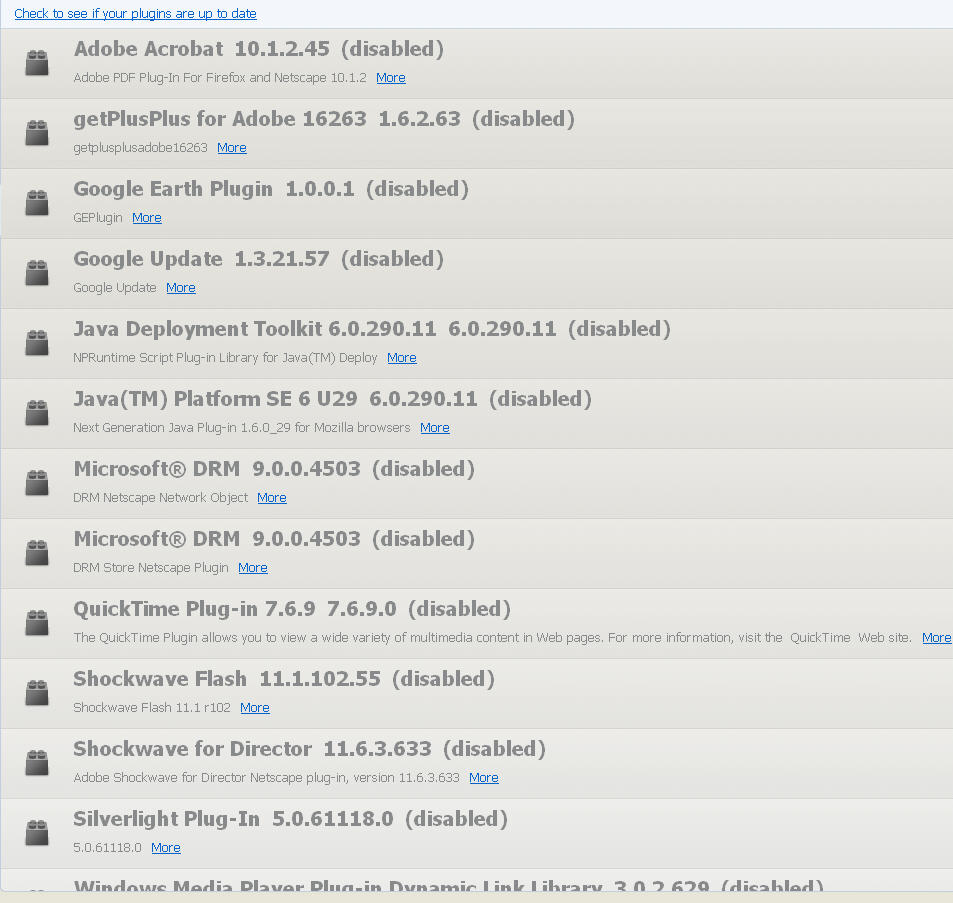
I have chosen Firefox Default Theme. I have started Firefox in Safe mode. I have disabeled all Plugins. The process firefox.exe still consumes much CPU (13% to 18%) while I am typing this message on the Firefox Help page (with only this window with this Tab open).
I have added some screenshots - Extensions - Plugins - Task manager - Default theme
Regards Guy Schaeffer