


Can't manual update
So, a while back I complained that Mozilla was non-con-sensually updating my browser in the middle of me doing things on it, shutting down my ability to use my browser at inconvenient times just because.
I went through a massive amount of steps trying to force Firefox to stop doing that, including adding group policies to disable auto update, to disable Mozilla Maintenance Service, to disable background updates, everything I could think of. I set "manual update" to true so that I could manually check for updates when I want to on my own time.
Since Firefox doesn't listen to policies, and kept reinstalling Mozilla Maintenance Service against my consent, I had to go through and make sure Maintenance Service could never come back by placing files in the directories where the service would install its self that blocked the installation of the service files preventing them from being able to return. I did this in both the program directory and in Firefox's directory which has the service tools in it. This should not have blocked updates, it should only have blocked non-consensual auto updates caused by a tool I will call Malware until it respects policies.
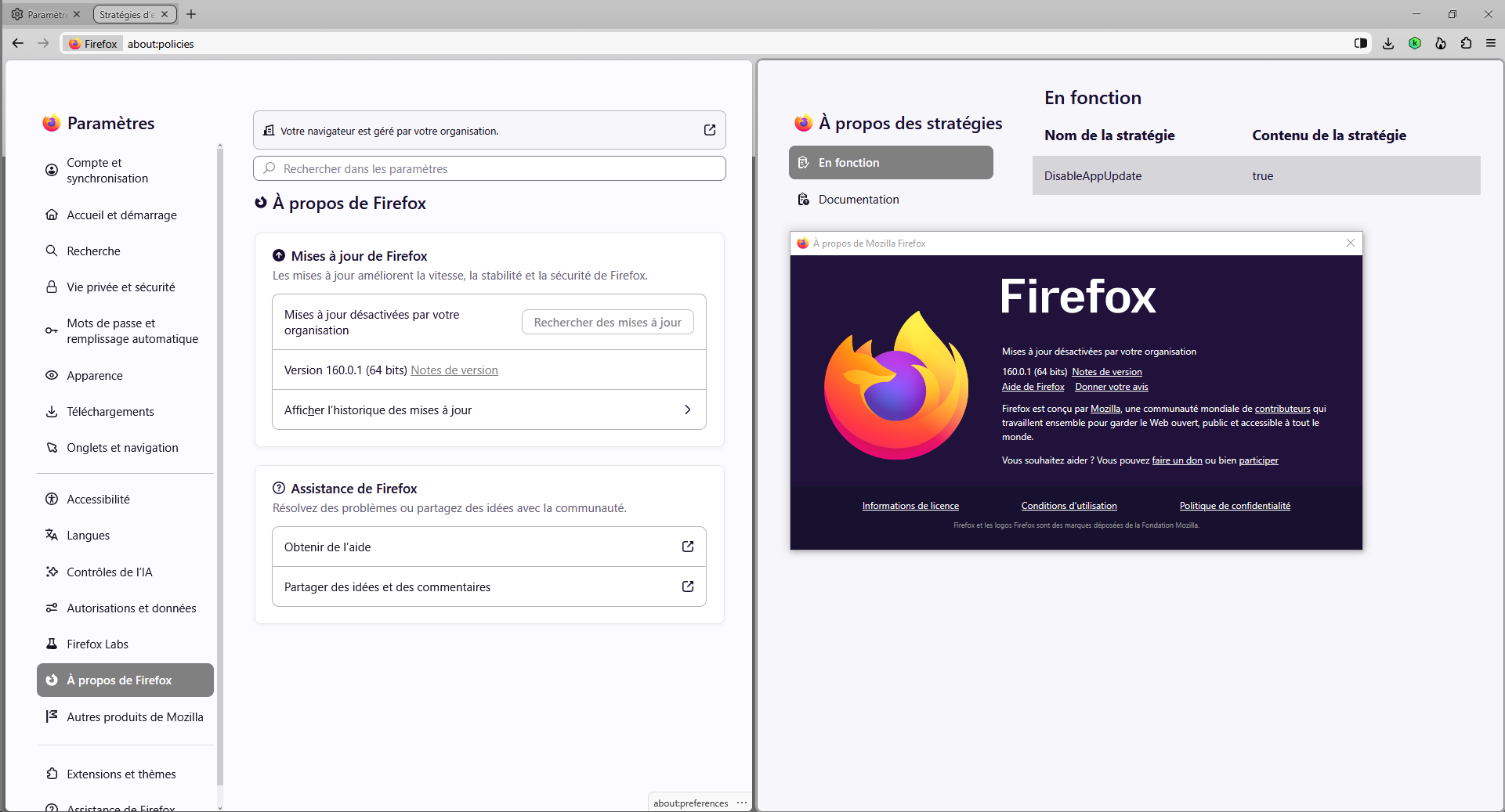
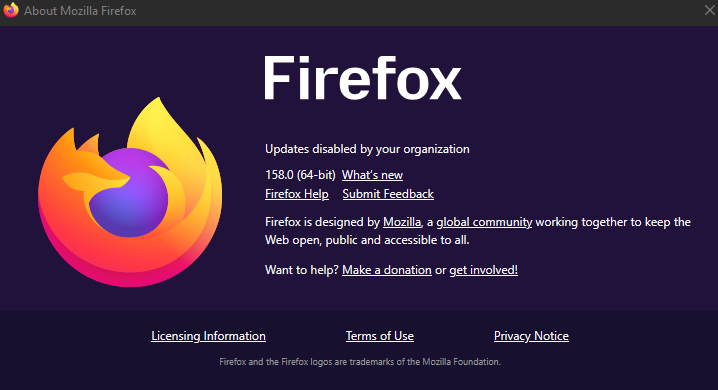
Today, I went to try and update firefox... I opened About Firefox and then saw it say "Updates are disabled by your organization". I then opened about:policies and saw that it claims the following:
DisableAppUpdate=true AppAutoUpdate=false BackgroundAppUpdate=false DisableSetDesktopBackground=true ManualAppUpdateOnly=true
However, DisableAppUpdate is not set. It was never set so it should still be set to default. All of the others however, are set. While typing this, I went into the GPO and altered the first setting to false, to allow me to manually check for updates, if it successfully works. However at this time, it should not have been set to true in the first place.
Its funny, that I went through years of trouble trying to stop Firefox from automatically updating, closing on me in the middle of my work, destroying coding work or delaying everything just so it could update in the middle of the day in the middle of me opening tabs and using it, just to suddenly tell me "Oh sorry your tab can't be opened anymore because you need to update. No new tabs for you till you update." which may as well have been a big fat middle finger to me. Now, here I am trying to update on a schedule like I promised I would when I finally stopped automatic updates.... And I can't.... Like, what sort of sick twisted game are you guys playing? I take away your ability to violate my consent so you take away my ability to update?
If this is some sort of highly sophisticated bug, you need to tell me exactly how and where to report it so we can get this solved once and for all. I want to work this out and stop this issue once and for all, but I don't want your AI styled community responses that ignore literally everything I say and only respond to some key words in my message. I want real, human, responses, from people who actually read through everything here, my previous issues posted, and understand the exact nature of what I want.
Toate răspunsurile (6)
Bonjour
https://support.mozilla.org/en-US/user/VasVadum/questions
File a bug report or feature request for Mozilla products https://support.mozilla.org/en-US/kb/file-bug-report-or-feature-request-mozilla If you wish, you can file a bug report, maybe it's already done.
Component: Application Update Product: Toolkit https://bugzilla.mozilla.org/buglist.cgi?product=Toolkit&component=Application%20Update
Since the release of Firefox 63 https://www.firefox.com/en-US/firefox/63.0/releasenotesThe option to Never check for updates was removed from about:preferences. You can use the DisableAppUpdate enterprise policy as a substitute.
I choose my favorable moment to perform the updates. I use, DisableAppUpdate https://connect.mozilla.org/t5/discussions/upgrade-notification-spam/m-p/64080/highlight/true#M22529
Mon navigateur est géré par mon organisation. Below, updates have been made, and i'm waiting the future updates. Clarification : i'm not a fan the Nova Style. I use, css, among others css.
Modificat la de Agent virtuel
In this question https://support.mozilla.org/en-US/questions/1590804
I choose my favorable moment to perform the updates. DisableAppUpdate (e.g.) https://www.youtube.com/watch?v=7lxCwF8I1F8
Windows registry.
DisableAppUpdate false - DisableAppUpdate true
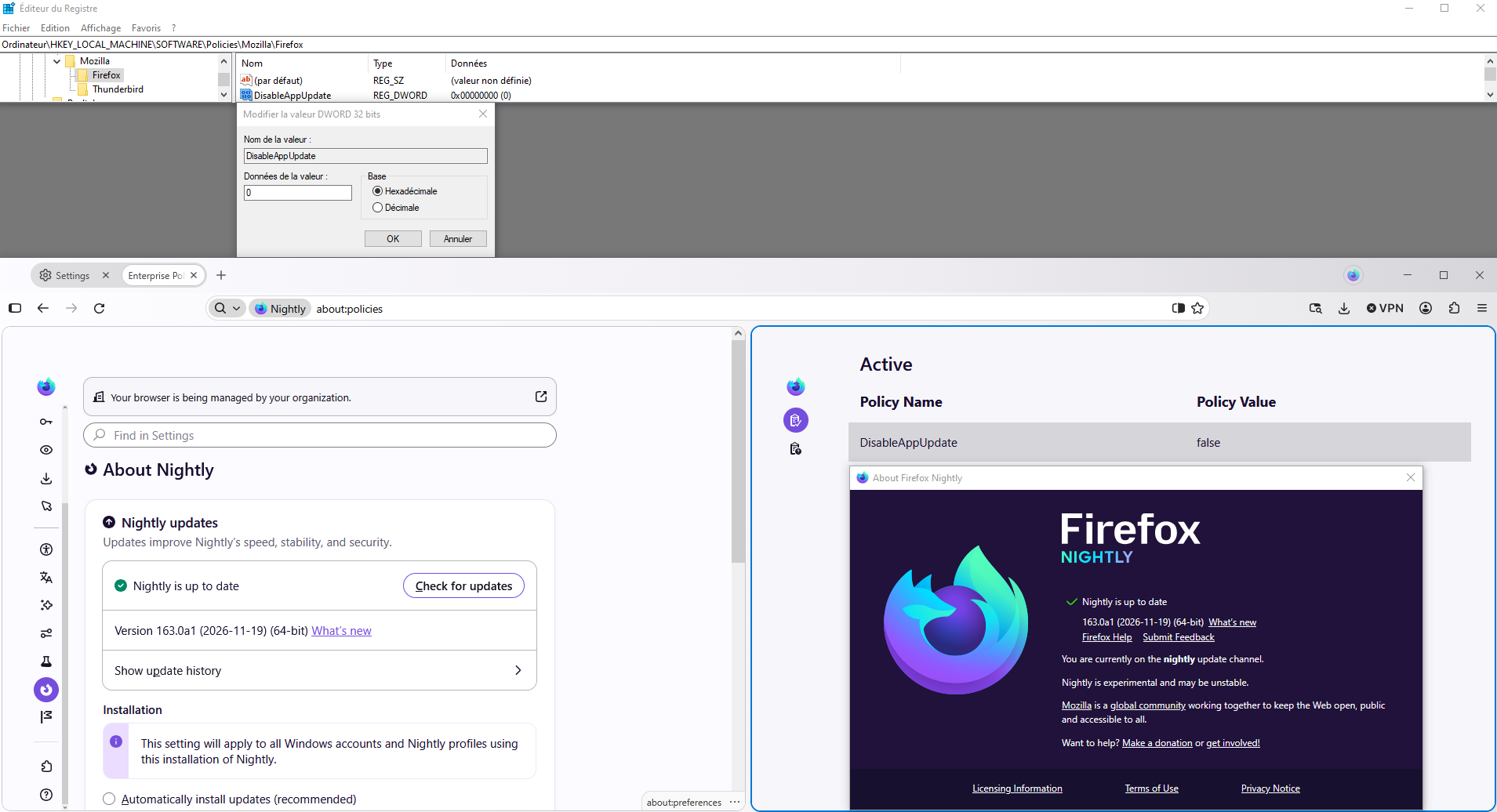
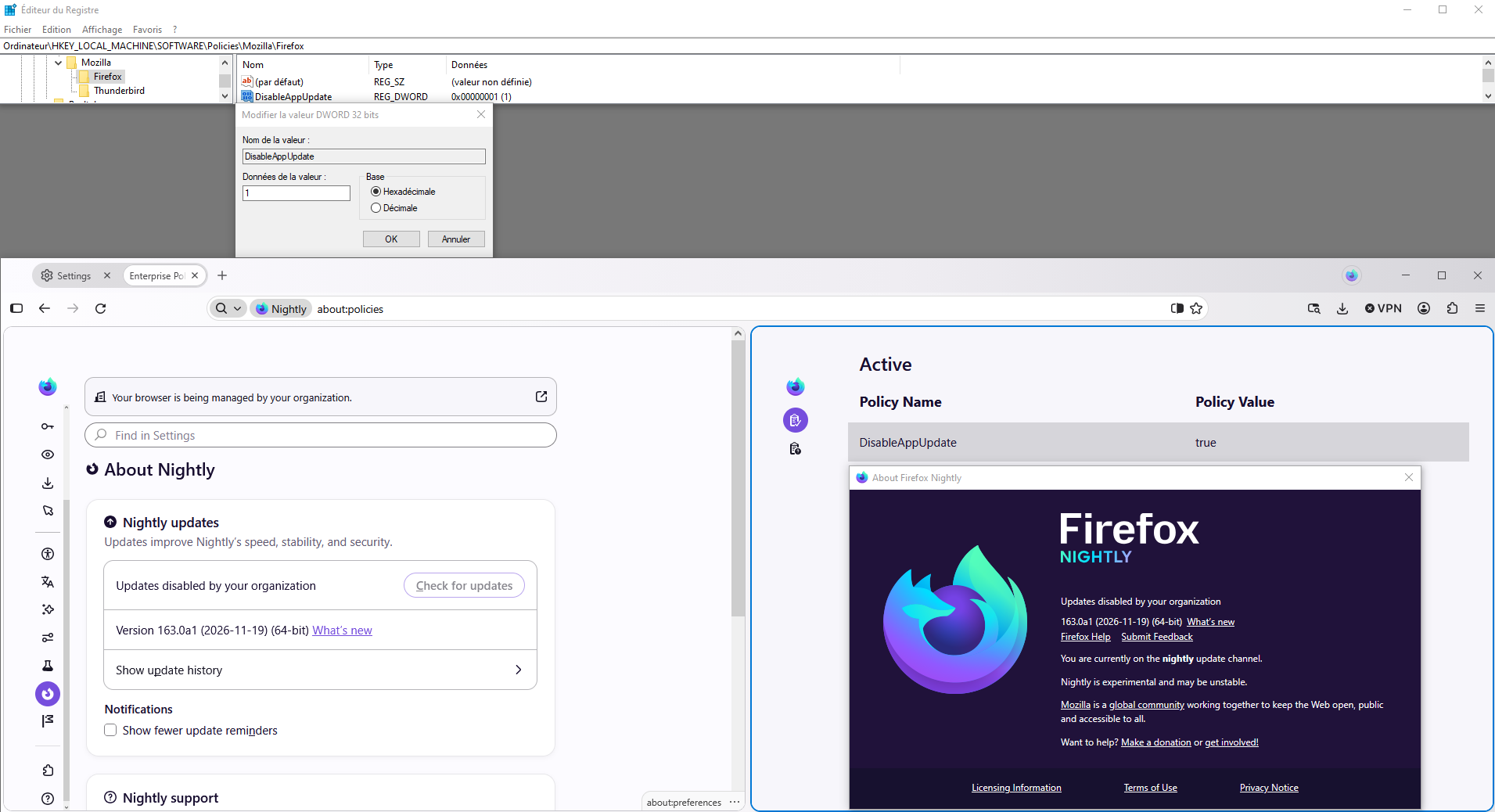
Enterprise Policy Generator https://addons.mozilla.org/firefox/addon/enterprise-policy-generator
Prevent Firefox from updating policies.json
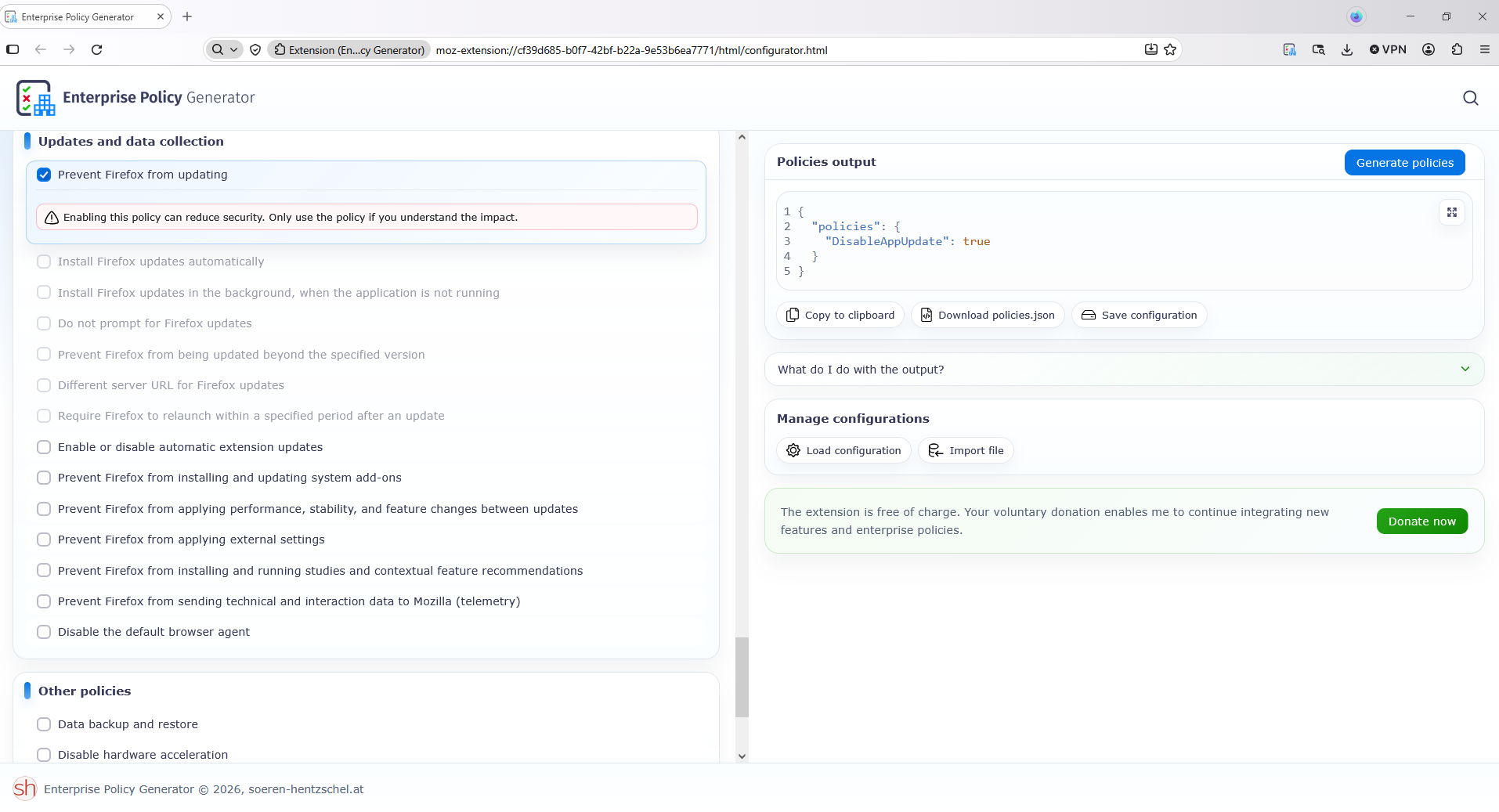
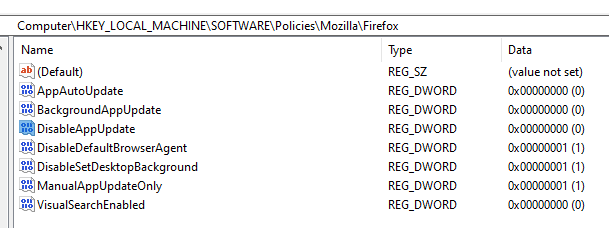
All of my settings in GPO and Registry, show DisableAppUpdate to be false. Updates should be allowed. However the ability to manually update is still disabled. For some reason About:Policies still shows that DisableAppUpdate is true. There's no reason for it because I checked both registry and policies.
Also, you really gotta stop telling people to use policies.json, I found it in Mozilla's support system somewhere that they stopped using json files and went towards Group Policy Editor built into Windows. Editing the GPO settings affects the about:policies tab so that seems to be true.
As per the steps I took to disable Maintenance Service, I replaced maintenance_installer.exe with a text file with the same name, and then took away its permissions. I did this because after the folder I list after this, it didn't stop Maintenance service so I had to do this extra step.
- icacls "C:\Program Files\Mozilla Firefox\maintenanceservice_installer.exe" /deny "Everyone":(F) "SYSTEM":(F)
I did the same thing to the file named the same thing as the folder prior to the above step.
- icacls "C:\Program Files (x86)\Mozilla Maintenance Service" /deny "Everyone":(OI)(CI)(F) "SYSTEM":(OI)(CI)(F)
I also added some registry values, which I will put in a screenshot attached. I also altered the settings in the group policies on Windows. None of which disable update entirely, only auto update and maintenance service. Both of these never stopped maintenance service until I killed the installer.exe one.
Now, I'm trying to figure out how to get my updates back, because currently, it says updates are totally disabled and I can't seem to get them back without the risk of Maintenance Service non-consentually taking control again.
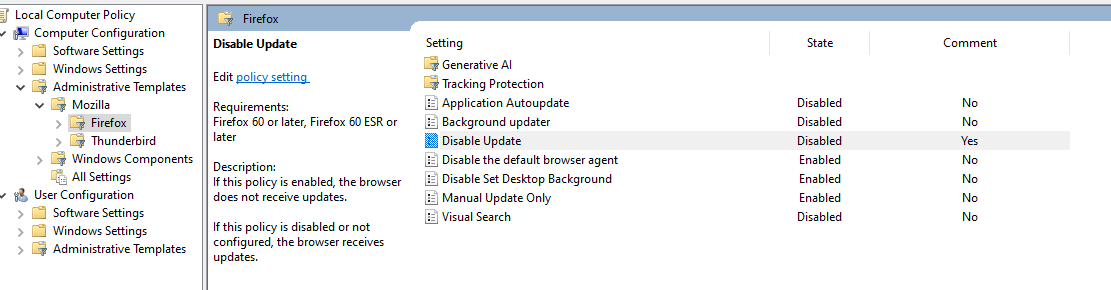
So, I changed the setting in GPO to allow updates. "Disable Update" to "Disabled". Mozilla Maintenance Service installed its self, again, against my consent. Then it violated my browser by self installing an update while I was busy working on stuff with a time limit on it, causing all tabs to start failing to load. Damaging everything I was doing. Only for me to think it was my VPN acting up, then I thought maybe it was the website that was broken but all websites were doing it so I thought it was my DNS so I flushed DNS only to find out that it was Mozilla doing it and thats when I saw Mozilla Maintenance Service installed once again, without my consent, in a new location after I disabled it 5 times already.
So.
Here we are, with the same problem a moderator closed my thread for before.
I want instructions on how to permanently disable and remove Maintenance Service and gain MANUAL UPDATE CONTROL over my browser.
Mozilla has been violating people for years it looks like. https://connect.mozilla.org/t5/forums/searchpage/tab/message?advanced=false&allow_punctuation=false&q=forced%20update
Modificat la de Vas