


Windows 10 reached EOS (end of support) on October 14, 2025. If you are on Windows 10, see this article.

Caută ajutor

Atenție la excrocheriile de asistență. Noi nu îți vom cere niciodată să suni sau să trimiți vreun SMS la vreun număr de telefon sau să dai informații personale. Te rugăm să raportezi activitățile suspecte folosind opțiunea „Raportează un abuz”.

Află mai multe
Rezolvat

how do disable notification requests enterpise wide

peter huiskens

based on this article: https://support.mozilla.org/en-US/kb/push-notifications-firefox#w_manage-the-notifications-permission-for-all-websites

i can manually disable the notification requests in a single instance. However, how can i accomplish the same for my other 1000 users in one policy?

I tried different permission notification registry settings, but none seem to work. probably getting lost in the AI web that doesn't exactly know how to fix it.

I’m looking for something i can set in the registry,powershell or by gpo. It should work in all cases, new and existing firefox profiles.
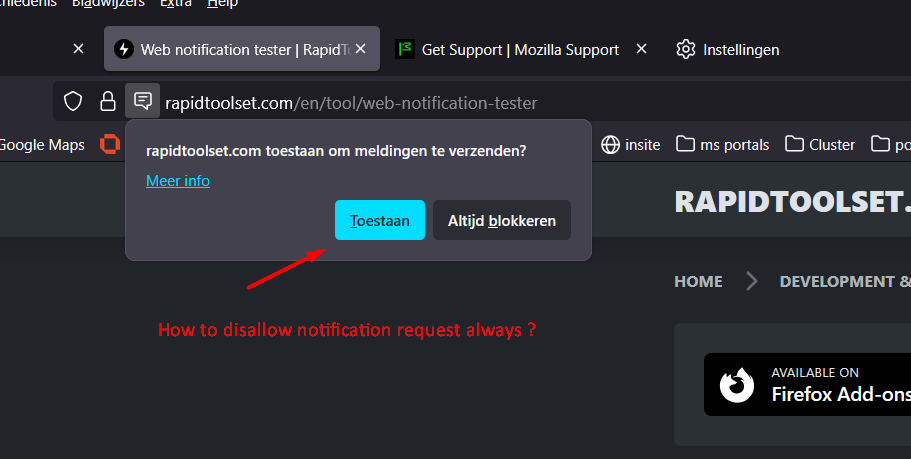
based on this article: https://support.mozilla.org/en-US/kb/push-notifications-firefox#w_manage-the-notifications-permission-for-all-websites i can manually disable the notification requests in a single instance. However, how can i accomplish the same for my other 1000 users in one policy? I tried different permission notification registry settings, but none seem to work. probably getting lost in the AI web that doesn't exactly know how to fix it. I’m looking for something i can set in the registry,powershell or by gpo. It should work in all cases, new and existing firefox profiles.
Capturi de ecran atașate

Toate răspunsurile (2)

Soluție aleasă

You'd ideally ask in (or have mods move this to) support.mozilla.org/questions/firefox-enterprise however you're probably just looking for this:

permissions.default.desktop-notification

See firefox-admin-docs.mozilla.org/reference/policies/permissions/#values for Locked and BlockNewRequests bits.

Thnx @jbr , i'll try to implement this

Adresează o întrebare

Trebuie să intri în cont ca să răspunzi la o postare. Te rugăm să adresezi o întrebare nouă dacă nu ai încă un cont.