Windows 10 reached EOS (end of support) on October 14, 2025. If you are on Windows 10, see this article.

Caută ajutor

Atenție la excrocheriile de asistență. Noi nu îți vom cere niciodată să suni sau să trimiți vreun SMS la vreun număr de telefon sau să dai informații personale. Te rugăm să raportezi activitățile suspecte folosind opțiunea „Raportează un abuz”.

Află mai multe
Deschis

Any way to make the vertical or horizontal menu titles BIGGER?

Janet Wallace

While I can make the website text bigger, I can't make the menu items bigger. I have to lean in, shut one eye, and then I can squint to see the text on my big screen. On the Mac screen, it is too small to read. Enlarging the text on the Mac screen doesn't enlarge the menu items.

Mozilla can help by figuring out a way to allow the menu items to be enlarged, perhaps when the screen itself is enlarged?

While I can make the website text bigger, I can't make the menu items bigger. I have to lean in, shut one eye, and then I can squint to see the text on my big screen. On the Mac screen, it is too small to read. Enlarging the text on the Mac screen doesn't enlarge the menu items. Mozilla can help by figuring out a way to allow the menu items to be enlarged, perhaps when the screen itself is enlarged?

Toate răspunsurile (2)

Could you attach a screenshot of what do you need to be enlarged exactly?

Hello

About user interface

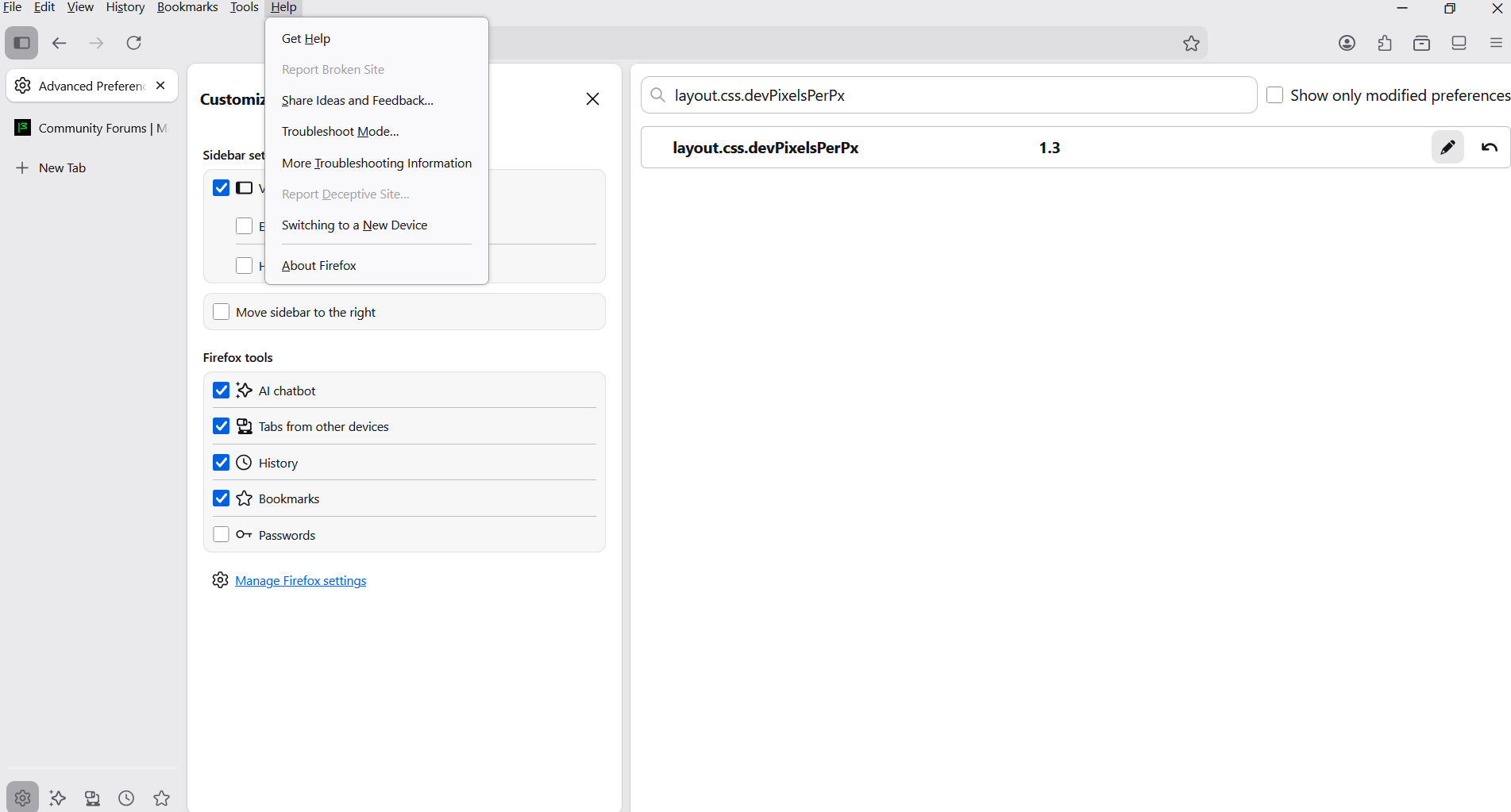
If you wish to test, the preference, layout.css.devPixelsPerPx And there's propagates also side effects on the web pages

1 - Go to configuration editor https://support.mozilla.org/en-US/kb/about-config-editor-firefox 2 - Enter a search term layout.css.devPixelsPerPx value by default -1.0

A test, value, 1.3
Modificat la de Agent virtuel

Adresează o întrebare

Trebuie să intri în cont ca să răspunzi la o postare. Te rugăm să adresezi o întrebare nouă dacă nu ai încă un cont.