Windows 10 reached EOS (end of support) on October 14, 2025. If you are on Windows 10, see this article.

Caută ajutor

Atenție la excrocheriile de asistență. Noi nu îți vom cere niciodată să suni sau să trimiți vreun SMS la vreun număr de telefon sau să dai informații personale. Te rugăm să raportezi activitățile suspecte folosind opțiunea „Raportează un abuz”.

Află mai multe

Firefox visually freezes when expanding a video and scrolling

  • Niciun răspuns
  • 0 au această problemă
  • 50 de vizualizări
  • Open

Recently I've had this issue (on reddit) where after I expand a video in the feed, and start scrolling, all the visuals freeze.

I know it's only the visuals, because I can still interact with the website (usually unexpand the video, or pause it) with the image still frozen and audio still playing.

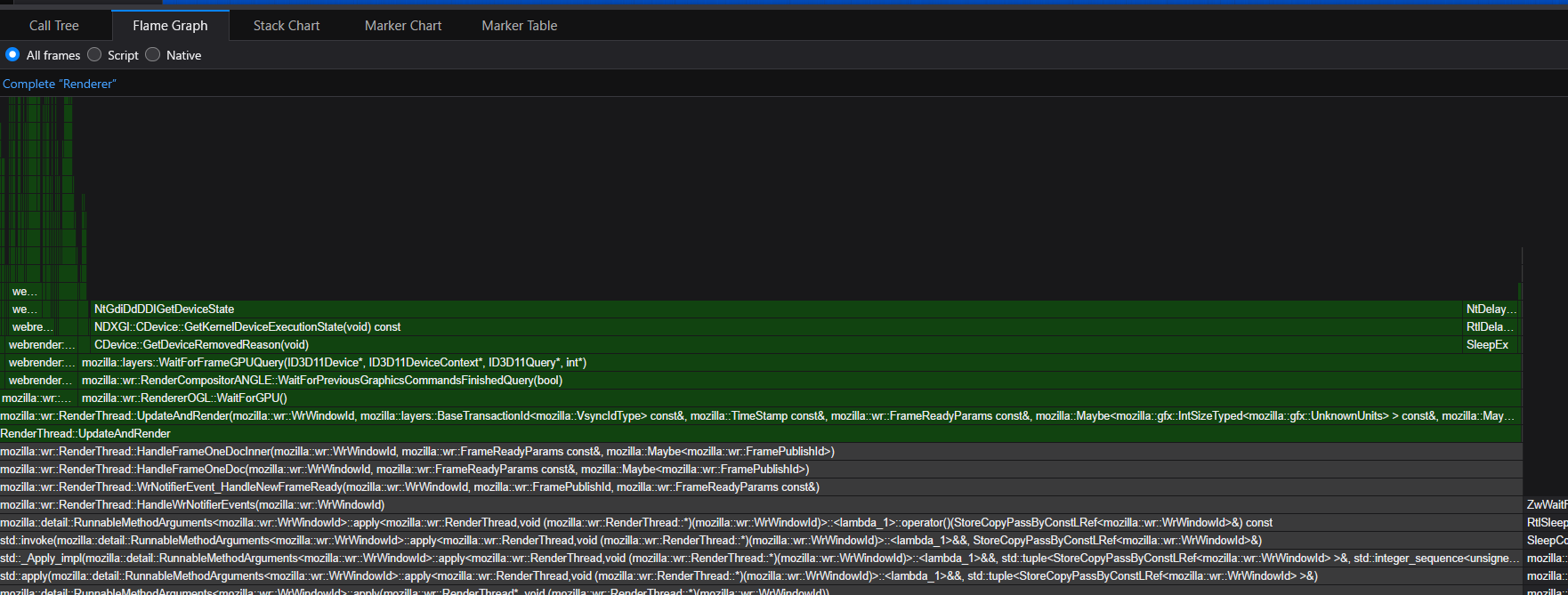
I can fix it by tabbing firefox down, and then up again. While researching I found the profiler, and finally managed to capture the moment it happened.

I'm no stranger to technical stuff but it's a loooot of data to process, I did a "clean" profile recording as well where I did the same action and where it didn't freeze, and I can't really make heads or tails out of what the issue is.

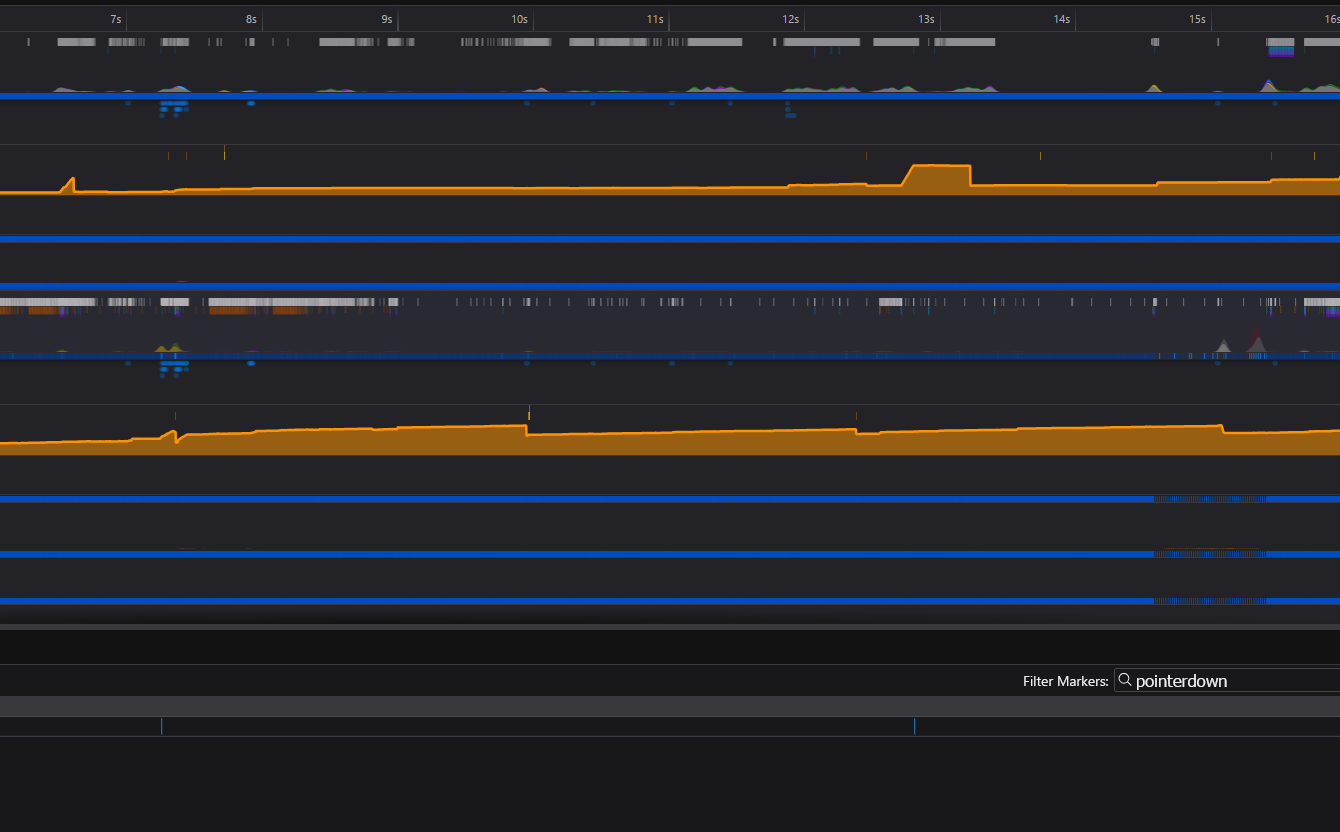
The recording managed to capture the phenomenon and I only clicked twice during that period, to expand two reddit expando videos, the second one is what caused the issue when scrolling. The only thing I see is a spike in memory usage

Not sure if I can (or should) upload the profile recording here or what, but it's been bugging me a lot.

It's pretty tricky to replicate because it seems to be random when and what triggers it, even expanding the same videos doesn't replicate it. Sometimes I go days without it happening, sometimes it happens 6 times in a single session.

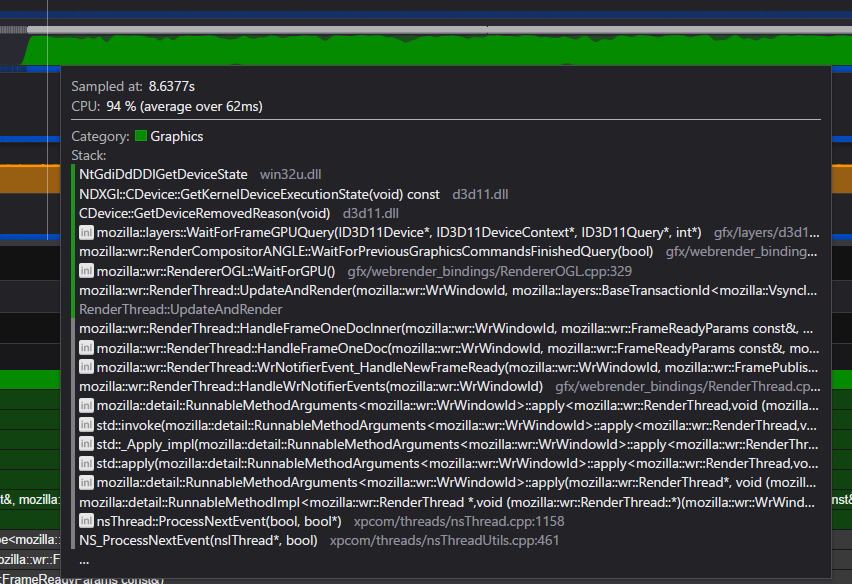
I've added some screenshots of various views of the profiler/stack data.

I have an Nvidia RTX 5070ti GPU, hardware acceleration is on, AMD Ryzen 7 9800X3D processor.

I think I might have enabled some rendering settings in about:config, maybe it's related to that but I don't remember exactly what.

Maybe it's due to some windows "game optimisation" or the GPU and CPU-GPU fighting?

I have no problems watching videos while playing games or anything though.

Recently I've had this issue (on reddit) where after I expand a video in the feed, and start scrolling, all the visuals freeze. I know it's only the visuals, because I can still interact with the website (usually unexpand the video, or pause it) with the image still frozen and audio still playing. I can fix it by tabbing firefox down, and then up again. While researching I found the profiler, and finally managed to capture the moment it happened. I'm no stranger to technical stuff but it's a loooot of data to process, I did a "clean" profile recording as well where I did the same action and where it didn't freeze, and I can't really make heads or tails out of what the issue is. The recording managed to capture the phenomenon and I only clicked twice during that period, to expand two reddit expando videos, the second one is what caused the issue when scrolling. The only thing I see is a spike in memory usage Not sure if I can (or should) upload the profile recording here or what, but it's been bugging me a lot. It's pretty tricky to replicate because it seems to be random when and what triggers it, even expanding the same videos doesn't replicate it. Sometimes I go days without it happening, sometimes it happens 6 times in a single session. I've added some screenshots of various views of the profiler/stack data. I have an Nvidia RTX 5070ti GPU, hardware acceleration is on, AMD Ryzen 7 9800X3D processor. I think I might have enabled some rendering settings in about:config, maybe it's related to that but I don't remember exactly what. Maybe it's due to some windows "game optimisation" or the GPU and CPU-GPU fighting? I have no problems watching videos while playing games or anything though.
Capturi de ecran atașate

Trebuie să intri în cont ca să răspunzi la o postare. Te rugăm să adresezi o întrebare nouă dacă nu ai încă un cont.