


Deschide
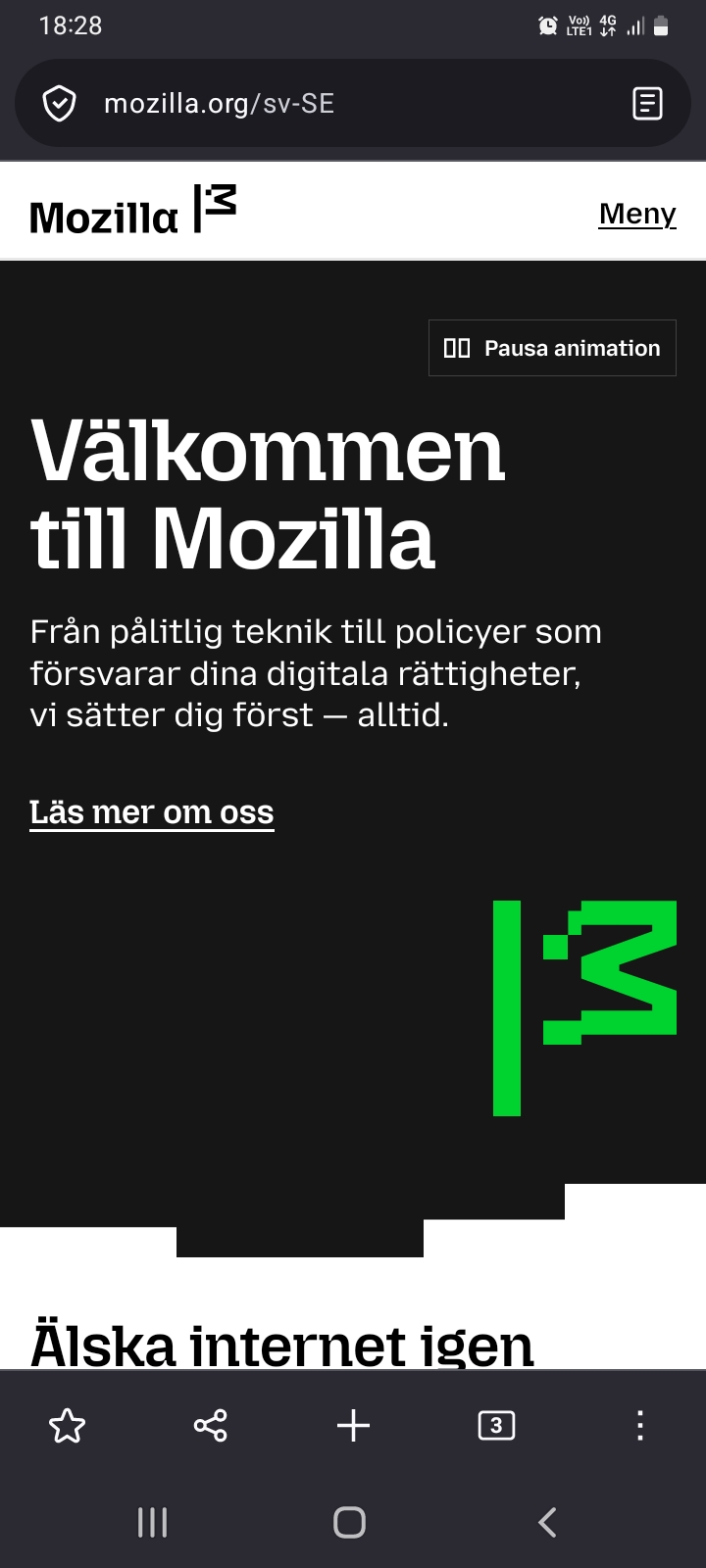
How to remove bottom bar from Firefox Android
Hi!
Suddenly the entire UI of the browser has changed. I have a big bar at the bottom of the screen taking far too much space with buttons I hardly ever need. And when I do need them I know where to find them. Thus they need not be as available as that (read: constantly in the way). It's not enough that it goes away when I scroll down as it pops up as soon as I scroll up again, along with the address bar.
How do I remove this bottom bar? The older UI was far better and didn't take this much space.
Thanks!
Hi!
Suddenly the entire UI of the browser has changed. I have a big bar at the bottom of the screen taking far too much space with buttons I hardly ever need. And when I do need them I know where to find them. Thus they need not be as available as that (read: constantly in the way). It's not enough that it goes away when I scroll down as it pops up as soon as I scroll up again, along with the address bar.
How do I remove this bottom bar?
The older UI was far better and didn't take this much space.
Thanks!
Toate răspunsurile (3)
Go to Settings -> Customize. There should be Toolbar layout section, switch it to Simple.
Nope, sorry. I can't find any toolbar layout section. I'll try a bit more.
Is it 146? Try to update.