Firul de discuție a fost arhivat.
Adresează o întrebare nouă dacă ai nevoie de ajutor.

Arhivate
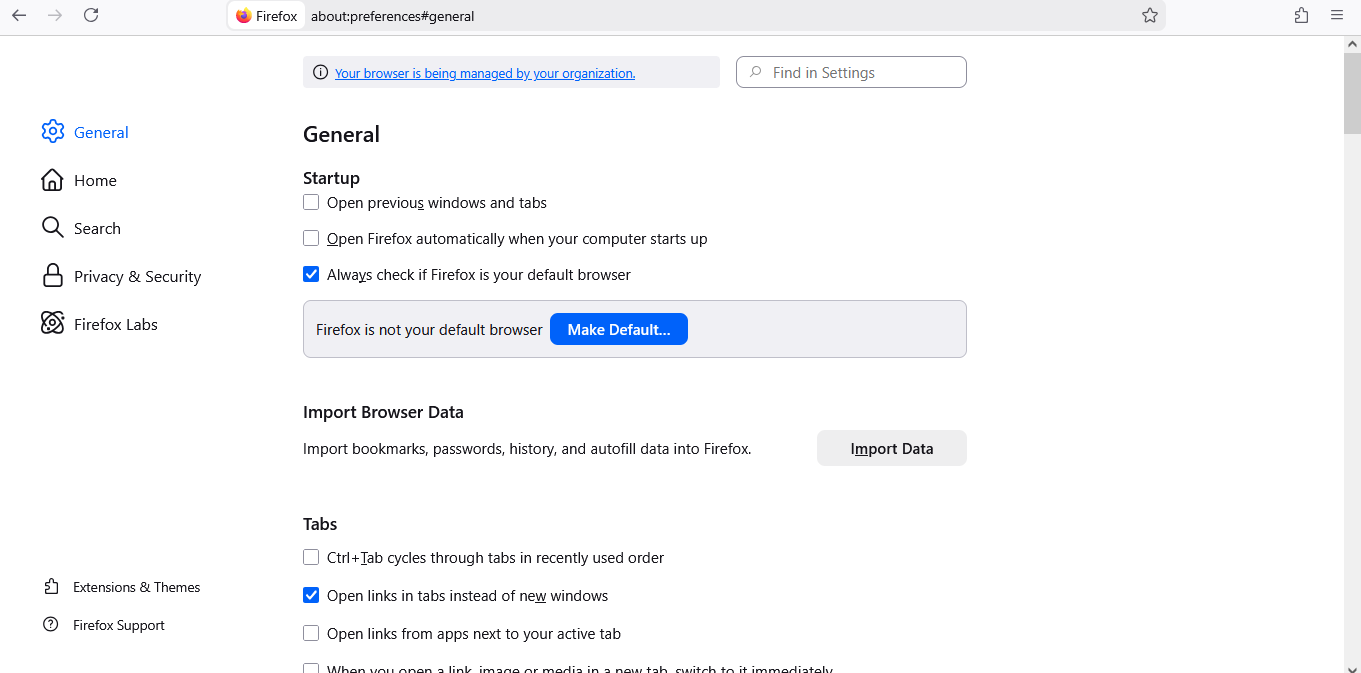
There is no option to access the account in Firefox settings.

Hello everyone! Windows 10, Firefox 146.0.1 (64-bit) I'm trying to synchronize my account, but there is no "Sign in to account" or "synchronization" function in the settings menu on the left. When I log in via the command line using https://accounts.firefox.com/signin, I can log in, but neither the account itself nor the synchronization button appears in the settings. What should I do? Thank you!
Hello everyone!
Windows 10, Firefox 146.0.1 (64-bit)
I'm trying to synchronize my account, but there is no "Sign in to account" or "synchronization" function in the settings menu on the left.
When I log in via the command line using https://accounts.firefox.com/signin, I can log in, but neither the account itself nor the synchronization button appears in the settings.
What should I do? Thank you!