


Is there a way to copy + paste tabs from phones and tablets?
I love Firefox for Mac, but, on iPad and iPhone, it's impossible to use extensions such as Winger to save tabs. Too many times, I've lost 100 to 200 tabs at once, and so I switched back on iPad and iPhone to Safari. I never had a problem with Safari's built-in window-tab saver on iPad and iPhone but lost thousands of tabs on Mac, hence my move to Firefox on Mac.
On Firefox on Mac, when I click on Firefox View, I can view tabs from other devices, but there's no way to copy multiple tab links at once (you have to go one by one). If I ever were to shift back to Firefox for iPad and iPhone, does anyone know of a way to easily save 100 to 200 tabs from these devices?
I would rather use Firefox because I can't stand how Safari opens links from outside Safari, forcing the use of some new default window over the named window I already have open. It's so much work to micro-manage this browser.
Thank you kindly and enjoy a super day!
Modificat la de Watermelon
Soluție aleasă
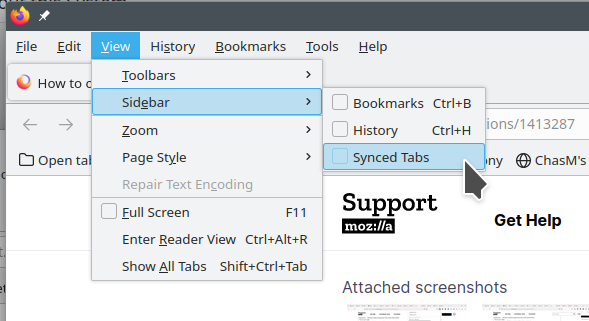
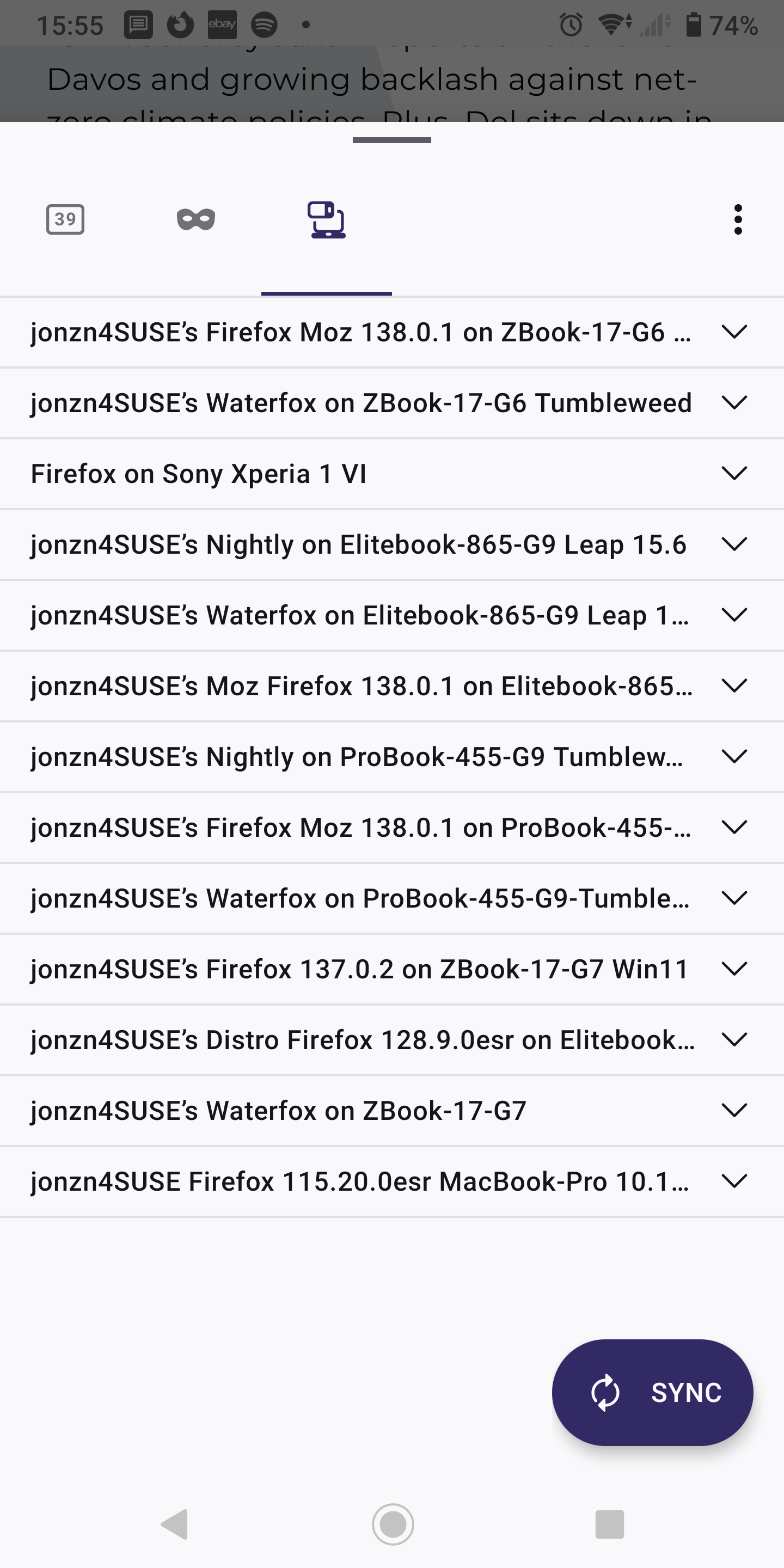
From the computer, you can see the tabs on other devices. Also see the synced devices from phone. see screenshots
Citește răspunsul în context 👍 1Toate răspunsurile (5)
Send the tab. https://support.mozilla.org/en-US/kb/send-tab-firefox-desktop-other-devices If you can view the tabs from the other device, you can just right click on them and open. see screenshot
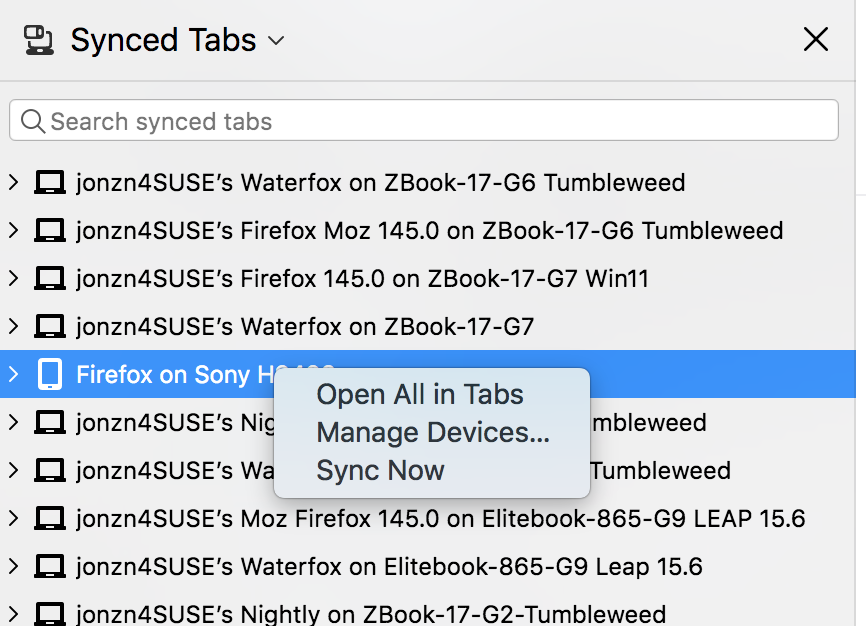
Hello, @jonzn4SUSE, and thank you kindly for sharing.
I do not understand where you can view this "Synced Tabs" screen. When I click the box-like icon on the far left of Firefox (when I hover over it, it says "New recent browsing across windows and devices") and go to it, the left-hand options are: recent browsing, open tabs, recently closed tabs, tabs from other devices and history. I do not see "Synced Tabs" and cannot right click and "Open All in Tabs" like you can.
What might I be doing wrong here?
Thank you kindly and enjoy a super day! 🌞
Soluție aleasă
From the computer, you can see the tabs on other devices. Also see the synced devices from phone. see screenshots
Hello, @jonzn4SUSE.
I understand now. Thank you for solving this puzzle for me! I am grateful!
Enjoy a super day! 🌞🍉
You are super welcome!!! Now mark this as resolved and we'll leave the light on for ya!

Modificat la de jonzn4SUSE