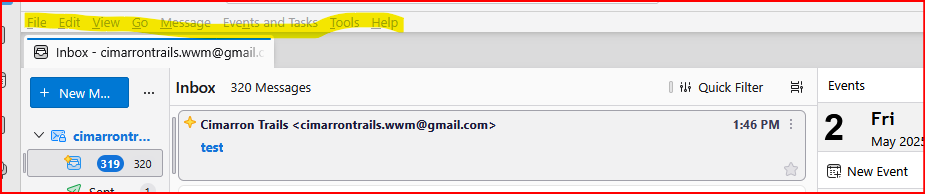
How to change font size IN MENUS

Hello, my grandfather uses Thunderbird and has trouble seeing when the text is too small, so I changed the font size in the settings, but this only applies to the window for reading the email and not to the entire application (example below, or on the right there is a font that my grandfather can read but in the titles of emails or menus he has trouble). Thanks in advance!

Soluție aleasă
click the menu in upper right (three short stacked lines) and that menu shows a font size option that may address your needs.
Citește răspunsul în context 👍 3Toate răspunsurile (2)
Soluție aleasă
click the menu in upper right (three short stacked lines) and that menu shows a font size option that may address your needs.

click the menu in upper right (three short stacked lines) and that menu shows a font size option that may address your needs.
This solution still only affects the actual email text and inbox/folders text, not the text size for the toolbars. Any other ideas?