


Option to Change Navigation Bar missing in Settings iPadOS

Hello, I recently got an iPad 10th Gen and setup Firefox on it. During setup it asked if I’d like the navigation bar on the top or bottom. Being a traditionalist myself I went ahead and chose top, however during use I realized that I would prefer the navigation bar on the bottom since I always hold the iPad near the bottom and like to use a minimized swipe key I put on the lower right hand corner.
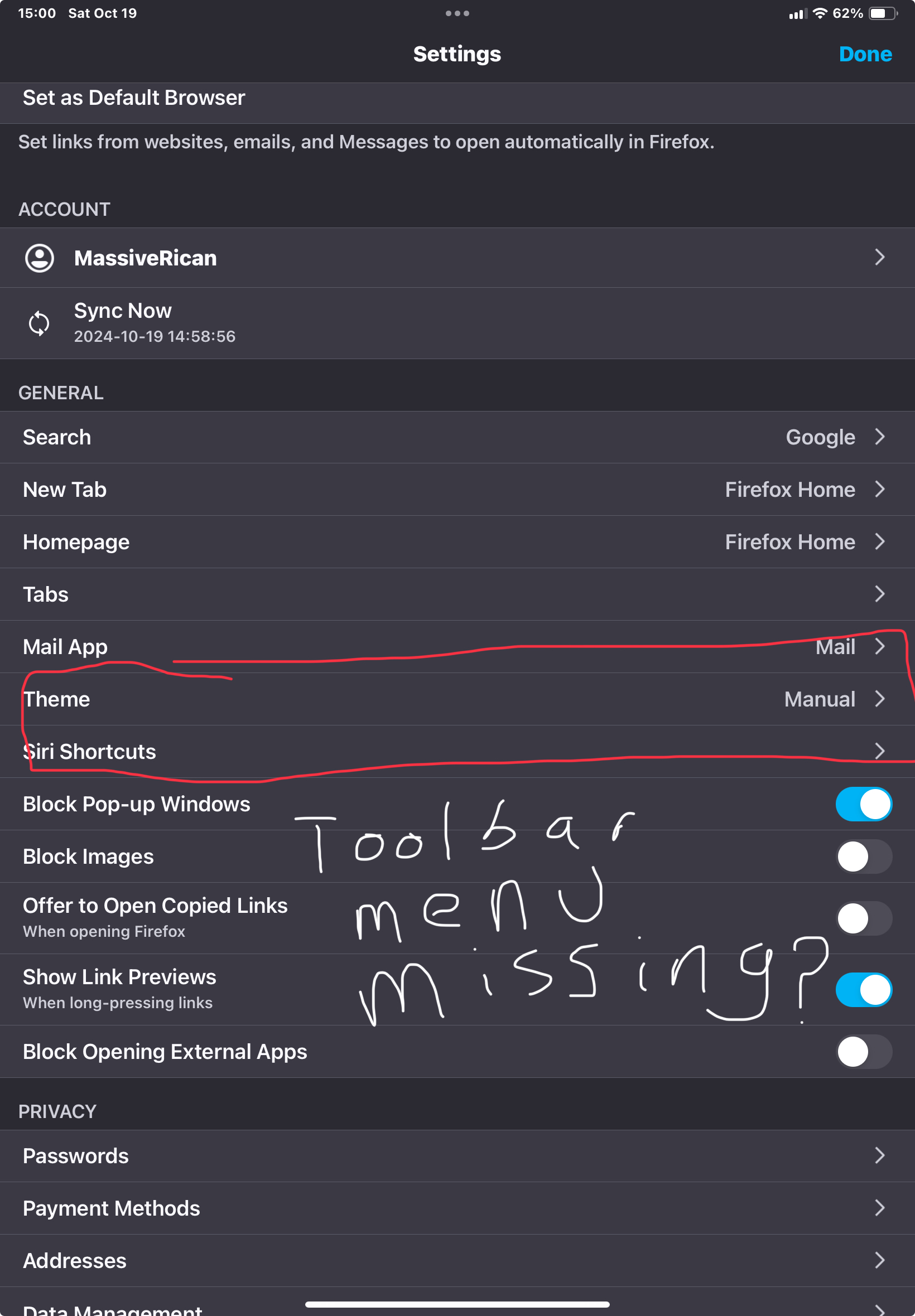
The problem is that the toolbar settings that I would normally find under Menu->Settings->General->Toolbar normally located under the Themes option (like I would find on my iPhone) is now missing and short of uninstalling the app and reinstalling the app I have no idea how else to change this or even find the toolbar option at all under settings. I’ve attempted opening the debug by tapping Firefox version under the about section 5x and I still can’t find it there either. Please help.
iPad 10th Gen iPadOS 17.6.1 Firefox 131.4 (46621)
Toate răspunsurile (2)
Bump. It’s been a few days, hope it’s ok.
Hey MassiveRican! Nice catch. Thanks for reporting this and the bump is totally fine. I don't have a iPad to test this with so I think if you filed a bug on this it would fine. I would also attach your screenshot from here to the bug so that the devs can understand where the Toolbar settings are missing from.
I think you're right because I found a bug saying there is a redesign coming to the Firefox iOS menu. It looks like its only for the Hamburger menu button. But it could still be related.
File your bug here but you will need to create a account when you get there: https://bugzilla.mozilla.org/enter_bug.cgi?product=Firefox%20for%20iOS&component=Menu%20and%20Toolbar
Then post back here with your bug report link & I will see if I can move it along in case it gets stuck without any movement/replies. :)