


Thunderbird 115.5.1 will not configure email accouts

My email accounts were moved to a new server, and the outgoing and incoming settings changed along with my passwords.
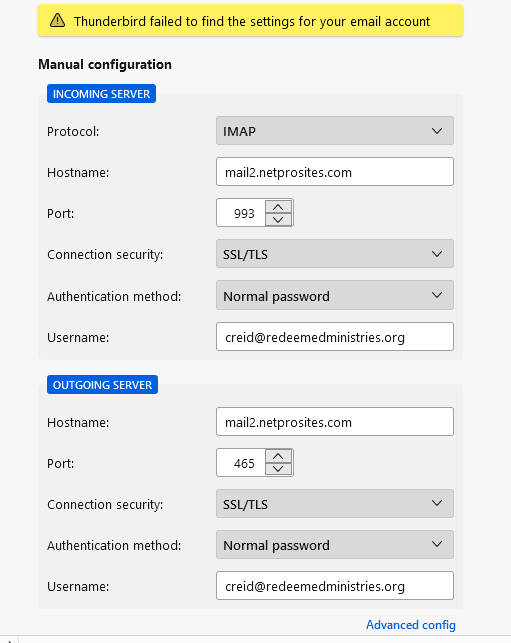
I have entered all the information several different times after rechecking, and I still get the same error message that says Thunderbird failed to find the settings for my email account.
I setup the email accounts in Mail with no problem using the very same server information and password
Toate răspunsurile (3)
Before you add the account, go offline from File/Offline/Work Offline, or click the icon at the left end of the status bar. Use the manual config. in the account setup window and Advanced config. if necessary. After the account is added, go back online and see if TB connects to the server.
Sorry, I already tried this and it does not work.
I will keep searching for solutions
I duplicated your setup without password and Thunderbird resolved the setup. I suggest you try again to set up the account, but omit password. You can enter later when retrieving mail.