


Printers not being seen in Firefox 104.0.2

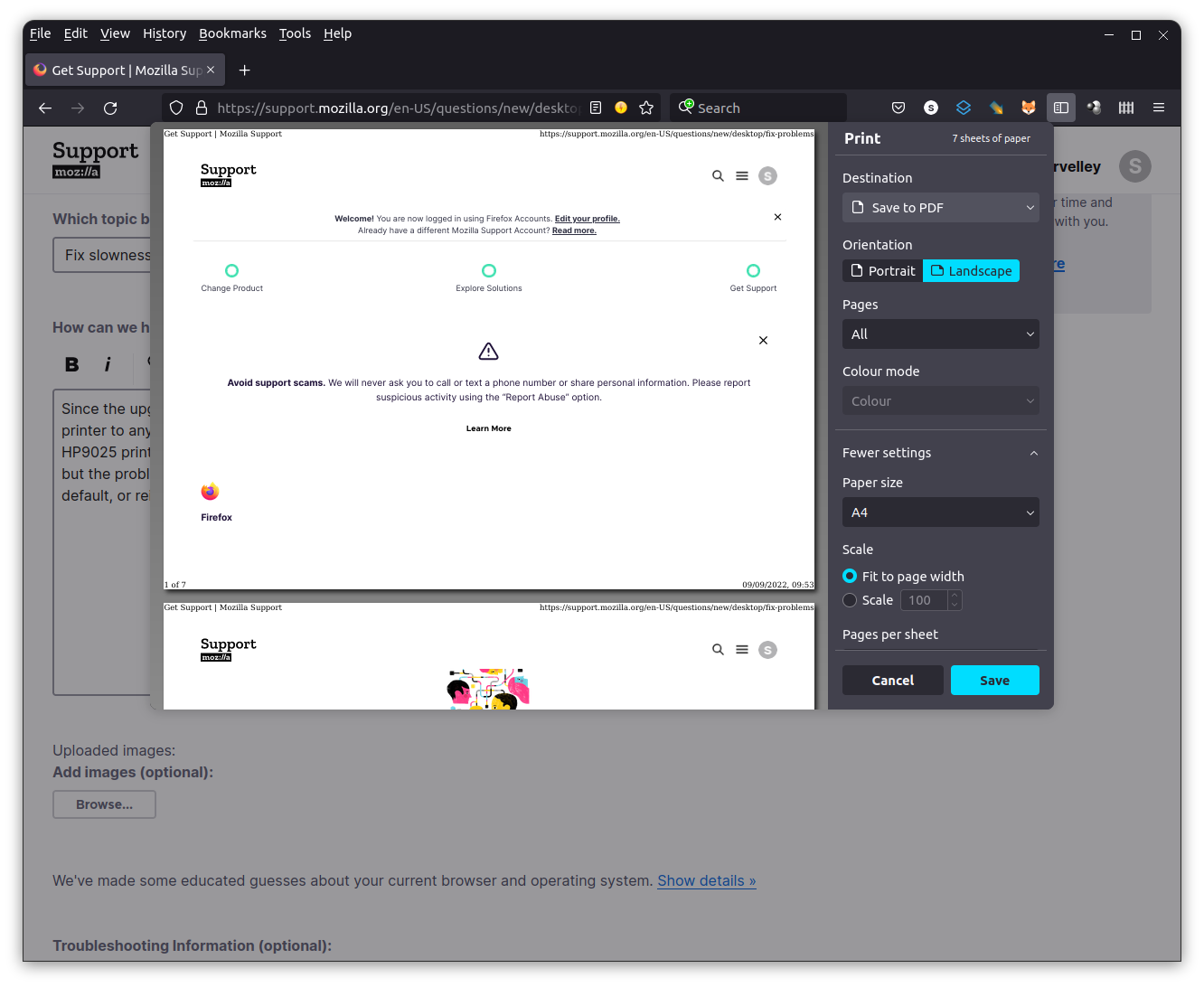
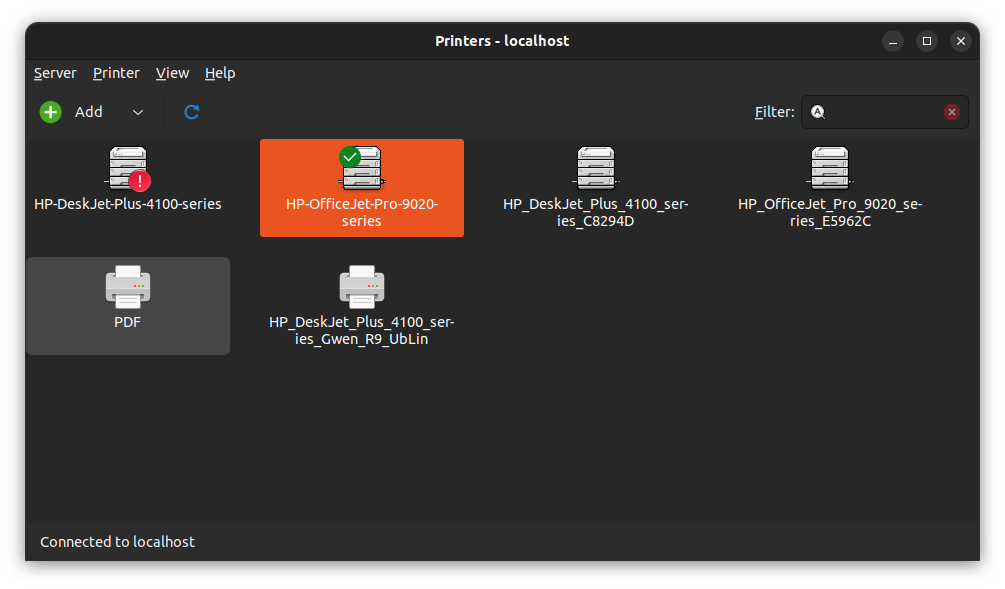
Since the upgrade to Firefox 104.0.2, the only option when printing is to select "Save to PDF". All other apps can printer to any of my printers. I have to save as a pdf then print the document using the PDF viewer. I have HP4100 & HP9025 printers on my network, that all other apps can see and print to. I've refreshed Firefox & re-installed Firefox but the problem still persists. The System's printer dialog shows that both printers are available and changing default, or reinstalling the printers makes no difference. OS is Ubuntu 22.04.1 LTS.
Screenshots show the printer window in Firefox, and the Printer Settings from the OS Settings window.
Toate răspunsurile (6)
Try downloading Firefox from Mozilla, run it from the folder and see if you have the same issue with the add-on. https://www.mozilla.org/en-US/firefox/all/#product-desktop-release
Do you have the same issue under a different user account?
Hi jonzn4SUSE,
Unfortunately just created a new account, but the issue remains.
Thanks for the quick response.
Hi jonzn4SUSE,
I've just tried running firefox from the download you suggested, extracting the files to a directory and then double-clicking the firefox file.
In this instance, all my printers become visible, so I assume, the problem lies somewhere in the original installation!
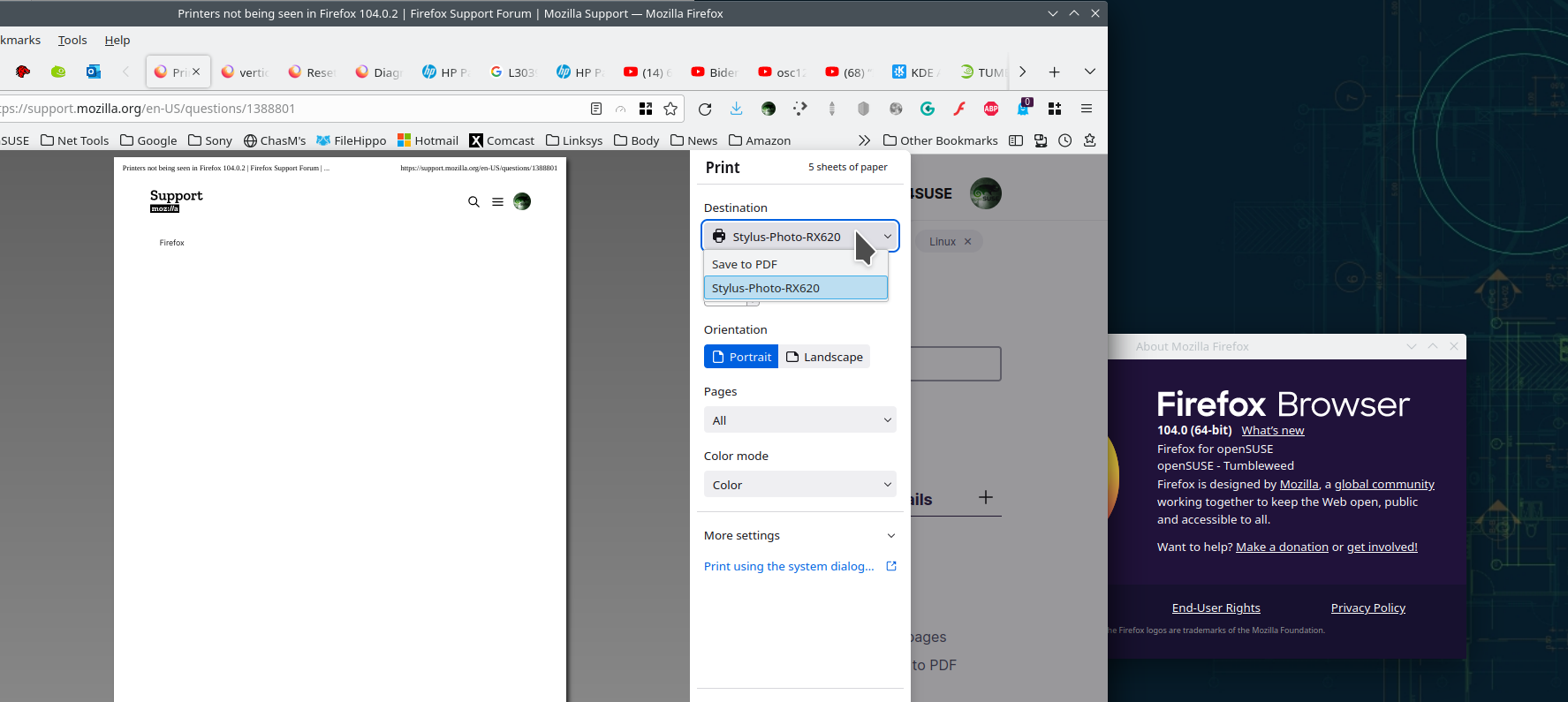
Glad to hear it's not a Mozilla Firefox issue, you should hit the Ubuntu forum. I found this last night, should give it a try. see screenshot

Modificat la de jonzn4SUSE
Thanks again jonzn4SUSE,
Unfortunately, that didn't help. I saved a copy of prefs, edited the prefs file to remove all print entries, restarted Firefox and the issue remains. Also, the prefs file hasn't updated to show that new printers are listed.