


Remove "Add (search engine name)" on right click URL line

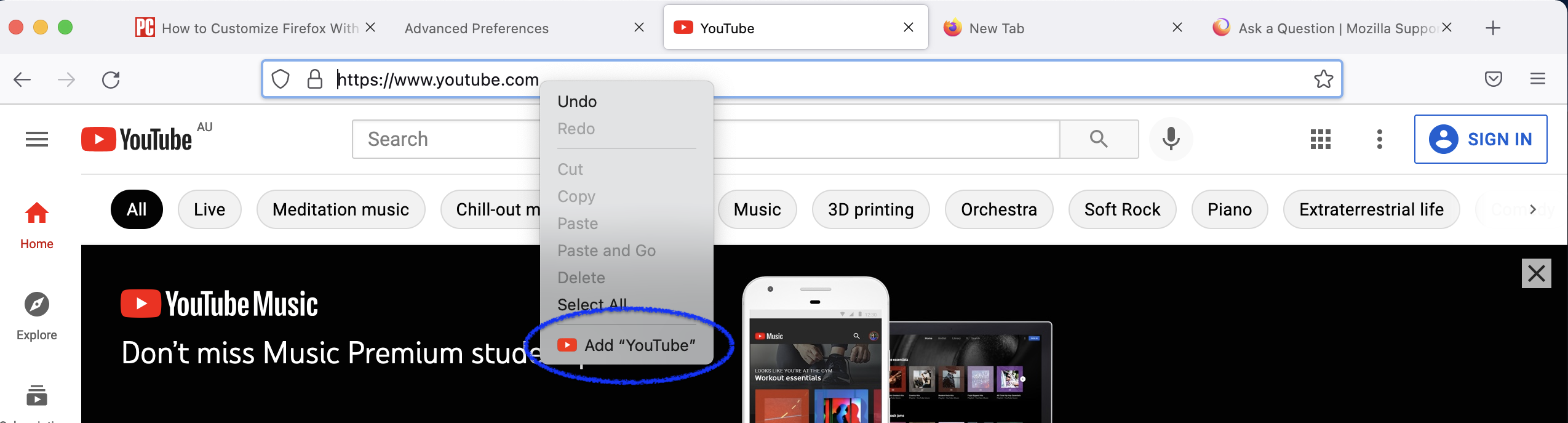
When I right click on URL line for websites that offer their own search engine, I see an "Add (webpage name) at bottom of drop down menu (YouTube website a good example).
How do I disable that feature. I don't want to see the "Add" function on the drop down menu.
Toate răspunsurile (4)
Hmm, I'm not aware of a setting to remove that.
Is the problem that it's distracting?
Yup, just an annoyance. Guess I live with it. Thanks
I'm sure it would be possible to hide the line using a userChrome.css file with a custom rule to target it. That's a little bit of a project, so if you haven't had the urge to modify anything else in the interface, it might not be worth diving into.
Yeah, I think that's more than I can handle. Found an annoying workaround.
The "Add..." feature only appears when right clicking on URL of a website that offers its own search engine, like YouTube.
Clicking on the "Add..." for a specific URL adds that's website to the Search Shortcuts list located on Settings/Search. Never get the "Add..." display for that website again. Then, unchecking that website from Search Shortcuts list on Settings/Search page removes the icon from the Search Shortcuts toolbar that drops down when entering something on URL line.
But, if I "Remove" the website from the Search Shortcuts list, the "Add..." comes up again.