


HTML signature not being attached to forwarded mail. All setting are correctly set up (I think....)

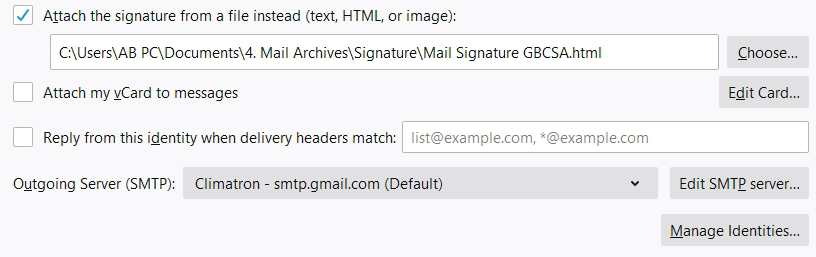
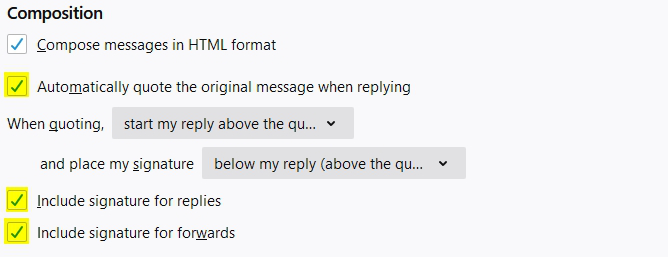
Hi to all, I have come across an interesting problem. I have a HTML signature to be included on replies and forwarded emails. (Set to appear below my replies, above quote) All setting in place and as I want them to be. I have two accounts set up on Thunderbird Version 78.12.0 (64-bit). When drafting a new email or replying my signature appears as expected. When I forward an email the signature is not there (although all settings are in place). The interesting thing is when I select my "from" account and change it to my other account and then back to the account from which I want to send the signature suddenly appears. Has anybody come across this before? Any help would greatly appreciated please. All the best Andre
Toate răspunsurile (2)
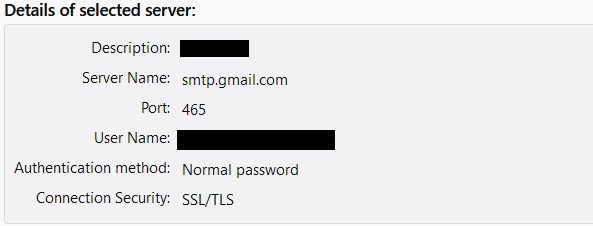
The setting in the 2nd picture must be set for each account. Do you have each account sending on its own smtp server, or do both accounts send on the same gmail smtp? Even if both are gmail accounts, you should have two smtp servers, both set to smtp.gmail.com, 465, SSL/TLS, OAuth2 authentication, but with different User Names (email address).
Thank you for your input sfhowes, I do have two smtp servers set - one for each account. One is set to normal password (the problematic one) and the other is set to OAuth2 authentication. I tried setting both to OAuth2 but the problem persists.