

Firul de discuție a fost arhivat.
Adresează o întrebare nouă dacă ai nevoie de ajutor.

Arhivate
Import attached pgp key from Email

Hi,
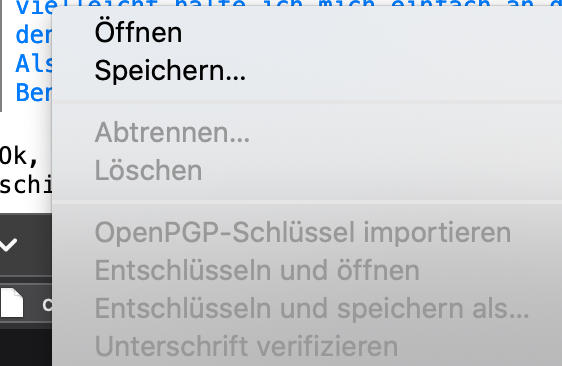
I use Thunderbird 78.7.1 on Mac but I cannot manage to import public pgp keys. I received the public key of the sender of an Email. When I right-click on it I see a greyed out menu as you can see on the screenshot. And I cannot find any other way to import public keys. There is no option to import pgp keys when clicking on tools -> import. Also clicking on tools -> OpenPGP Key Manager does not help, there is no import option.
Could someone give me a hint?
Thx in advance!
Hi,
I use Thunderbird 78.7.1 on Mac but I cannot manage to import public pgp keys.
I received the public key of the sender of an Email. When I right-click on it I see a greyed out menu as you can see on the screenshot.
And I cannot find any other way to import public keys. There is no option to import pgp keys when clicking on tools -> import. Also clicking on tools -> OpenPGP Key Manager does not help, there is no import option.
Could someone give me a hint?
Thx in advance!
Toate răspunsurile (1)
open the openpgp key manager in account settings > end to end encryption.
I have names in there and I have done nothing with PGP but read signed mail. Perhaps you do not need to import them