


Java Button on site for Bitdefender 90 days trial, doesn't work
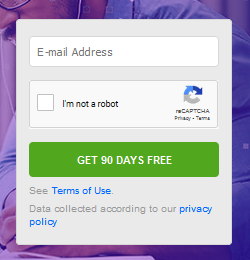
Hello, I went on Bitdefender 90 days trial activation site, but the "Get 90 Days free" button, doesn't work. Seems to be a java based button. I also tried in Incognito mode, and in Safe mode, disabling all extensions. Nothing.
With other browsers works fine.
The site is this: https://www.bitdefender.com/media/html/consumer/new/get-your-90-day-trial-opt/index.html
Soluție aleasă
I swear I tried everything a few hours ago, but now is working simply disabling Windscribe VPN. I alread did it, but who knows... It was always inactive, but you have to disable it in Extensions screen.
Citește răspunsul în context 👍 0Toate răspunsurile (2)
This one is working for me, although it doesn't like bob@example.com as the email address:

If you check the Enhanced Tracking Protection icon -- shield at the left end of the address bar -- is it a bit purplish, indicating that some content in the page is blocked? If so, click the icon and try turning that off (click the slider switch near the top of the panel). Any difference?
Soluție aleasă
I swear I tried everything a few hours ago, but now is working simply disabling Windscribe VPN. I alread did it, but who knows... It was always inactive, but you have to disable it in Extensions screen.