


Adding email address hosted by enom.com
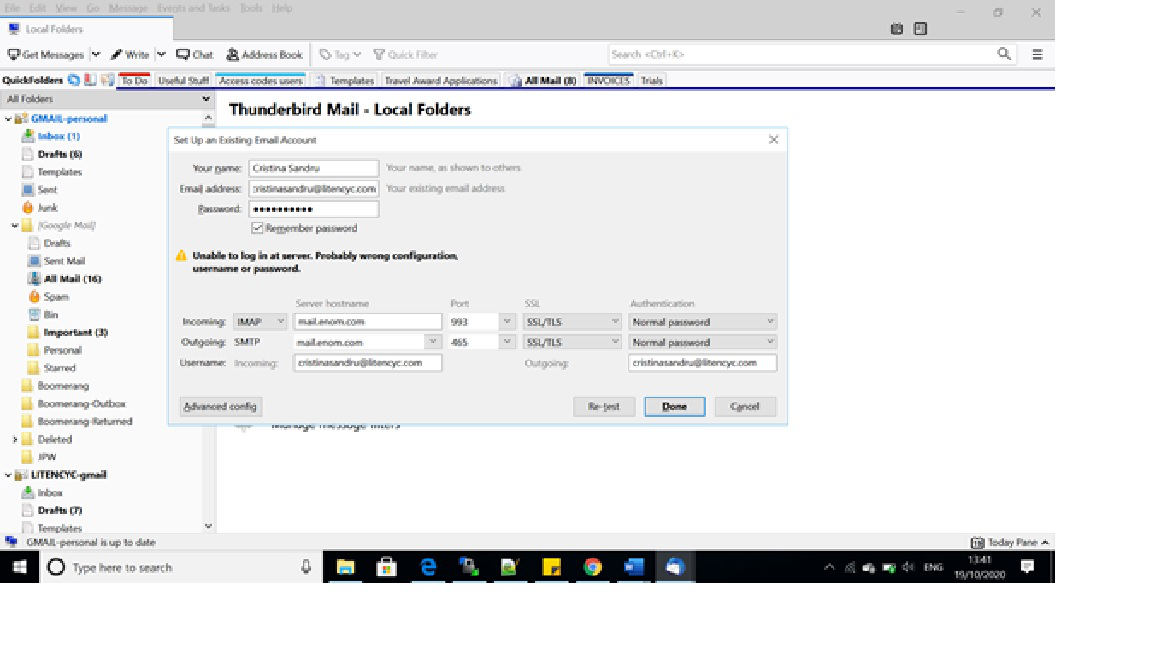
Hi, I am trying to direct my work email address that is hosted by enom.com (domain name @litencyc.com provided by Bulkregister), but despite following all steps correctly I am unable to log in to the server. The email address is cristinasandru@litencyc.com, and both the incoming and outgoing servers are mail.enom.com. I am able to access my account on their webmail, so my password is definitely correct, but when I try to add it to Thuderbird (which I had used as an email client for over 10 years now), it checks the manual configuration, finds the correct port numbers, but when I click 'done' it keeps telling me 'unable to login at server. Probably wrong configuration, username and password'. But all are correct - I checked the enom help page as well, and all data I entered is correct. I tries both SSL/TLS and all the other options, but in vain. I'm totally stuck and don't understand what I'm doing wrong. Any help will be much appreciated!
Toate răspunsurile (1)
By far the most common issue at that point is anti virus products trying to scan the connection and totally messing it up.
The next most common is having the wrong user name. Is it the email address, local part of the email address or something else entirely.
I would also suggest checking without SSL/TLS. V78 has significant changes and those bulk hosts rarely charge for a proper certificate so there are issues with the "Generic" ones they do use.