


The resource at was blocked because content blocking is enabled.
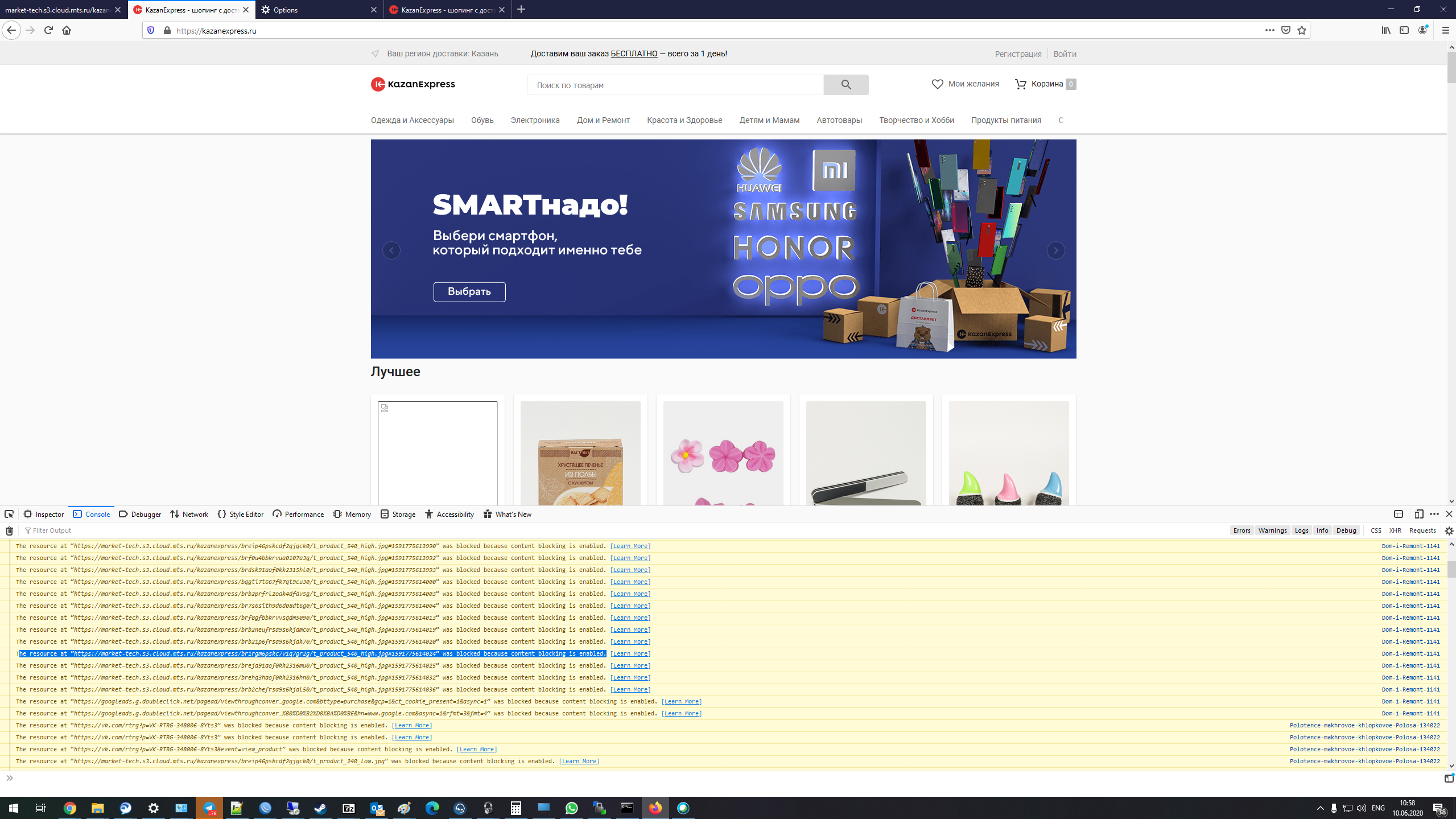
Dear support team, We've got some troubles with loading content from S3 storage in site https://kazanexpress.ru/
If we switch on Stict enchanced protection it shows errors : The resource at “https://market-tech.s3.cloud.mts.ru/kazanexpress/br1rgm6pskc7v1q7gr2g/t_product_540_high.jpg#1591775614024” was blocked because content blocking is enabled.

If we go directly to page https://market-tech.s3.cloud.mts.ru/kazanexpress/br1rgm6pskc7v1q7gr2g/t_product_540_high.jpg#1591775614024 it shows correctly.

What's the problem with loading contents from S3 storage?
-- WBR, Alexey Koznov.
Soluție aleasă
Hi, I think that you have to talk with disconnect.me, we rely on their lists.
https://disconnect.me/trackerprotection#feedback https://github.com/disconnectme/disconnect-tracking-protection/blob/master/entities.json#L7983
Toate răspunsurile (4)
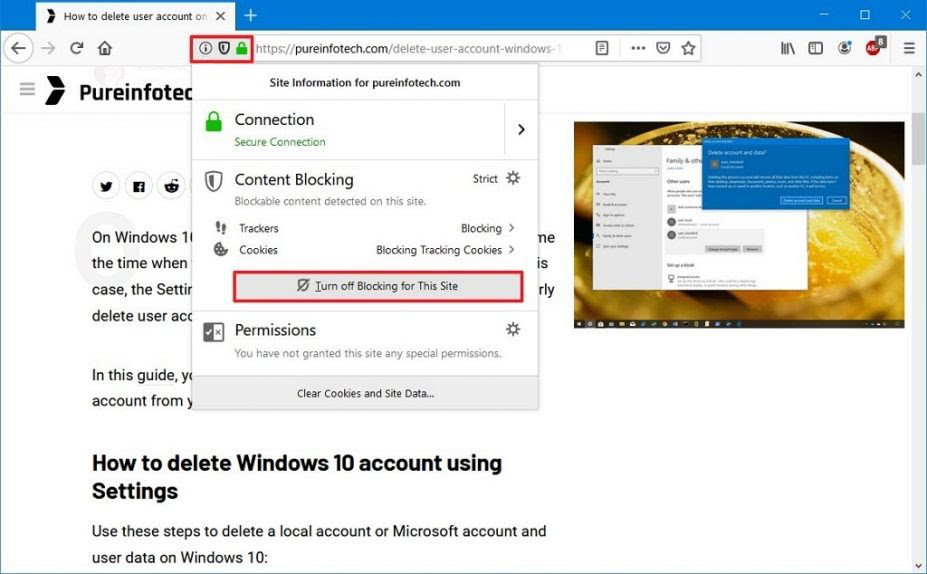
If you want to disable content blocking from each site . These steps are useful to do.
Open Firefox.
Load the site that you want to disable from Content Blocking.
Click the Shield button next to the URL in the address bar.
Click the Turn off Blocking for This Site button.
Once you complete the steps, the website should load properly, and it’ll now be allowed to track activities, store cookies, and more.
Hello, Is there any method to fix this without pushing button "Turn off Blocking for This Site"? I want to fix this on site to fix this behaviour. Thanks!
Soluție aleasă
Hi, I think that you have to talk with disconnect.me, we rely on their lists.
https://disconnect.me/trackerprotection#feedback https://github.com/disconnectme/disconnect-tracking-protection/blob/master/entities.json#L7983
TyDraniu said
Hi, I think that you have to talk with disconnect.me, we rely on their lists. https://disconnect.me/trackerprotection#feedback https://github.com/disconnectme/disconnect-tracking-protection/blob/master/entities.json#L7983
Thanks, i've write to feedback service of disconnect.me and will wait for answer for excluding mts.ru domain from tracking or adding exclusion for subdomain.