


Text is too small, page is too wide

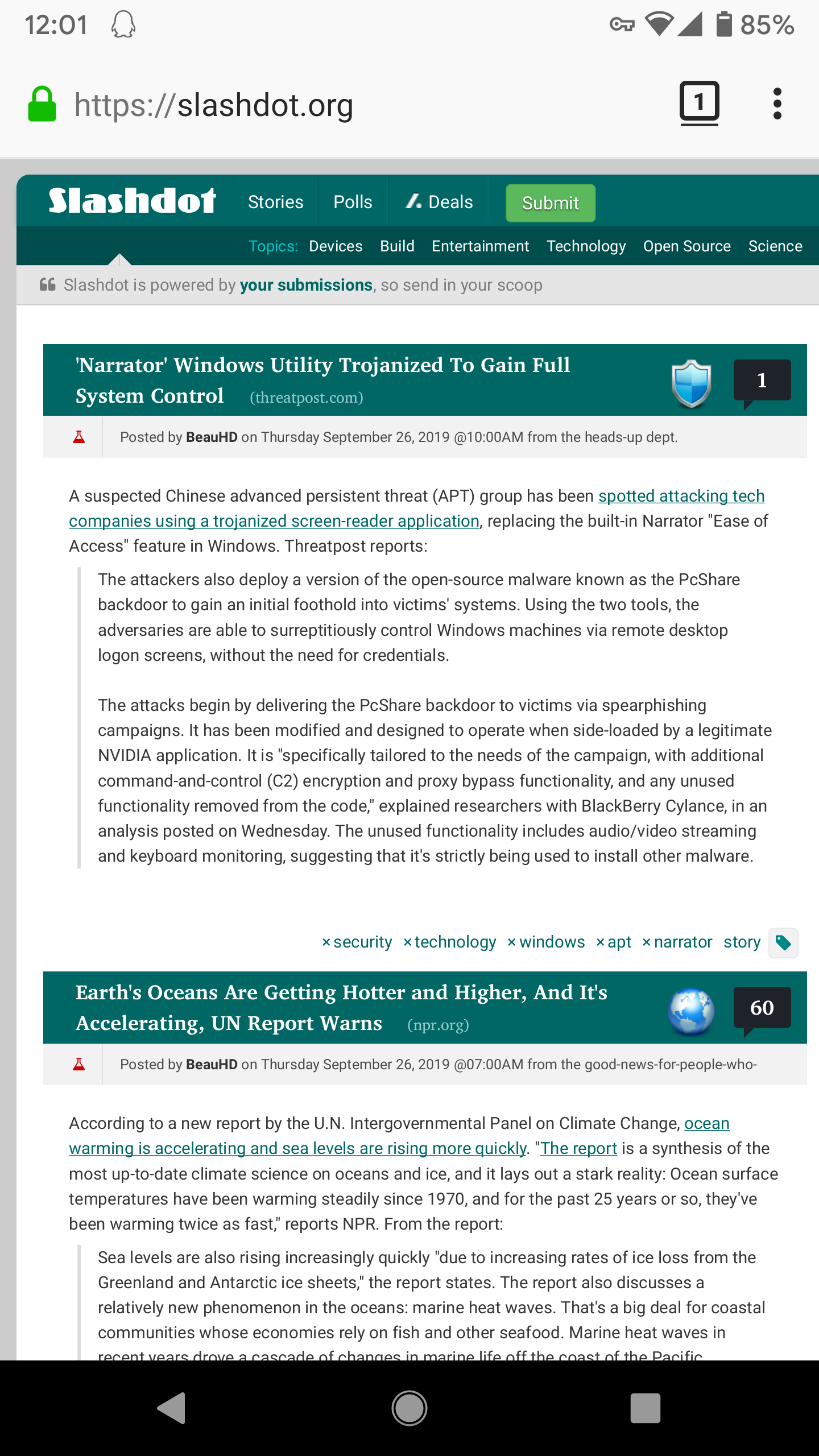
On many web sites text is too small to read. If I zoom in to read it then the page is too wide and I have to scroll constantly.
As an example try slashdot.org in desktop mode. The page looks fine in Chrome but the text is too small in Firefox.
I tried the "use system font size" setting, it made no visible difference.
How do I make the site readable in Firefox?
On many web sites text is too small to read. If I zoom in to read it then the page is too wide and I have to scroll constantly.
As an example try slashdot.org in desktop mode. The page looks fine in Chrome but the text is too small in Firefox.
I tried the "use system font size" setting, it made no visible difference.
How do I make the site readable in Firefox?

Toate răspunsurile (3)
Try out this extension: https://addons.mozilla.org/android/addon/fftextwrap/
Thanks, but it doesn't work. The text remains too wide and I have to scroll if it is zoomed to a usable size.
Hi
I would recomend not using desktop mode for those sites and let them display in mobile mode naturally. This should make the pages display better for you on your mobile device.