


Blocking cookies does not work in newest Firefox. The request is ignored by the browser. How can this be rectified?

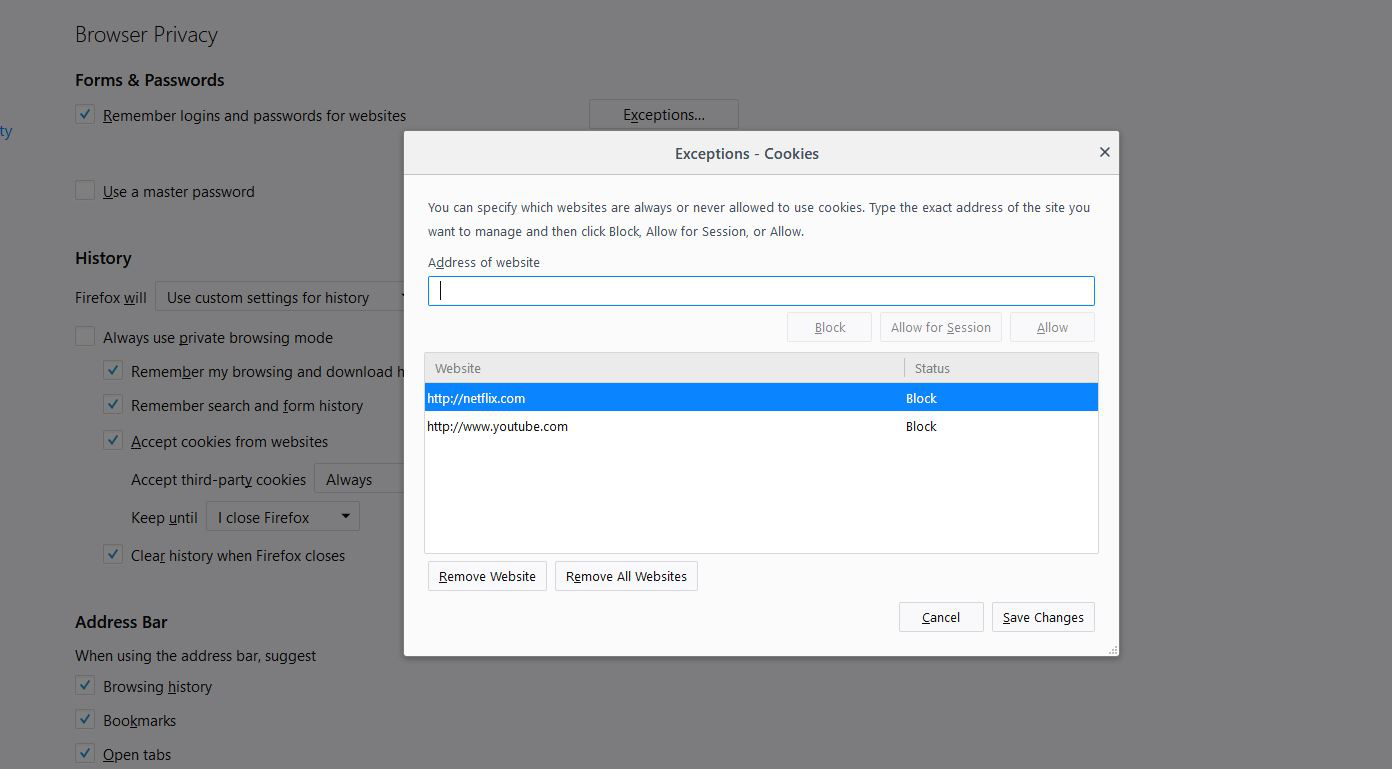
I have attempted to block both youtube and netflix cookies by they always are added. I don't want to block cookies from all sits but specific sites and all requests for blocking specifics sites are ignored by the Firefox browser.
P.S. I love this browser by the way but this is so annoying sometimes.
I have attempted to block both youtube and netflix cookies by they always are added. I don't want to block cookies from all sits but specific sites and all requests for blocking specifics sites are ignored by the Firefox browser.
P.S. I love this browser by the way but this is so annoying sometimes.
Toate răspunsurile (1)
Hi, please Copy/Paste about:preferences#privacy to the Address Bar then Enter History --> Change to Use Custom Settings that will bring up the Button for Exceptions. In Exceptions you enter the full path of the site then can choose Allow or Block.
Or alternatively you can use the tick boxes to accept then delete.
Please let us know if this solved your issue or if need further assistance.