


New tab search engine missing?

So, I use Yahoo for my default homepage, and its search engine on empty new tab pages. However, I noticed this morning when doing a search from an empty new tab page it's searching directly using Google. I went to my options and then to search options. Under Default Search Engine, I do not see Yahoo!. What's the deal?
Toate răspunsurile (4)
hi, you can install the yahoo search provider from https://addons.mozilla.org/firefox/addon/yahoo-search-addon/ if you're inclined to do so.

Hello,
You can choose from different search providers such as Google, Yahoo or Bing when you search the Internet using Firefox. For more information, see the articles Search the Web on Firefox and Manage Firefox search settings.
If you want to change the default search engine that Firefox uses, use one of these methods:
- Click the menu button
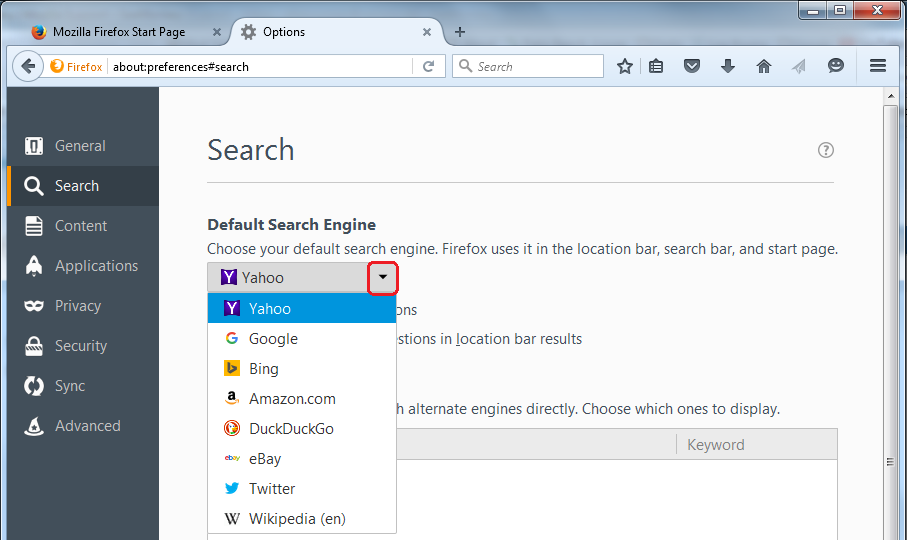
 and choose either Options (on Windows) or Preferences (on Mac or Linux), then select the Search settings panel.
- Click on the magnifying glass icon in the Search bar, then click on Change Search Settings, as shown here:
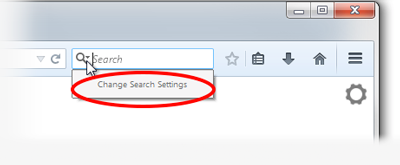
In the Search settings panel that opens, select a different search engine from the drop-down menu:
Let us know if this helps!
FireFoxFan1 said
What's the deal?
More users have reported this since yesterday and a bug report has been filed :
https://bugzilla.mozilla.org/show_bug.cgi?id=1443957
Would you try this please : 3-bar menu (or 'Tools') => Options => Search Under 'One-Click Search Engines' - at the bottom click 'Restore Default Search Engines' Does that bring back the search engines, including Yahoo ? Probably not .....
See this thread : https://support.mozilla.org/en-US/questions/1208139
May I suggest that you read every post in this thread - there are some temporary workarounds mentioned and 'things to try'.
You'll find Philipp's post there too (excellent solution till this is fixed).
You can save the XML file of the search engine via this special builtin page:
- chrome://browser/locale/searchplugins/
See:
- [/questions/1200767] integrate custom search to own search bar
You can open the Browser Console.
- "3-bar" menu button or Tools -> Web Developer
Paste the JavaScript code posted below in the command line You need to set devtools.chrome.enabled to true on the about:config page to enable the command line
You can open the about:config page via the location/address bar. You can accept the warning and click "I accept the risk!" to continue.
/* load search engine via local XML file */
var fp = Cc["@mozilla.org/filepicker;1"].createInstance(Ci.nsIFilePicker);
fp.init(window,"Open file",Ci.nsIFilePicker.modeOpen);
fp.appendFilters(Ci.nsIFilePicker.filterXML);
fp.open((rv) => {
  if (rv == Ci.nsIFilePicker.returnOK) {
   var path = fp.file.path;
   var url = OS.Path.toFileURI(path);
   Services.search.addEngine(url, null, null, false);
  }
})