


I blocked sites from setting cookies, but they still set cookies.

In settings, under "privacy" there is 1. An option whether to accept cookies from sites. I have this checked. 2. An option when to accept 3rd party cookies. I have this set to "always." 3. A button marked "exceptions." I have entered many sites to block. 4. A button marked "show cookies", which shows cookies that have been set.
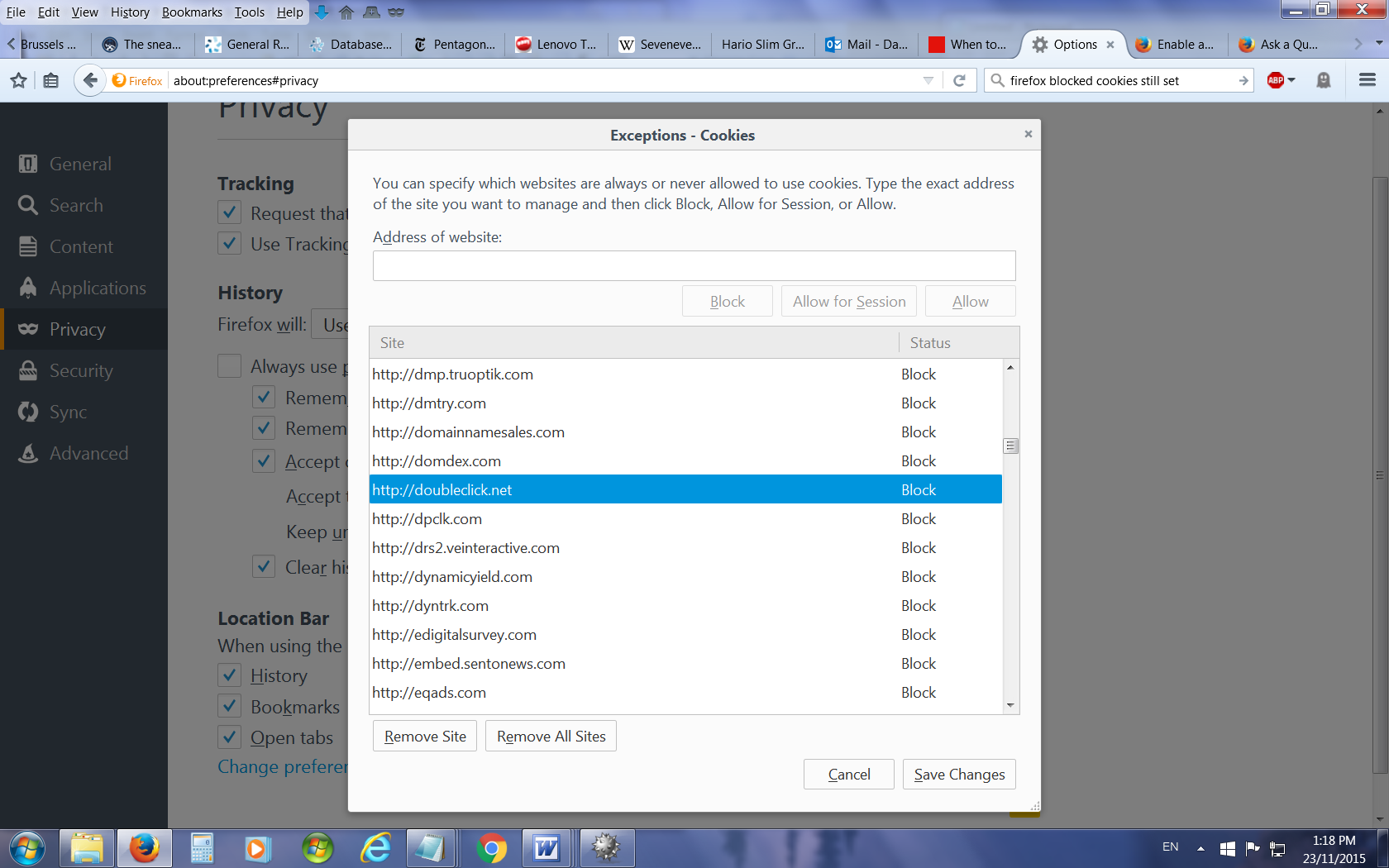
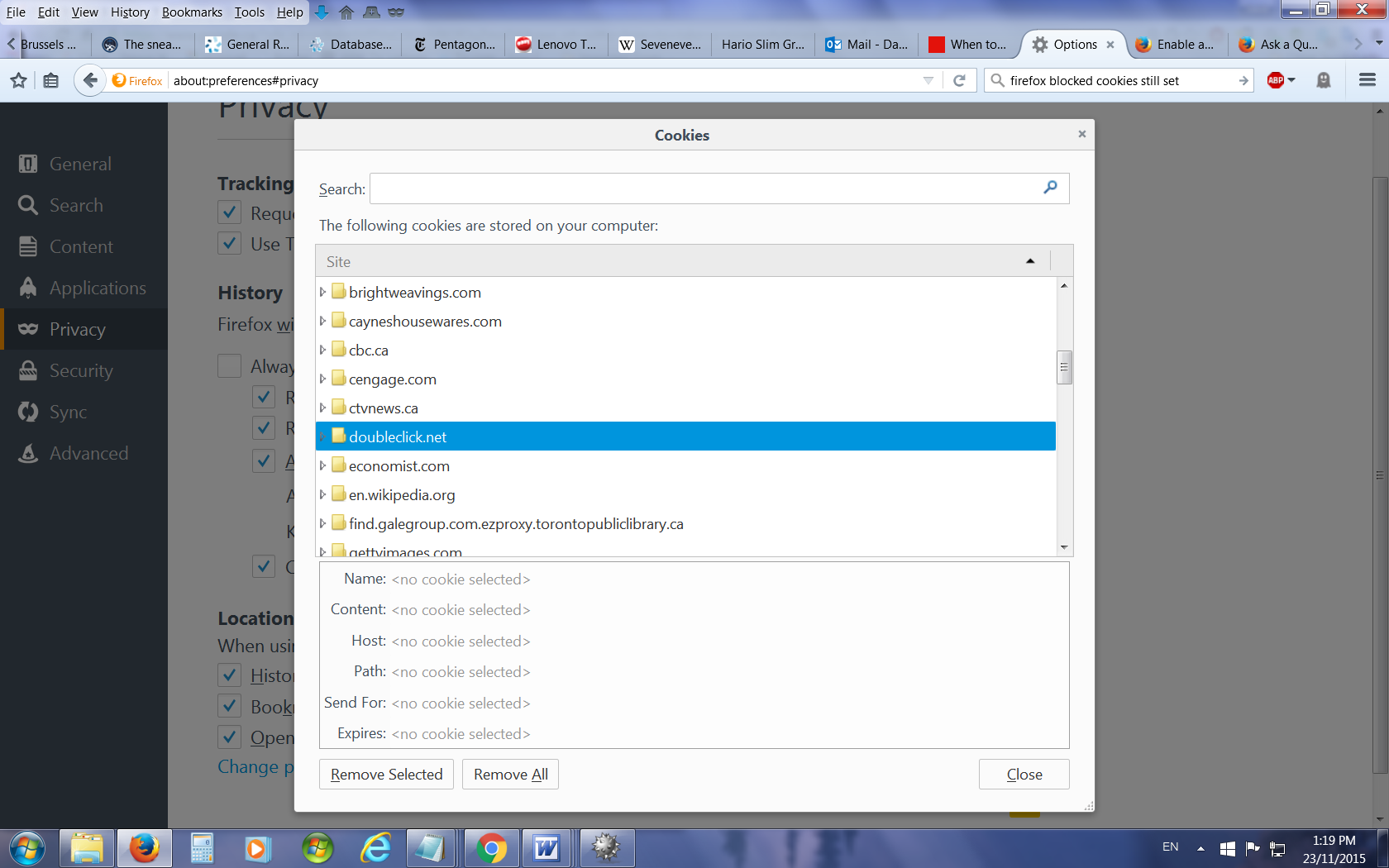
The problem: Apparently, sites that I have blocked are still setting cookies. For example, under "exceptions" I have blocked "doubleclick.net" But "show cookies" still lists cookies from "doubleclick.net"
In settings, under "privacy" there is
1. An option whether to accept cookies from sites. I have this checked.
2. An option when to accept 3rd party cookies. I have this set to "always."
3. A button marked "exceptions." I have entered many sites to block.
4. A button marked "show cookies", which shows cookies that have been set.
The problem:
Apparently, sites that I have blocked are still setting cookies. For example, under "exceptions" I have blocked "doubleclick.net" But "show cookies" still lists cookies from "doubleclick.net"
Toate răspunsurile (1)

That is a folder. Any cookies would be inside. Try deleting that folder.