


How to make the title bar bigger

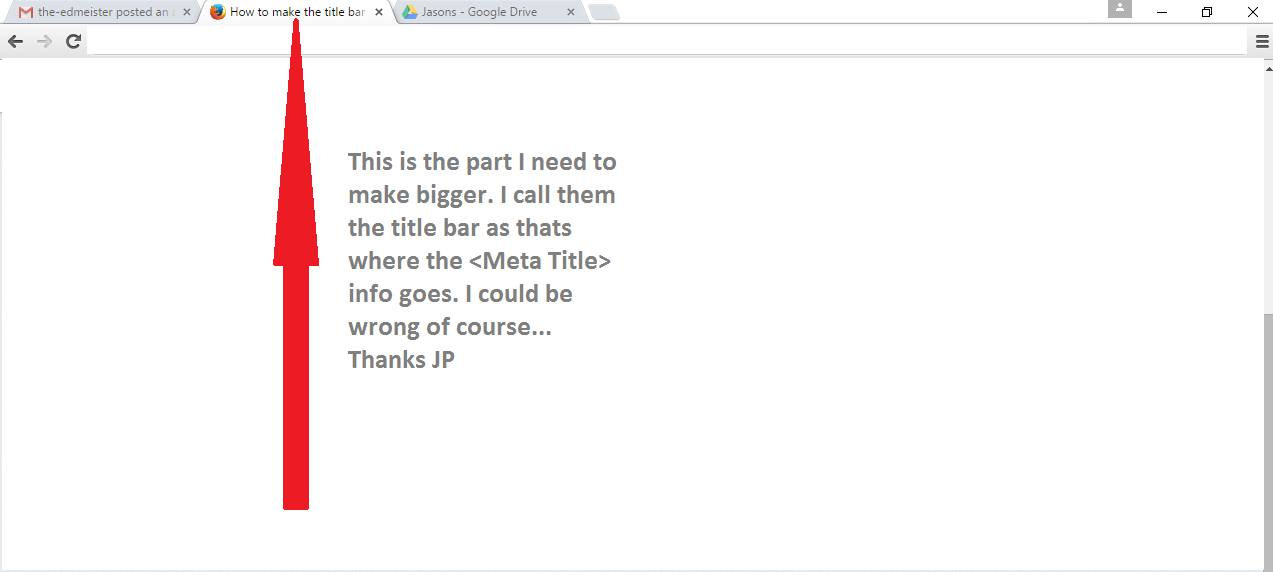
Hi please see the attached image for the detail. In short what I need to do is make the top of the tabs bigger. The part where the <meta title> tag shows in the browser up there. I have been asked this by a lady who is losing her sight to macular. She is quite happy with the "No Squint" app but would really like to make that part bigger as well. Is it possible please? Thanks in advance.
Soluție aleasă
I assume you mean in Firefox, even though that screen shot looks like Chrome.
It's probably easiest to try:
https://addons.mozilla.org/firefox/addon/theme-font-size-changer/
Citește răspunsul în context 👍 1Toate răspunsurile (4)
The image didn't make it into your posting.
See this support article.
How do I create a screenshot of my problem?
It is best to use a compressed image type like PNG or JPG to save the screenshot and make sure that you do not exceed a maximum file size of 1 MB.
Then use the Browse .... button below the Post a Reply text box to upload the screenshot.
Modificat la de the-edmeister
Oops sorry about that here is the picture. Thanks
Soluție aleasă
I assume you mean in Firefox, even though that screen shot looks like Chrome.
It's probably easiest to try:
https://addons.mozilla.org/firefox/addon/theme-font-size-changer/
Yes I do mean Firefox and not Chrome. Thanks! Your answer was spot on that is just what I needed. I am off now to make an elderly lady very happy. Once again thanks jscher2000. Problem solved.