


Firefox crashes

mozilla firefox shows some flickering pixels (pink - green) after hours of usage and then crashes by turning the screen into black. It has happened many times. what could I do to solve this problem?
Crash ID: bp-e54f71b1-faae-4392-a24a-7be2f2150206
Toate răspunsurile (2)
hello ioanna1, maybe that's an issue with hardware acceleration - please try updating your graphics driver - this should be the right link for your configuration: http://support.amd.com/en-us/download/mobile?os=Windows%207%20-%2064
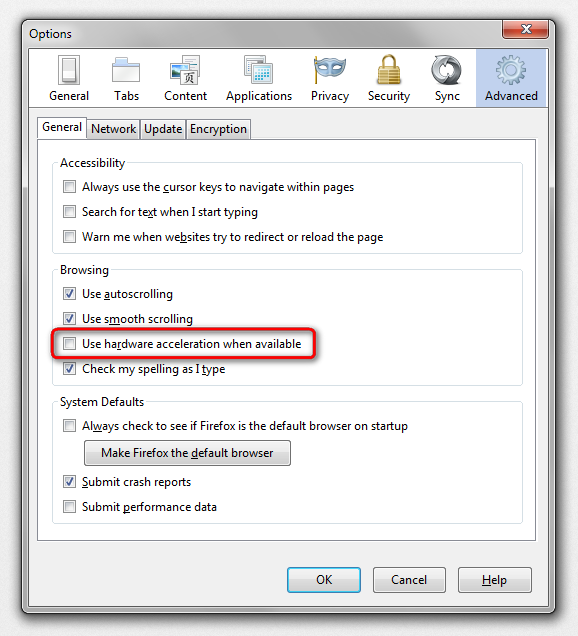
or in case this doesn't solve the issue, disable hardware acceleration in the firefox menu ≡ > options > advanced > general (that setting will take a restart of the browser to take effect).
Soluție aleasă
That is a hang in the Shockwave Flash plugin.
You can check for problems with current Shockwave Flash plugin versions and try this:
- check for updates for your graphics drive drivers
https://support.mozilla.org/kb/upgrade-graphics-drivers-use-hardware-acceleration - disable protected mode in the Flash plugin (Flash 11.3+ on Windows Vista and later)
- disable hardware acceleration in the Flash plugin
See also: