doesn't correctly show pop-ups

I'm click right button and i don't see pop ups. I add screenshots . 1. http://prntscr.com/4oo663 2.http://prntscr.com/4oo6iq 3.http://prntscr.com/4oo6ts 4.http://prntscr.com/4oo6yt 5. http://prntscr.com/4oo74e I have tried to uninstall and install but not helped.
Soluție aleasă
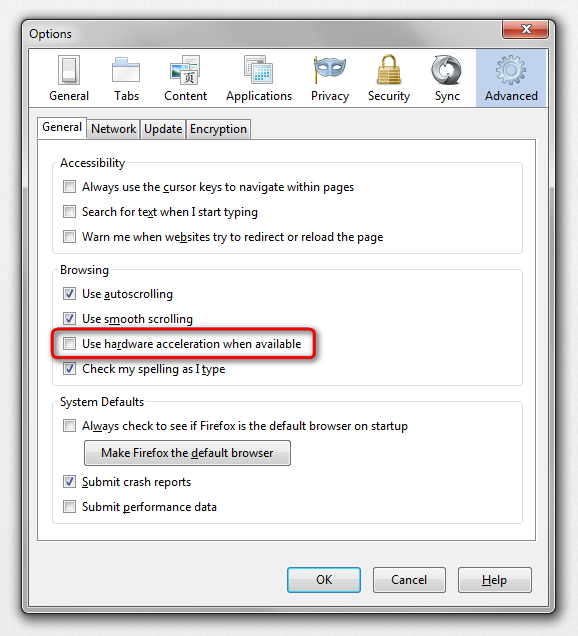
hello FuzzyManas, this looks like an issue with hardware acceleration - please try updating your graphics driver, or in case this doesn't solve the issue or there is no new version available at the moment, disable hardware acceleration in the firefox menu ≡ > options > advanced > general (that setting will take a restart of the browser to take effect).
Citește răspunsul în context 👍 1Toate răspunsurile (1)
Soluție aleasă
hello FuzzyManas, this looks like an issue with hardware acceleration - please try updating your graphics driver, or in case this doesn't solve the issue or there is no new version available at the moment, disable hardware acceleration in the firefox menu ≡ > options > advanced > general (that setting will take a restart of the browser to take effect).