


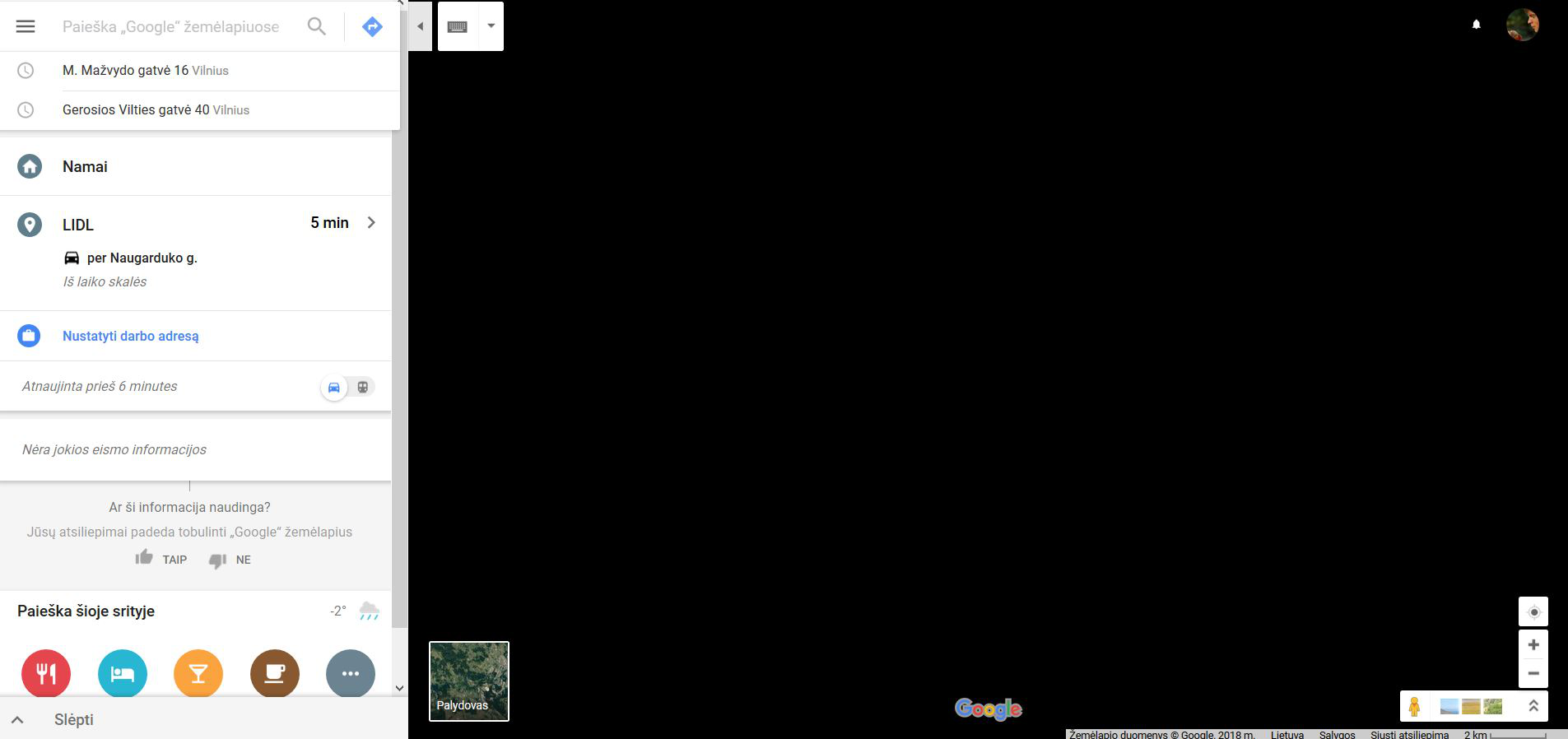
black screen using google maps

Google maps showing black screen on Mozilla browser
Please advice the solution
Zmodyfikowany przez cor-el w dniu
Wszystkie odpowiedzi (4)
hi, could you go to the firefox menu ≡ > help ? > troubleshooting information, copy the contents of that page and paste them here into a reply on the forum (or if it's too long through a site like https://pastebin.com and provide the link here)?
this might give us a clue what is going on. thank you!
thank you, can you try to look for an updated graphics driver on the manufacturer's support page for you notebook model or else try to disable hardware acceleration in firefox to see if this is making a difference? Firefox's performance settings
You can check the Web Console to see if there are error messages and warnings.
- "3-bar" menu button or Tools -> Web Developer
- https://developer.mozilla.org/en-US/Tools/Web_Console
Start Firefox in Safe Mode to check if one of the extensions ("3-bar" menu button or Tools -> Add-ons -> Extensions) or if hardware acceleration is is causing the problem.
- switch to the DEFAULT theme: "3-bar" menu button or Tools -> Add-ons -> Appearance
- do NOT click the "Refresh Firefox" button on the Safe Mode start window
- https://support.mozilla.org/en-US/kb/troubleshoot-firefox-issues-using-safe-mode
- https://support.mozilla.org/en-US/kb/troubleshoot-extensions-themes-to-fix-problems