


Why does Firefox open links in a blank tab?

Sometimes when I click on a link, the page loads. However, it shows up blank and the tab only shows the URL. For example, if I type in www.google.com in the Awesome Bar, a tab with http://www.google.com will appear as the name but the page itself loads blank. I do not know why this keeps happening. I have tried disabling Noscript and Adblock Plus and it still happens.
Todas as respostas (2)
Start Firefox in Use Troubleshoot Mode in Firefox to check if one of the add-ons is causing the problem (switch to the DEFAULT theme: Tools > Add-ons > Themes).
- Don't make any changes on the Safe mode start window.
See:
- Troubleshoot extensions, themes and hardware acceleration issues to solve common Firefox problems
- Troubleshoot issues with plugins like Flash or Java to fix common Firefox problems
If it does work in Safe-mode then disable all extensions and then try to find which is causing it by enabling one at a time until the problem reappears.
- Use "Disable all add-ons" on the Safe mode start window to disable all extensions.
- Close and restart Firefox after each change via "File > Exit" (Mac: "Firefox > Quit"; Linux: "File > Quit")
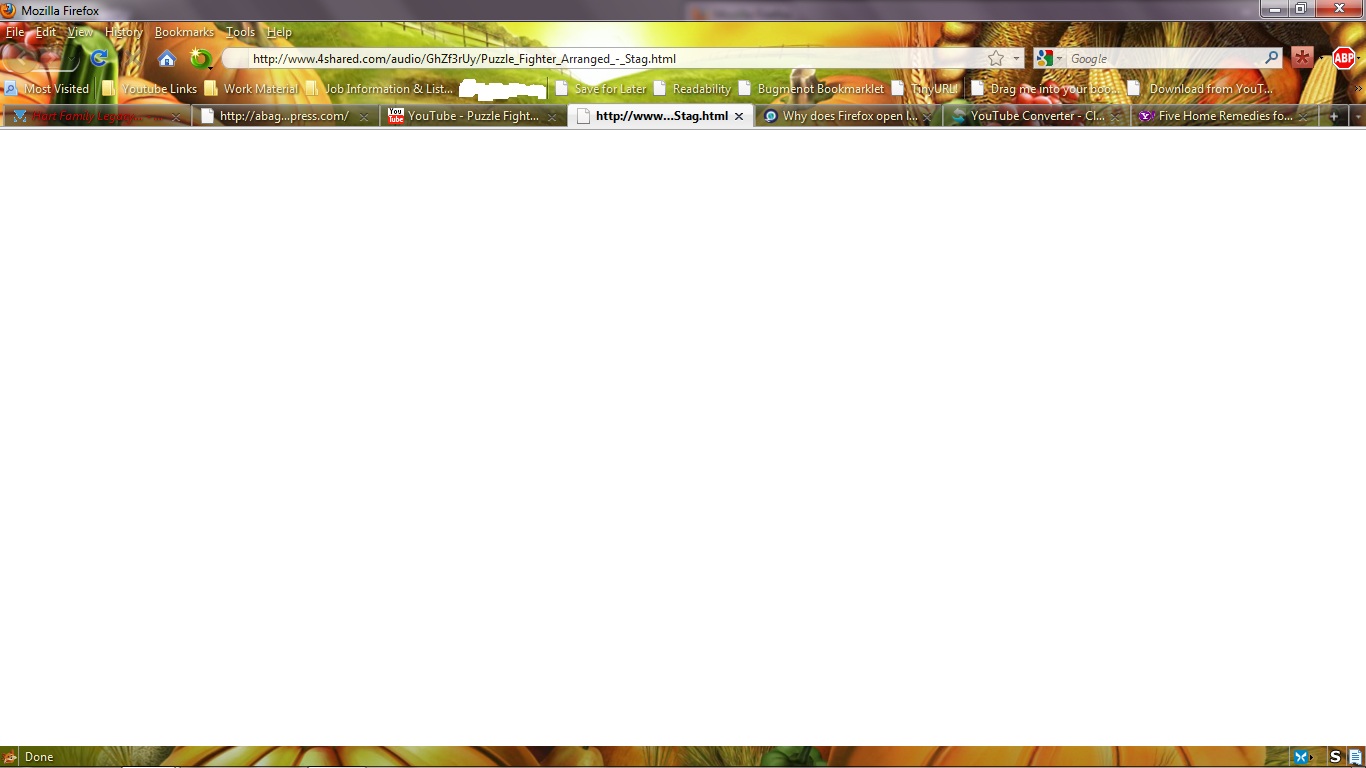
I ran Firefox in Safe Mode with all extensions turned off. When I clicked this link ( http://www.4shared.com/audio/GhZf3rUy/Puzzle_Fighter_Arranged_-_Stag.html) in this Youtube video: http://www.youtube.com/watch?v=-haPlhz1ZAE&feature=related, I got the following image: http://img508.imageshack.us/img508/2238/brokenff.jpg

Note there is another tab which has the same kind of title as the tab which currently has focus.
Update: I am now running in Safe Mode using the default theme. I'm going to try and replicate this situation (not sure if it's a bug) again.
Update 2: The same thing happened again with the default theme. What I've noticed is that Firefox will display the page as blank even if the link works. I'm not sure why this happens. http://img197.imageshack.us/img197/263/blanktab.png

Alterado por RajahLion em