


Firefox blocks parts of images that I try to look at on Ancestry.com

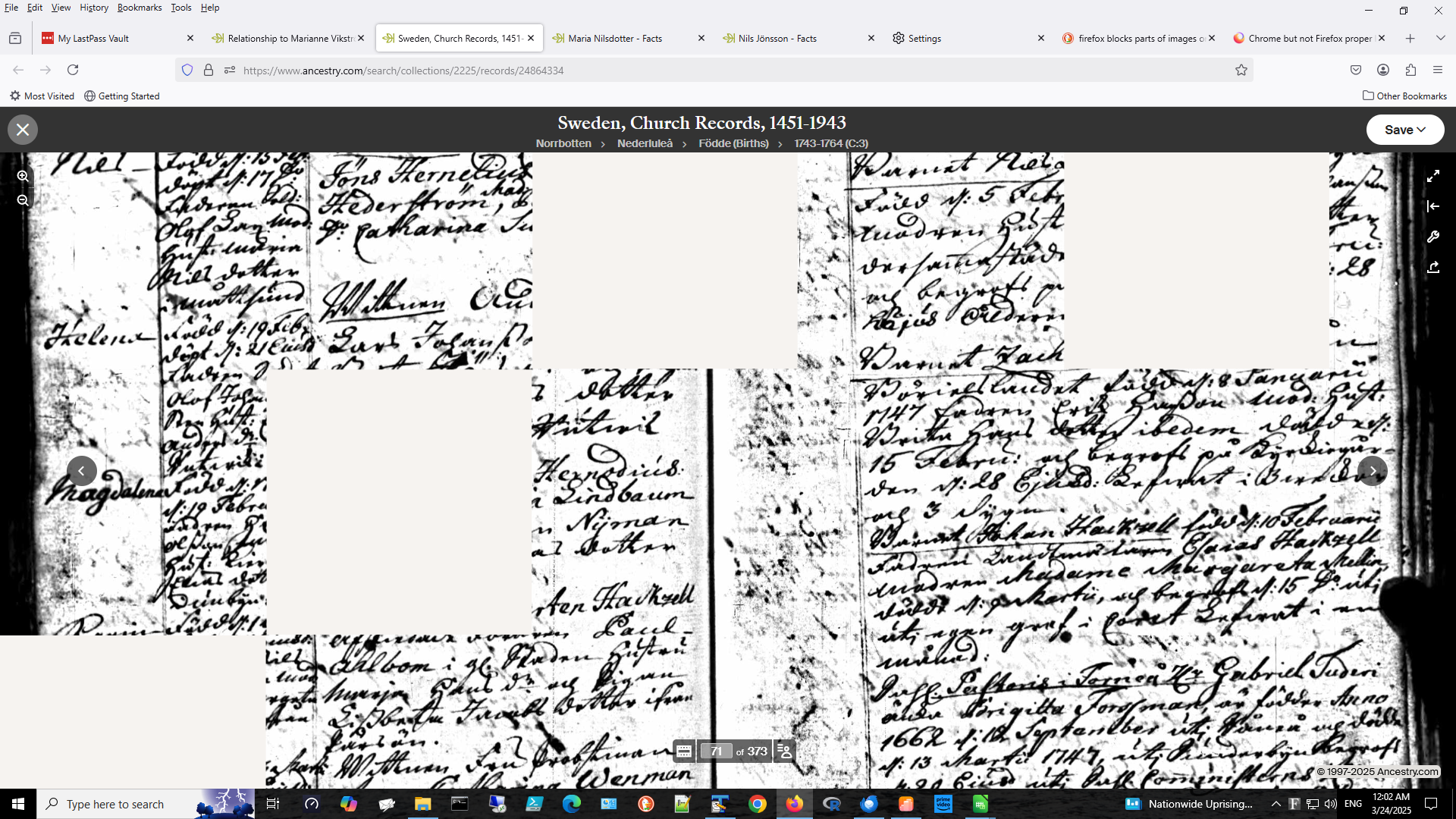
When I try to look at Swedish church record images online at Ancestry.com, the images do not display properly. The image is partially blocked by randomly placed rectangular shaped white spaces. This does not happen with Chrome browser. I have included an image that demonstrates the problem. Can someone suggest a fix?
When I try to look at Swedish church record images online at Ancestry.com, the images do not display properly. The image is partially blocked by randomly placed rectangular shaped white spaces. This does not happen with Chrome browser. I have included an image that demonstrates the problem. Can someone suggest a fix?
Todas as respostas (1)

Hello,
You can try the steps at this page :
Ancestry - Fixing Display or Download Problems https://support.ancestry.com/s/article/Fixing-Display-or-Download-Problems?language=en_US
If it doesn't work, at the end of the page you can see : If none of these steps resolve the problem, contact us to report the issue.