Insert picture in email text

I have been trying to solve this issue all evening:
HOW does one insert a picture is the text of an email message. I can attach the picture to the email but when I try to drag it into the text, it tells me cannot do it now but to try layer. Its it a memory issue?
Windows 10 Firefox v133.03 20241209150345 64bit Dec 10, 2024.
The issue is I do not have "Pictures" highlighted under the "Insert" menu. However, I do have "Attach file" which I did above, but I cannot drag the picture into the text and scale it as in the past.
When I try to insert the picture into the text, the message "The following files couldn't be attached: Filename.jpg. Please try again later." appears at the very top of the display.
"Link", "Pictures", "Emoji", and "Table" are all not hi-lighted. Do not know why???
HELP WOULD BE APPRECIATED!
Alterado por raymond_j_markiewicz em
Todas as respostas (8)

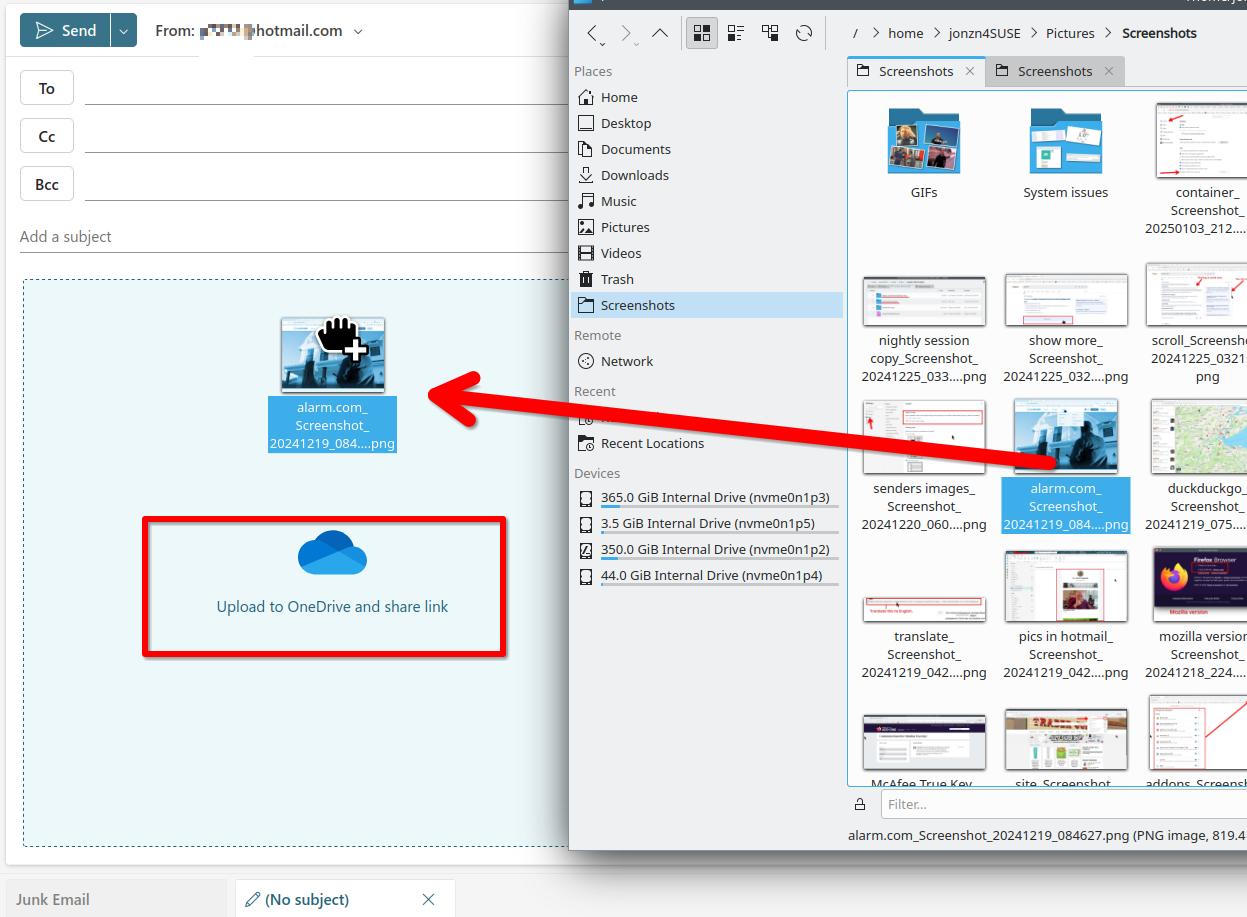
Not a browser issue right? Just a question. Are you using an email app or a website for email? Here is a screenshot from my Hotmail / Outlook account. see screenshot What OS? What version of Firefox?
FIREFOX V133.03 20241209150345 64BIT UP TO DATE
Windows 10
What are you using to access email?
I simply create an email and for special occasions try to insert a graphic/picture
within the text.
Are you using a mail application or website to access email? Provide the name of the app or site.
Alterado por jonzn4SUSE em
I am using Microsoft Hotmail
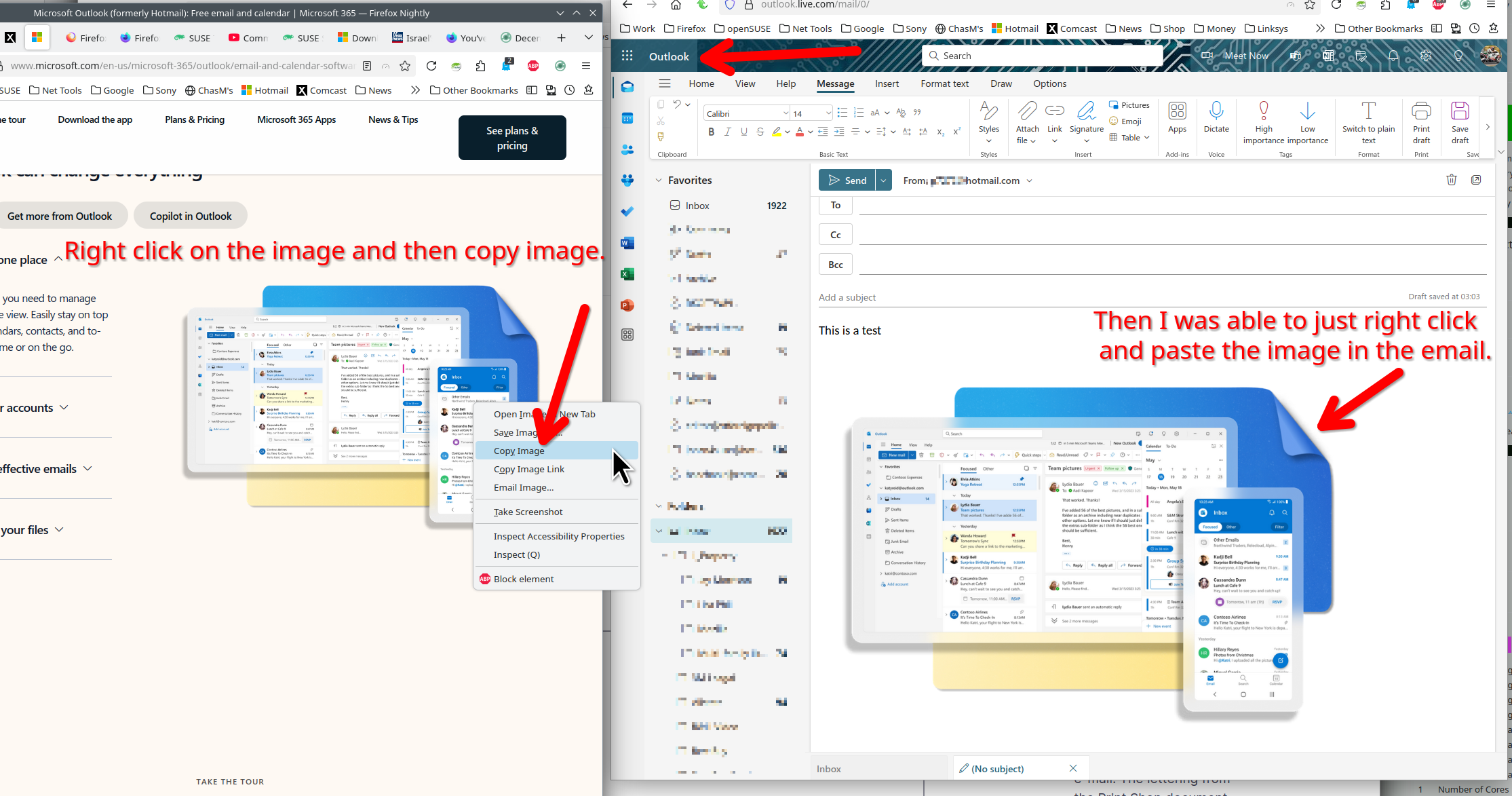
I'm also using Hotmail. You can copy and paste in the image, but trying to drag and drop prompts for uploading to one drive. see screenshot