


Windows 10 reached EOS (end of support) on October 14, 2025. If you are on Windows 10, see this article.

Pesquisar no site de suporte

Evite golpes de suporte. Nunca pedimos que você ligue ou envie uma mensagem de texto para um número de telefone, ou compartilhe informações pessoais. Denuncie atividades suspeitas usando a opção “Denunciar abuso”.

Saiba mais

Esta discussão foi arquivada. Faça uma nova pergunta se precisa de ajuda.

All but unreadably small text in received emails

  • 1 resposta
  • 0 tem este problema
  • 64 visualizações
  • Última resposta de david

I'm using Thunderbird 115.9.0 (64bit) on Linux Mint.

Yesterday, I performed a complete reformat and upgrade to the latest version of Mint and I've been struggling to read emails in Thunderbird ever since. The text in the emails I receive is absolutely tiny - I'd say it was almost impressively small if it weren't so infuriating.

I've included a screenshot example of what I'm talking about. Note the size of the subject line at the top to see the disparity.

I've scoured the support pages and carefully followed the instructions given, but the aside from increasing the font of the program itself, there is no change in the text size of the messages themselves.

Any help you can provide will be greatly appreciated.
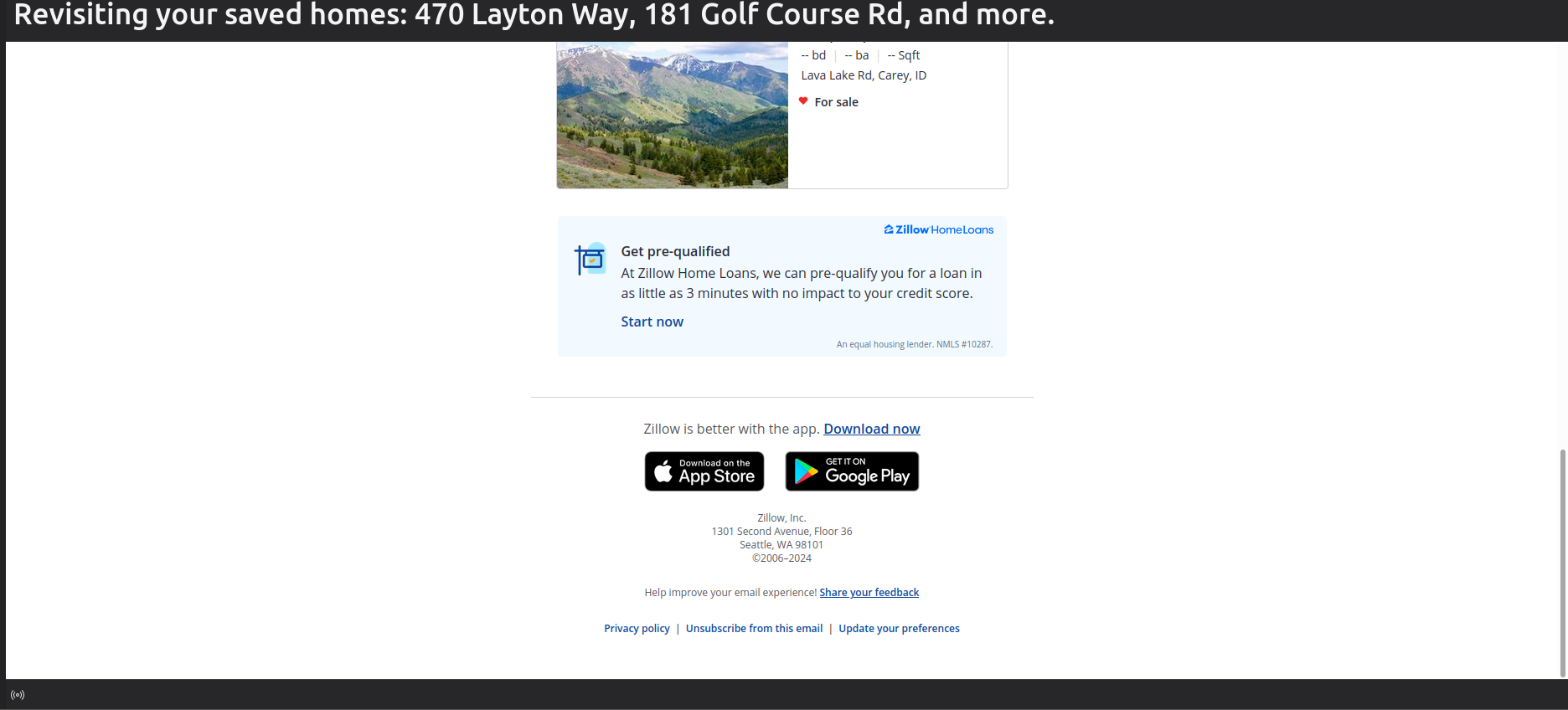
I'm using Thunderbird 115.9.0 (64bit) on Linux Mint. Yesterday, I performed a complete reformat and upgrade to the latest version of Mint and I've been struggling to read emails in Thunderbird ever since. The text in the emails I receive is absolutely tiny - I'd say it was almost impressively small if it weren't so infuriating. I've included a screenshot example of what I'm talking about. Note the size of the subject line at the top to see the disparity. I've scoured the support pages and carefully followed the instructions given, but the aside from increasing the font of the program itself, there is no change in the text size of the messages themselves. Any help you can provide will be greatly appreciated.
Capturas de tela anexadas

Todas as respostas (1)

The screenshot looks normal, and may not be a good example, as it is in HTML. If font size is too small for you, I suggest changing at settings>general. This link gives full instructions

 https://support.mozilla.org/en-US/questions/1437527