


Windows 10 reached EOS (end of support) on October 14, 2025. If you are on Windows 10, see this article.

Pesquisar no site de suporte

Evite golpes de suporte. Nunca pedimos que você ligue ou envie uma mensagem de texto para um número de telefone, ou compartilhe informações pessoais. Denuncie atividades suspeitas usando a opção “Denunciar abuso”.

Saiba mais

Esta discussão foi arquivada. Faça uma nova pergunta se precisa de ajuda.

Firefox 106.0.5 not working

  • 2 respostas
  • 0 tem este problema
  • 83 visualizações
  • Última resposta de donach

I'm running FF 106.0.5 on a Windows 10 PC. Everything is impossibly slow and I've been signed out of everything. I'm not managing to sign back into anything, including Firefox, other than, weirdly, twitter. Specifically, I can't sign into Google, Facebook, the Open University or Nebula.

On Facebook, the login page won't even let me input my email address or password. Nothing appears when I try to click on the fields

I've managed to get into twitter but I can't like or retweet anything, and as I speak, the homepage is now blank. It had worked, I clicked on a tweet, couldn't use any of the buttons underneath it, went back and lost it.

Oops, I'm now into the Open University but it took ages to happen and everything takes ages to happen when I click on links. I still can't sign into my Firefox account on it.

Everything is fine on Chrome on the same computer.
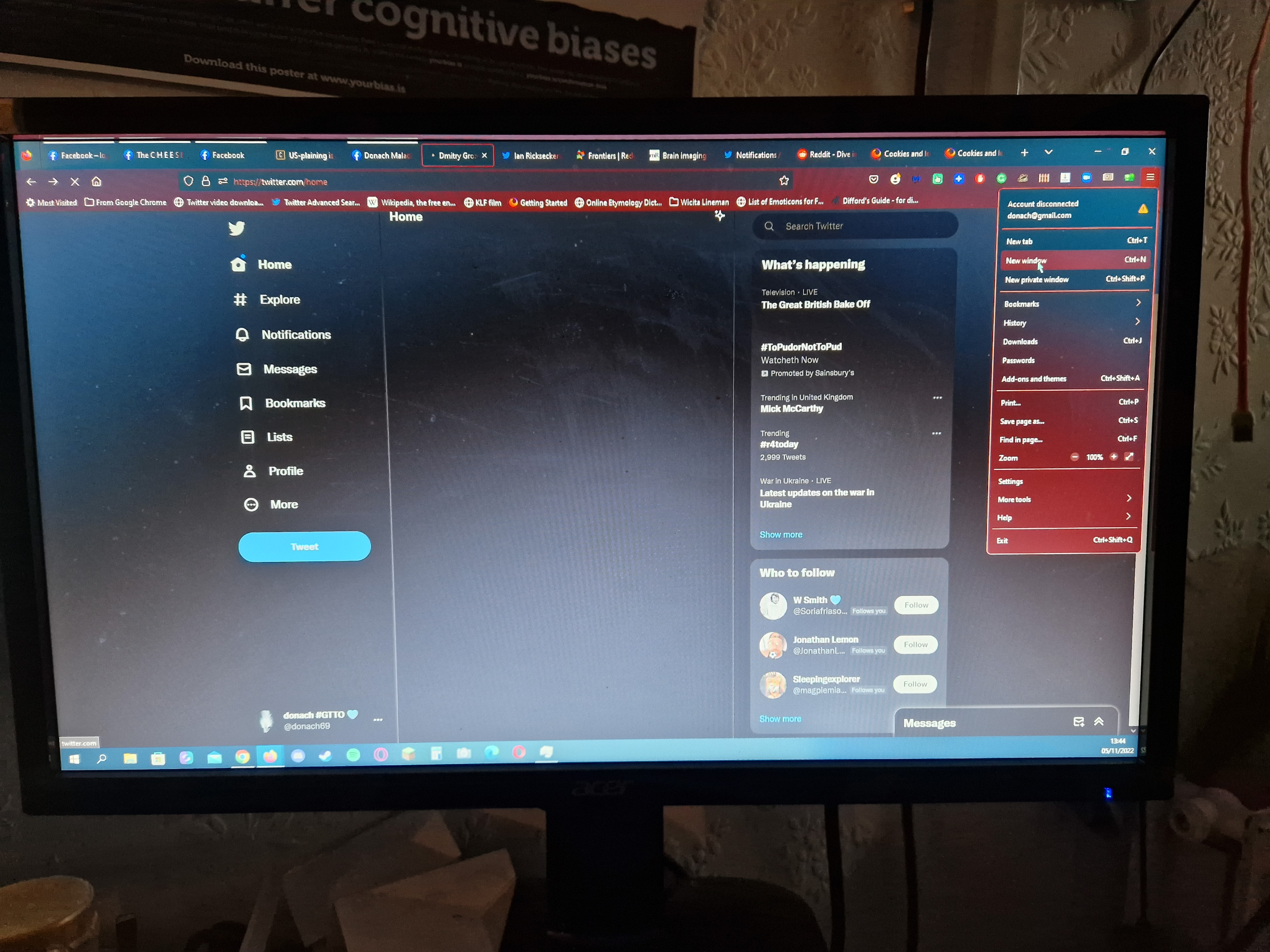
I'm running FF 106.0.5 on a Windows 10 PC. Everything is impossibly slow and I've been signed out of everything. I'm not managing to sign back into anything, including Firefox, other than, weirdly, twitter. Specifically, I can't sign into Google, Facebook, the Open University or Nebula. On Facebook, the login page won't even let me input my email address or password. Nothing appears when I try to click on the fields I've managed to get into twitter but I can't like or retweet anything, and as I speak, the homepage is now blank. It had worked, I clicked on a tweet, couldn't use any of the buttons underneath it, went back and lost it. Oops, I'm now into the Open University but it took ages to happen and everything takes ages to happen when I click on links. I still can't sign into my Firefox account on it. Everything is fine on Chrome on the same computer.
Capturas de tela anexadas

Todas as respostas (2)

Last resort is to clear your cache/history but doing this it can remove logins/passwords when doing this so make sure you have it written down the logins just in case. And then restart the computer and try to sign-in to the sites again.

Thanks, I feel stupid. I should have known to clear my cache, which is what sorted it out, before posting